TWIN – Use and maintenance instruction manual
Chap. 5
- 8/48 -
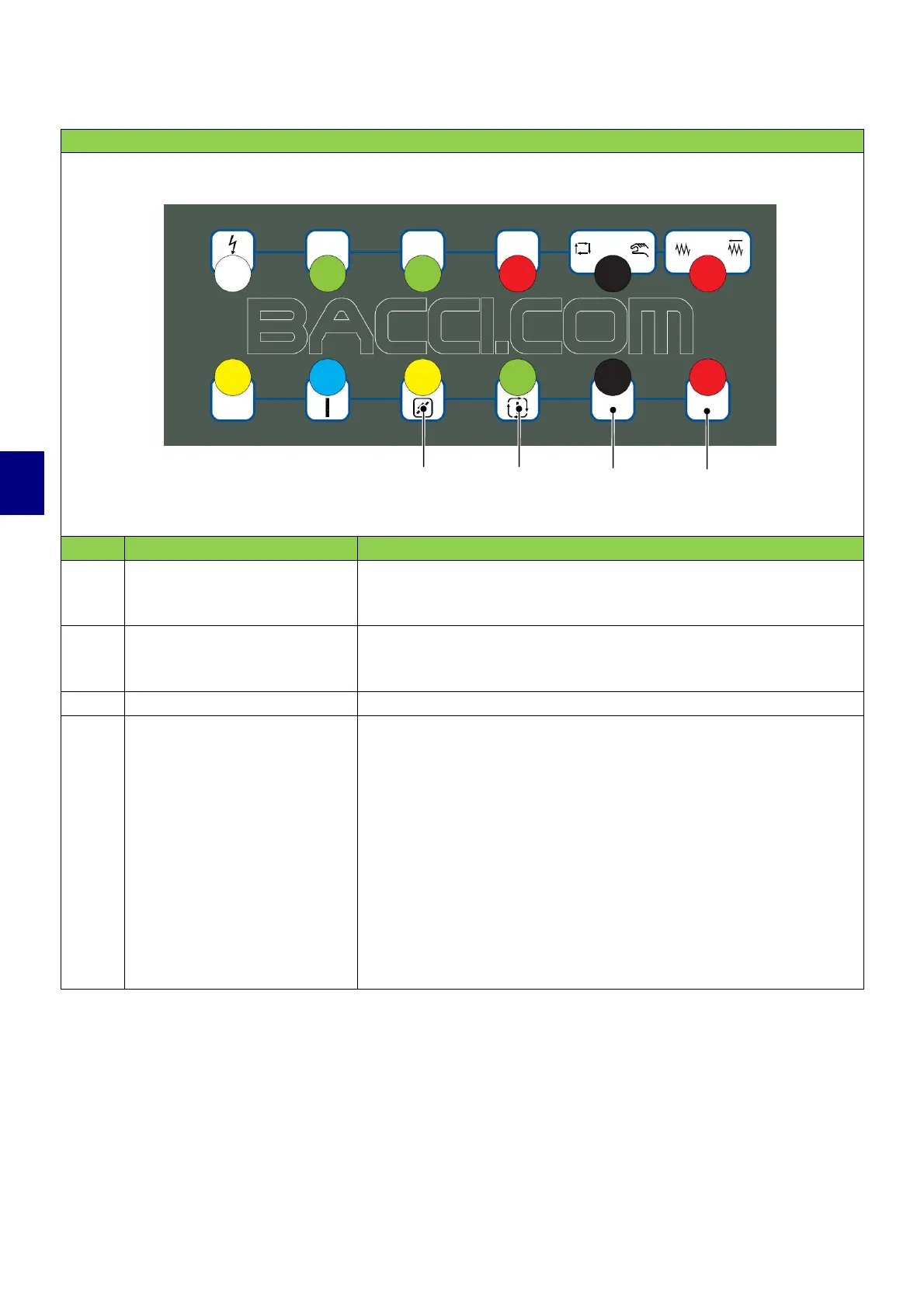
CONTROLS ON THE MAIN PUSHBUTTON PANEL
POS. CONTROL DESCRIPTION
9
RESET pushbutton
Press the RESET button to reset the machine after a stop.
10
"Start automatic cycle"
control pushbutton
Press this pushbutton to start the machining program.
11 Pushbutton not present
12
Emergency stop
pushbutton
Stops the machine in emergency mode and turns off the
machine.
Disconnects power to the axes and spindles
1)
.
The pushbutton has a mechanical block that keeps it in position;
turn it to the left to release.
Use the emergency pushbutton in case of imminent danger for
the operator.
9 10
11
12


 To Next Page