227601–426 /17 F70 Series
1 shape, cubic
{
"invert": false,
"surfaces": [
{
"type": "cubic",
"points": [
[0.08, 0.14], [0.29, 0.14], [0.70, 0.13], [0.90, 0.13],
[0.12, 0.37], [0.29, 0.14], [0.70, 0.13], [0.86, 0.33],
[0.12, 0.59], [0.28, 0.82], [0.71, 0.82], [0.86, 0.62],
[0.08, 0.82], [0.28, 0.82], [0.71, 0.82], [0.91, 0.82]
],
"colors": [
[1.0, 1.0, 1.0],[0.0, 0.0, 0.0],
[0.0, 0.0 ,0.0],[1.0 ,1.0 ,1.0]
]
}
],
"type":"babl",
"version":"1.0"
}
D.3 User interface
About
In Prospector there is a built-in UI for creating advanced blend files, located under Warp and blend ->
Advanced blend.
The UI can be used to create new Advanced blend files and also to edit uploaded babl-files. Note that only
coons shapes are supported in the UI-tool.
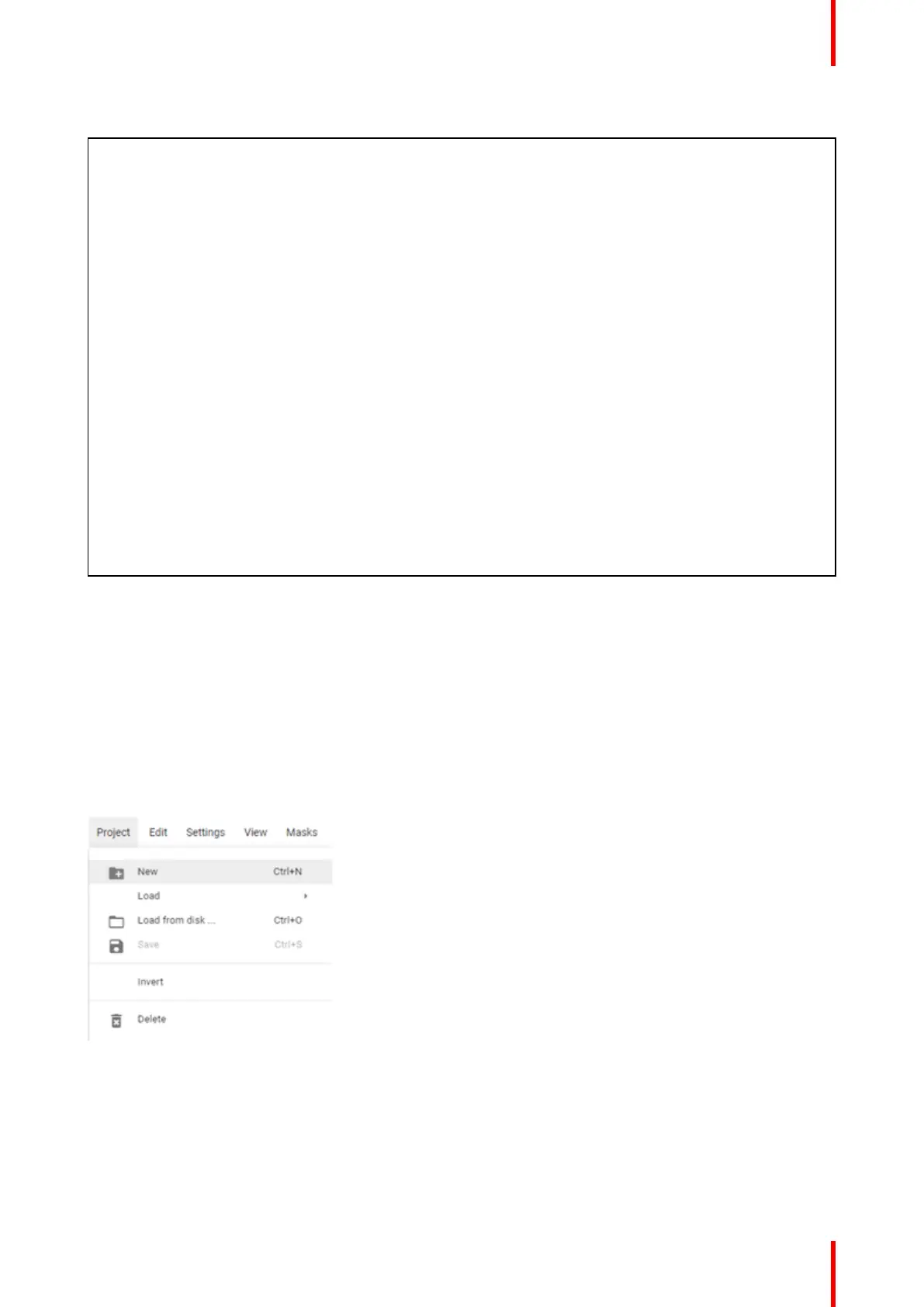
Advanced blend, UI guide
Image D–1
• New: Creates a new project
• Load: Switch between active projects.
- Note: Make sure to save changes before switching to a new project
• Load from disk: Load saved project
• Invert: Inverts the current project
• Save: Saves current project
Advanced blend



 To Next Page