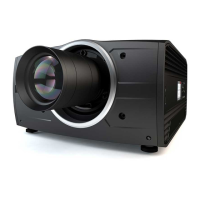
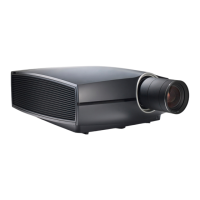
5601–426 /17 F70 Series
1 Safety................................................................................................................................................................................................................ 11
1.1 General considerations ...............................................................................................................................................................12
1.2 Important safety instructions.....................................................................................................................................................13
1.3 Projector Hazard Distances ......................................................................................................................................................16
1.4 High Brightness Precautions....................................................................................................................................................16
1.5 Hazard Distance for fully closed projection system.....................................................................................................19
1.6 HD in function of the lens Throw Ratio (TR) ....................................................................................................................20
1.7 Safety symbols .................................................................................................................................................................................21
2 Getting to know the projector.....................................................................................................................................................23
2.1 Main Components ..........................................................................................................................................................................24
2.2 Service and Maintenance...........................................................................................................................................................25
2.3 LED Status Light..............................................................................................................................................................................25
2.4 Power on / Standby button backlight indications...........................................................................................................25
2.5 LCD Panel...........................................................................................................................................................................................26
2.5.1 LCD panel general .....................................................................................................................................................26
2.5.2 LCD touch panel..........................................................................................................................................................26
2.5.3 LCD Status screens...................................................................................................................................................26
2.5.4 Dashboard page symbols ......................................................................................................................................28
2.5.5 OSD Menu mode.........................................................................................................................................................29
2.5.6 LCD functionality in Ready Mode.......................................................................................................................29
2.6 Local keypad .....................................................................................................................................................................................29
2.7 Shortcut buttons...............................................................................................................................................................................30
2.8 Basic remote control unit ............................................................................................................................................................31
2.9 Platinum remote control unit.....................................................................................................................................................32
2.9.1 Remote control, battery installation ..................................................................................................................32
2.9.2 Remote control, protocol setup ...........................................................................................................................33
2.9.3 Functionality overview..............................................................................................................................................35
2.9.4 Pulse RCU, function of the on/off button........................................................................................................35
2.9.5 Pulse RCU, function of the “RGB filter” button ...........................................................................................36
2.9.6 Enable / Disable Remote Control.......................................................................................................................36
2.9.7 Wired RC connection................................................................................................................................................37
2.10 Projector Address ...........................................................................................................................................................................37
2.10.1 Controlling the projector ..........................................................................................................................................37
2.11 Connector panel ..............................................................................................................................................................................38
2.12 Color Wheels.....................................................................................................................................................................................39
Table of contents


 To Next Page