134 BD FACSCanto II Instructions for Use
NOTICE Options chosen in the User Preferences dialog are applied
globally.
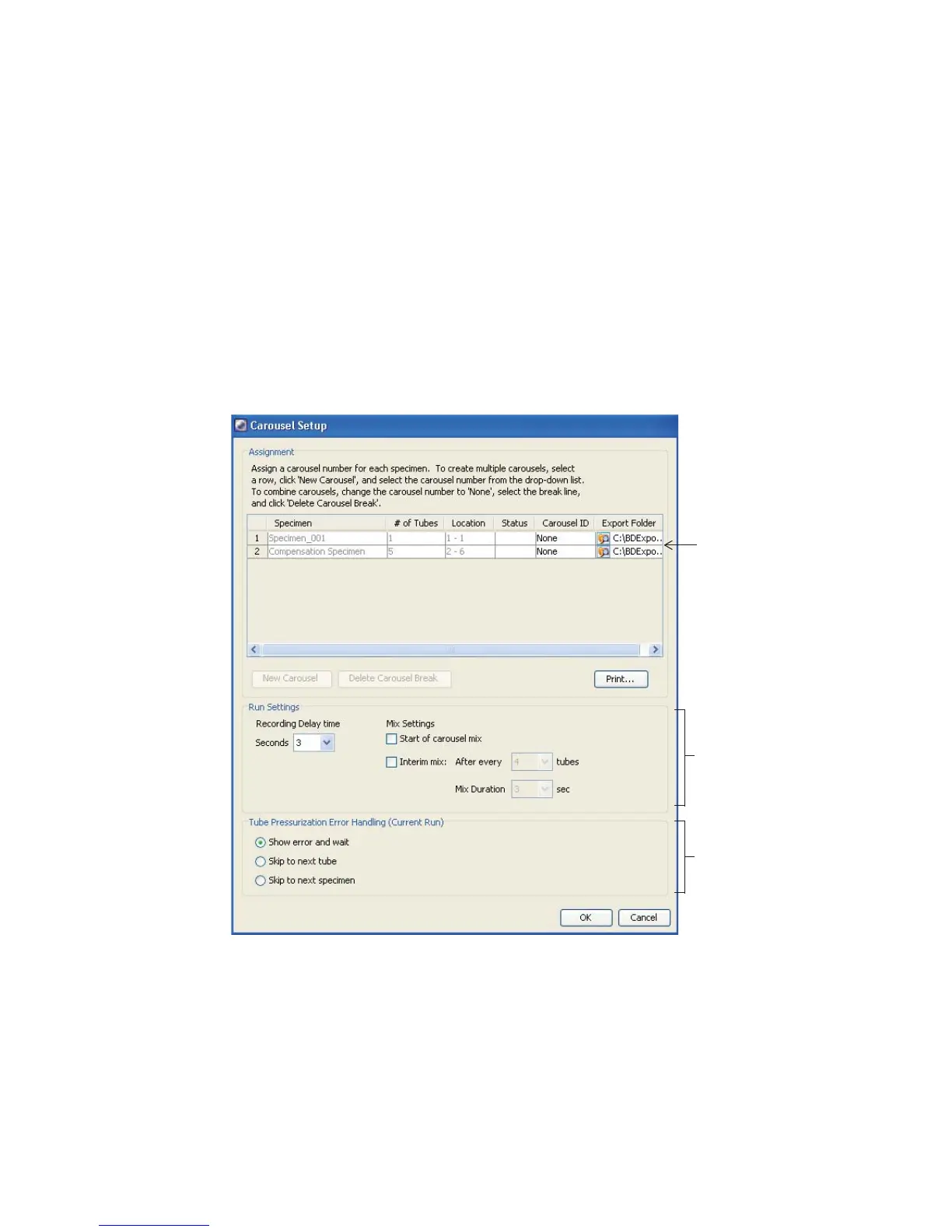
5 Choose Carousel > Carousel Setup.
All specimens or panels in the experiment are listed at the top of the
Carousel Setup window. This is your worklist. Carousel locations are
automatically assigned. You will need to assign a carousel ID to each
specimen (see step 7).
Figure 8-2 Carousel Setup window
You can choose to export the FCS data from a carousel run. Click the
folder in the Export Folder column and choose a directory.
C:\BDExport\FCS is the default folder.
worklist
run settings
options
error handling
options



 To Next Page