192 BD FACSCanto II Instructions for Use
Fluidics pressure errors Air lock in filter Check the filter in the fluidics cart.
Verify the bottom bleeder valve on
the filter is fully tightened. Open
the top bleeder valve. If no fluid
leaks out, remove the air lock as
described in Removing an Air
Lock on page 169.
Cytometer on, no
response to software
commands
Bad keyboard or mouse
connection
Check keyboard or mouse
connections to computer. Refer to
the documentation that came with
your workstation.
Communication failure
between computer and
cytometer
1 Turn off the computer and the
cytometer.
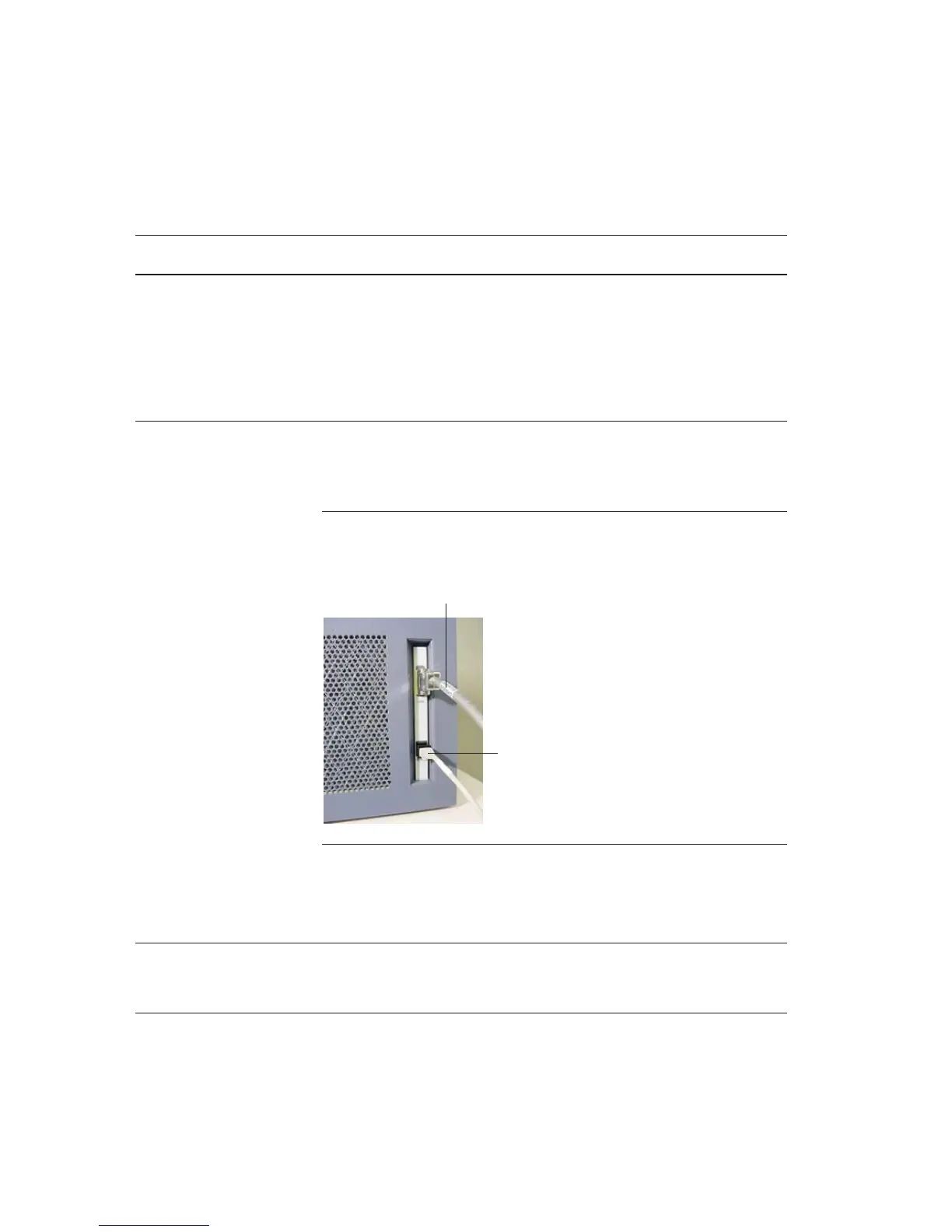
2 Reseat the Ethernet cable,
located next to the power cord
on the right side of the flow
cytometer.
3 Turn on the cytometer, then the
computer.
User-installed firewall • Contact your system
administrator to open a port in
the firewall for cytometer.
• Call BD Biosciences.
QC fails after Long
Clean
Residual BD FACSClean
solution in lines
Run Fluidics Startup to flush the
system with sheath fluid. Repeat
until QC passes.
Cytometer Troubleshooting (continued)
Observation Possible Causes Recommended Solutions
RS-232 cable
Ethernet cable



 To Next Page