Chapter 5: Cytometer QC and Setup 53
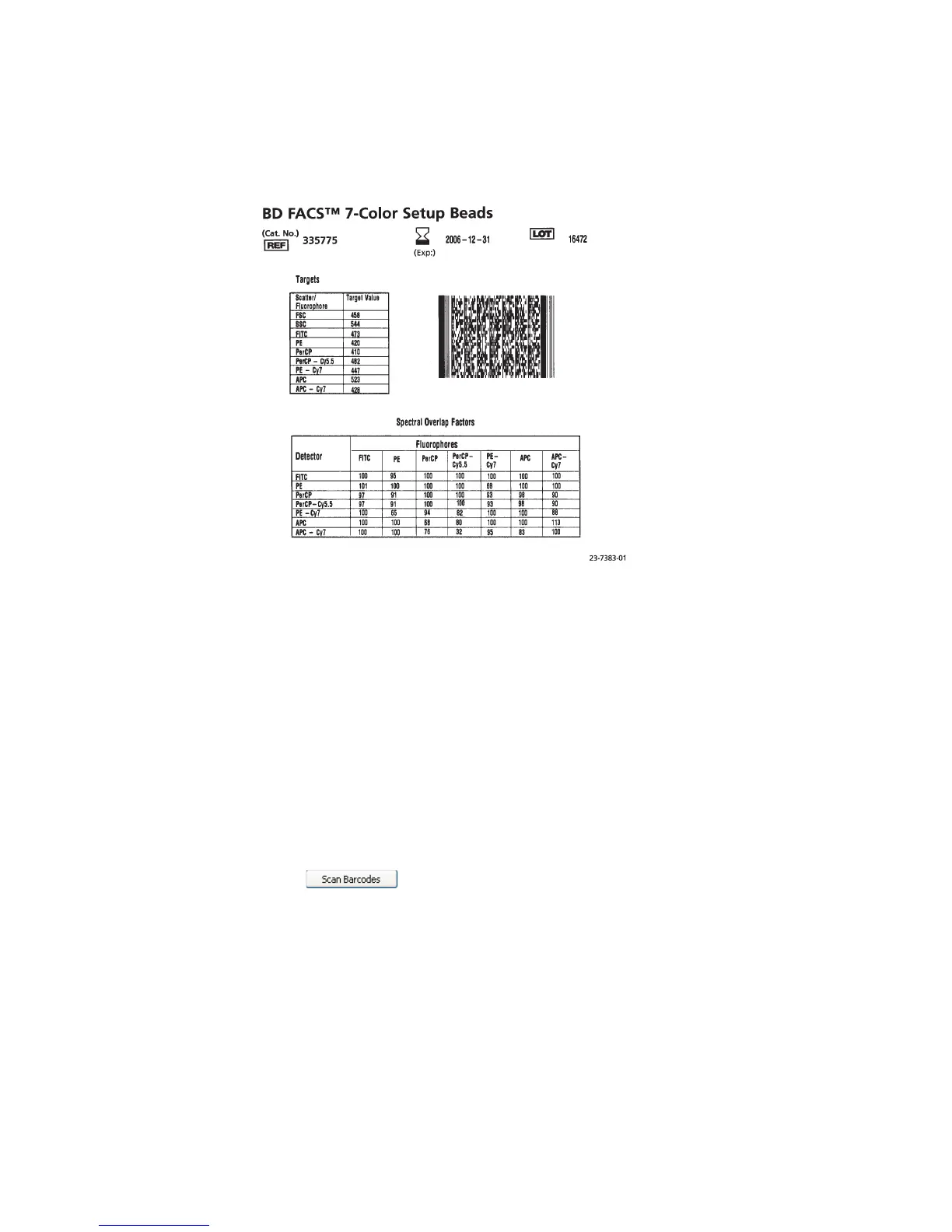
Figure 5-2 Setup beads label (example)
• To enter values with the barcode reader, go to the next section.
• To enter values with the keyboard and mouse, go to page 55.
If you do not need to enter new values, go to Loading Tubes on page 56.
Entering Lot Information with the Barcode Reader
Although data entry using barcodes is generally more reliable than manual data
entry, it is not guaranteed to be 100% accurate. To increase accuracy when using
the barcode reader, enabling the checksum feature is recommended. For more
information on using the barcode reader, see Chapter 3.
1 Click in the Setup Lot Information window of the Wizard
(Figure 5-1).
The Scan Barcode dialog appears (Figure 5-3).



 To Next Page