133
HART and MC5-IS’ Basic Mode
Connecting to a HART Instrument
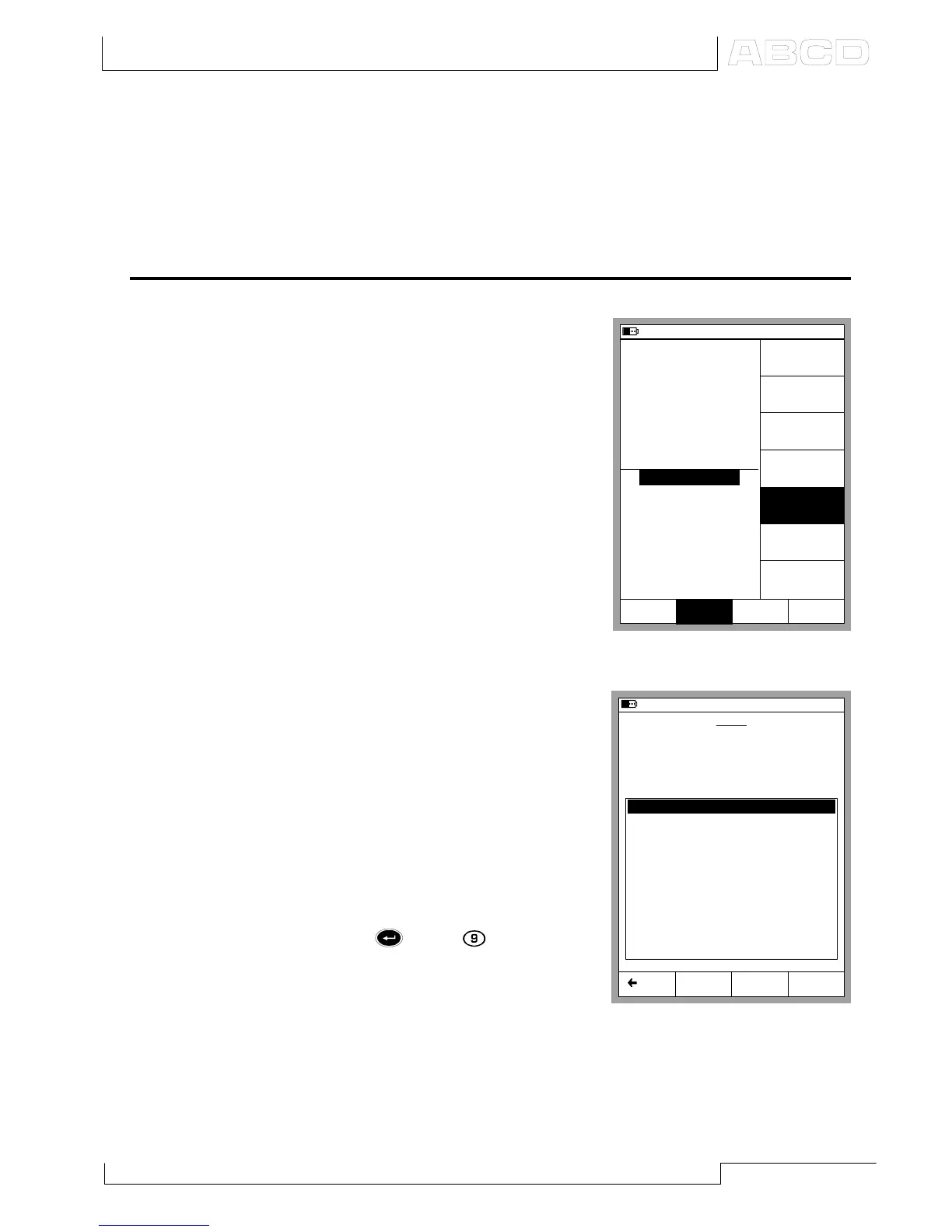
To communicate with a HART in-
strument, press:
D/Menu and
B/Window 2 Setup, if needed
5/HART.
Note.
The HART menu option is disabled if
the other window already reserves the
E module. Change the setup of the other
window to enable the HART menu op-
tion.
Refer to chapter Connecting MC5-
IS and a HART Instrument on
page 130 for information on how to
connect MC5-IS and a HART in-
strument.
MC5-IS searches for HART devices
connected to the current loop and
opens a window similar to the one
seen to the right.
Up to 16 instruments may be con-
nected to the same current loop.
Choose the appropriate instrument
by pressing 4/Select (optionally ei-
ther the or the key).
Note.
Measuring the Analog Output (AO) of a
HART instrument does not require any
special actions. Just connect the Analog Output to MC5-IS’ current mea-
surement terminals in the E module.
11.04.2002 8:26
0 - AA377039 -Pressure Transmitter
1 - PT155 NC-TTR
2 - PT311 ARG - JT
3 - PT413 WBA4 - NTB
4 - TT210 PLGR - NSWF
5 - TT921 FPN - ILL
6 - TT148 TBB - NE
Select Back
HART
Searching for HART Device at:
Devices found:
12
Restart
11.04.2002 8:25
1
Pressure
P1: INT400MC/-41.400...41.400 kPa
E: Current Measurement
gauge
kPa
0.089
3.9855
mA
2
Current
Quantity
[Current]
Function/Port
[E:I(Meas)]
Unit
[mA]
HART
Setup
Window 2
MENU
Close
Setup
Window 1
Others
Display Mode
[Eng. Unit]
HART and MC5-IS’ Basic Mode



 To Next Page