12
General
Removing/Replacing the Battery Pack
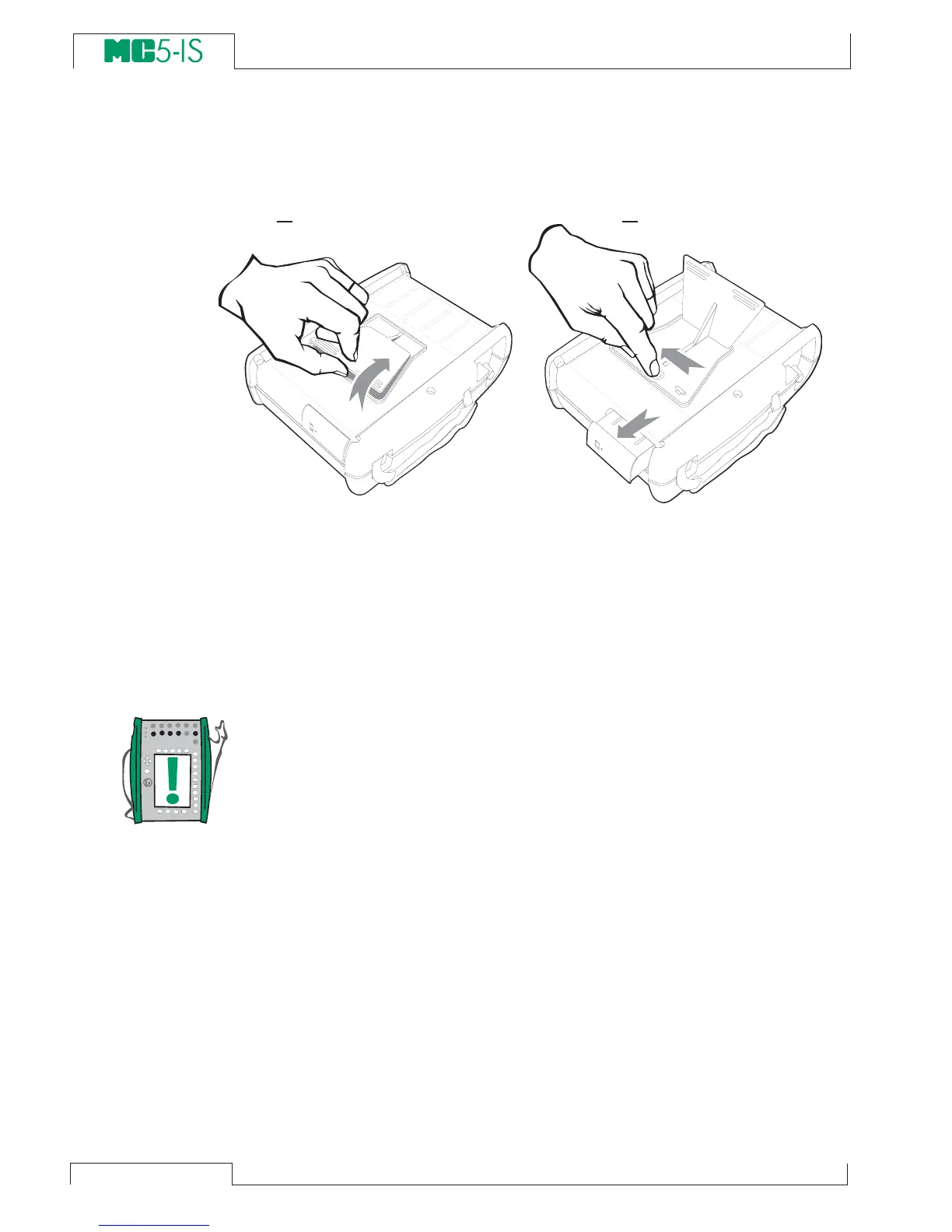
To remove or replace the Battery Pack, perform the following pro-
cedure:
1. 2.
1. Turn MC5-IS upside down (the display facing the table top)
and lift the support.
2. Pull the lever that is hidden under the support. The Battery
Pack pops out allowing you to pull it out.
To replace the Battery Pack, simply slide it on its place. When you
hear a click, the Battery Pack is secured in its place.
Notes.
Although the Base Unit is IP65 protected, the Battery Pack is not.
The Battery Pack has holes in order to vent generated gas and
heat. Avoid exposing the Battery Pack to liquids.
The use of a standard MC5 Battery Pack is not possible in MC5-IS.
It is mechanically prohibited because only an intrinsically safe Bat-
tery Pack may be used in MC5-IS.



 To Next Page