81
Transmitter Simulation
Start the Transmitter Simulation as described in chapter Trans-
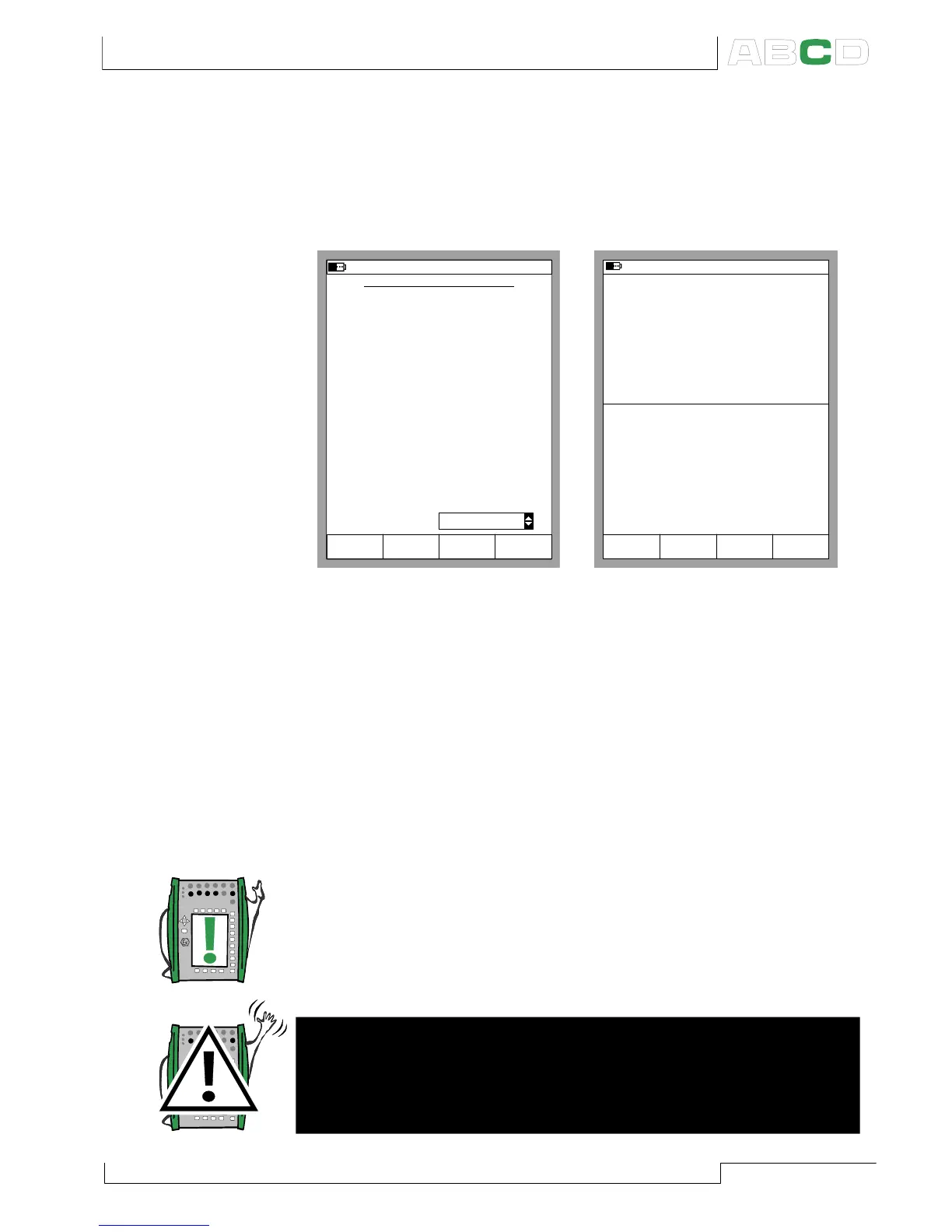
mitter/Switch Simulation on page 80. If the settings of the Basic
Mode windows suit Transmitter Simulation, a configuration win-
dow similar to the lower left picture is shown.
TRANSMITTER SIMULATION
26.04.2002 14:30
INPUT
Port
Pressure
P1:INT2C
kPa
Stop
Ramping
Field StartCancel Edit
100 %
kPa
0.000
100.000
Transfer Function
0 %
OUTPUT
Port
Current
E: I(control)
mA100 %
mA
4.0000
20.000
0 %
Saturation Limit Output Values
mAMaximum
mA
3.5000
23.000
Minimum
Linear
30.05.2002 10:31
P2: INT20C/ (0.00 ... 100.00 kPa g)
E: I(control)/ (4.0000 ... 20.000 mA)
gauge
kPa0.06
4.0000 mA
2
OUTPUT
1
INPUT
End
MENU
Measurement mA
4.0000
Pause
TRANSMITTER SIMULATION
Enter the input and output spans, the saturation limits and also
the transfer function.
If the saturation limits differ from the range limits, MC5 extrapo-
lates the output value based on the input value and the Transfer
Function until the saturation limit is reached. Then if the input sig-
nal drifts farther from the input range, the output value stays at the
saturation limit.
The upper right picture shows the Basic Mode window while Trans-
mitter Simulation is active. The second row of both windows dis-
play the active port and the input/output range of the simulated
transmitter.
Notes.
To Zero a pressure module during Transmitter Simulation, Press
D/MENU and 7/Zero Pressure Module.
When pausing the Transmitter Simulation, you can change the
generation/simulation signal as in Basic Mode.
Warning!
Remember to scale the output signal of the Transmitter Simula-
tion so that the instrument connected to the output signal loop
is not damaged.
Advanced Utilities



 To Next Page