19
The Display Area
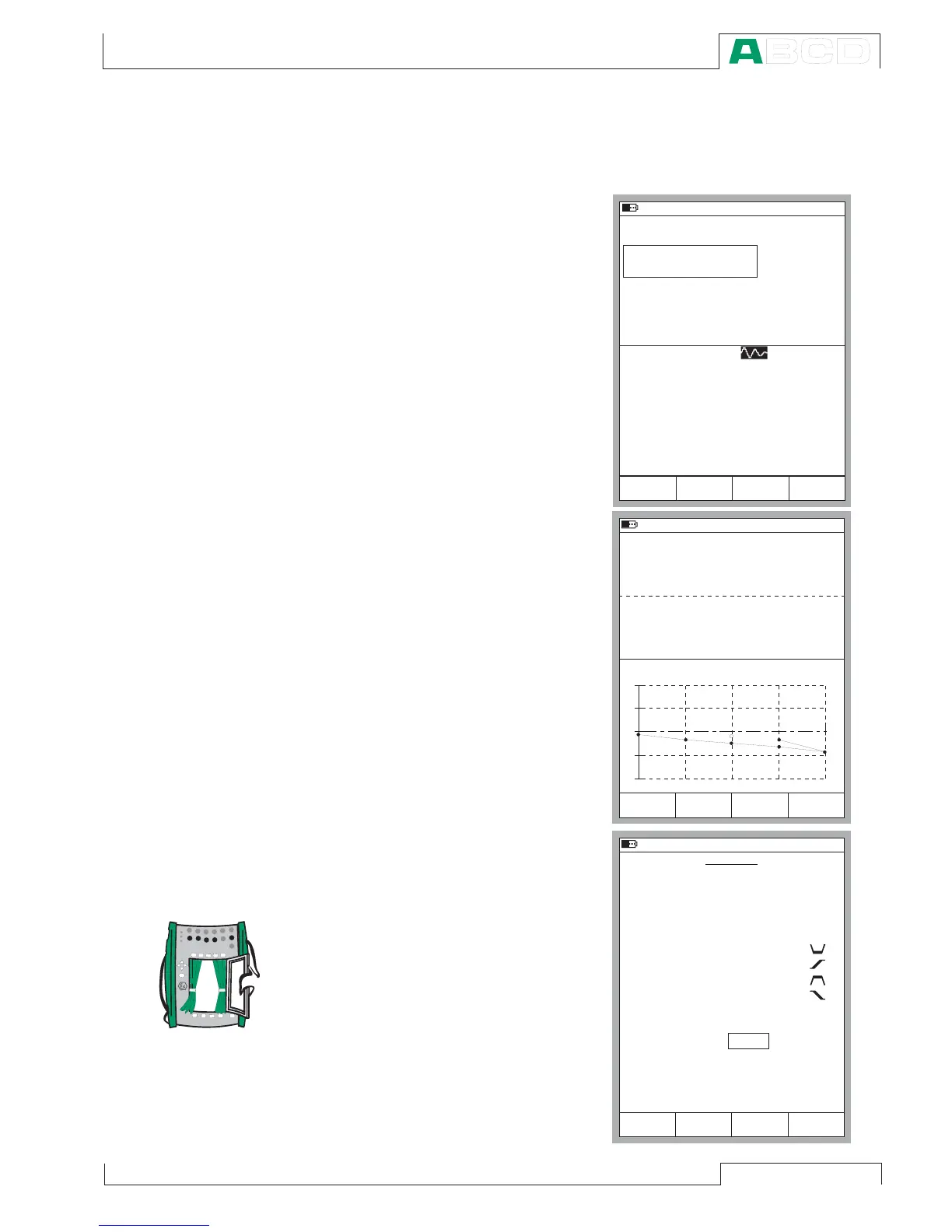
The layout of the display area varies according to the needs of the
active tasks/settings. The following
pictures give an overview of typical
elements seen in different display
area layouts.
Basic Measurement/Generation:
The display area is divided into two
windows with informative texts and
numeric measurement/generation
values.
A border surrounding a numeric
value indicates that the field is
editable. It is, e.g. a generation field
for entering generation values.
If several editable fields are visible,
choose the active field with the cur-
sor keys or the
B/Field Function
Key.
Calibration:
The display area is divided into
three windows during a calibration.
The first window displays data re-
lated to the instruments input sig-
nal. The second corresponding
data related to the output signal.
The third window displays the er-
ror graph. The error graph is also
seen among calibration result data.
Configuration Window:
There are plenty of configuration
windows in MC5-IS. The picture
beside is the configuration window
for Ramping settings.
The common thing for all configu-
ration windows is that they reserve
the whole display area for the con-
figuration fields.
Use the cursor keys to move be-
tween fields.



 To Next Page