135
Device Settings
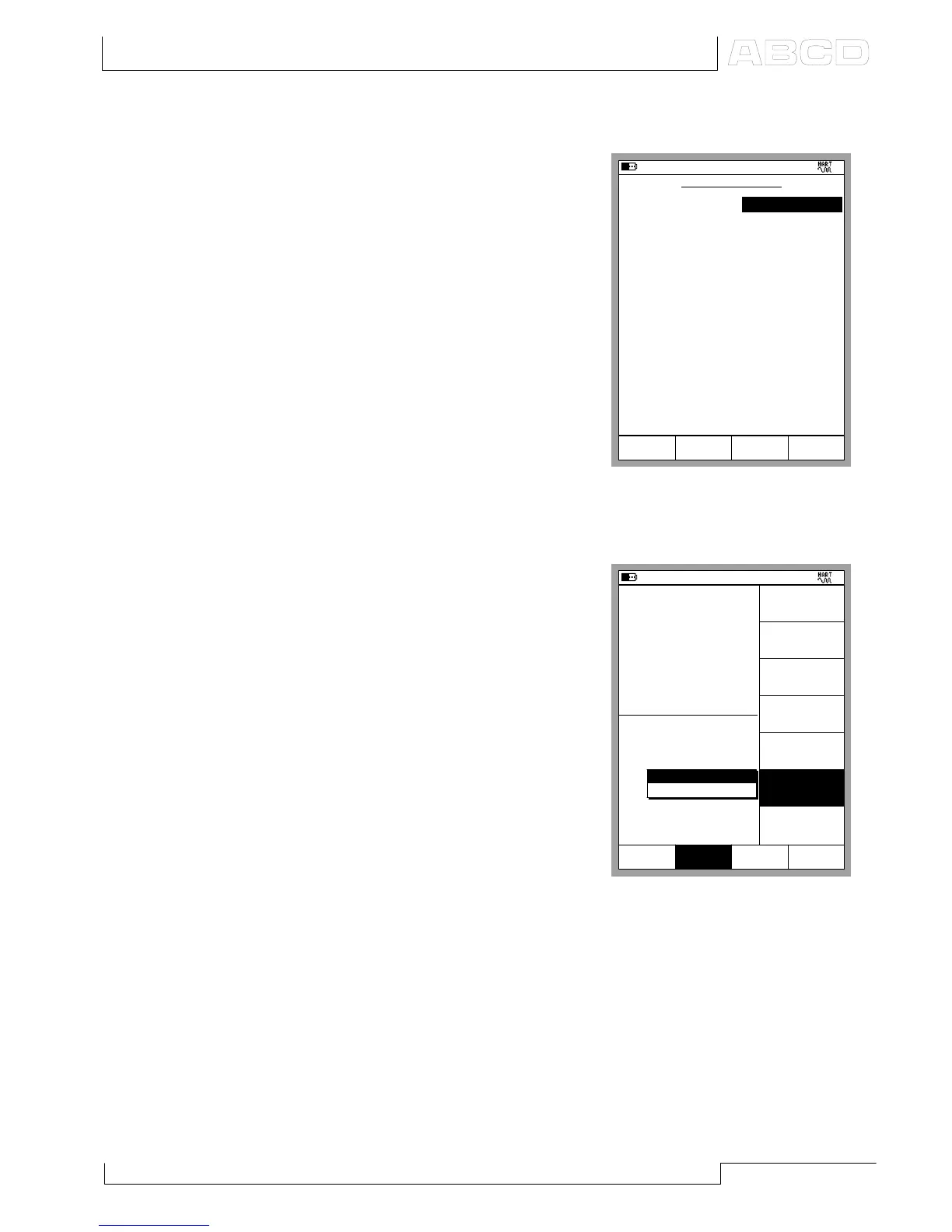
The adjacent picture displays the
data of the Device Settings window.
The following fields are editable:
Tag,
Polling Address,
Lower Range,
Upper Range,
Damping,
Transfer Function,
Burst Mode and
Sensor Serial Number.
Trimming a HART Instrument in Basic Mode
Note that MC5’s Calibration Mode
also includes a possibility to trim
HART instruments. Trimming a
HART Instrument in Basic Mode is
only needed when you do not in-
tend to calibrate and trim the
HART instrument.
To start trimming the HART
instrument, press:
D/Menu and
Window 2 Setup, if needed
6/Trim Instrument.
From the pop-up list, select which
output, analog or digital, is to be
trimmed. MC5-IS reads the
instrument data while displaying
the following message:
Reading HART instrument data.
Please wait.
11.04.2002 8:38
DEVICE SETTINGS
Tag
Polling Address
0
Close
3051C
Output
Range Unit
mbar
Lower Range
0.00
Upper Range
1000.00
Damping (s)
0.40
Transfer Function
Linear
Burst Mode
Off
Sensor
Serial Number
1109949
Lower Limit
0.00
Upper Limit
2486.41
Minimum Span
24.87
11.04.2002 8:49
1
Pressure
P1: INT400MC/-41.400...41.400 kPa
E: HART/PV
gauge
kPa
0.088
0.084
kPa
2
Pressure
Close
Disconnect
Device
Device
Information
Device
Settings
Unit
[kPa]
Trim
Instrument
Add HART
Instrument
to Database
Analog Output (AO)
Digital Output (PV)
Others
MENU
Close
Setup
Window 1
Setup
Window 2
HART and MC5-IS’ Basic Mode



 To Next Page