63
Pulse Generation
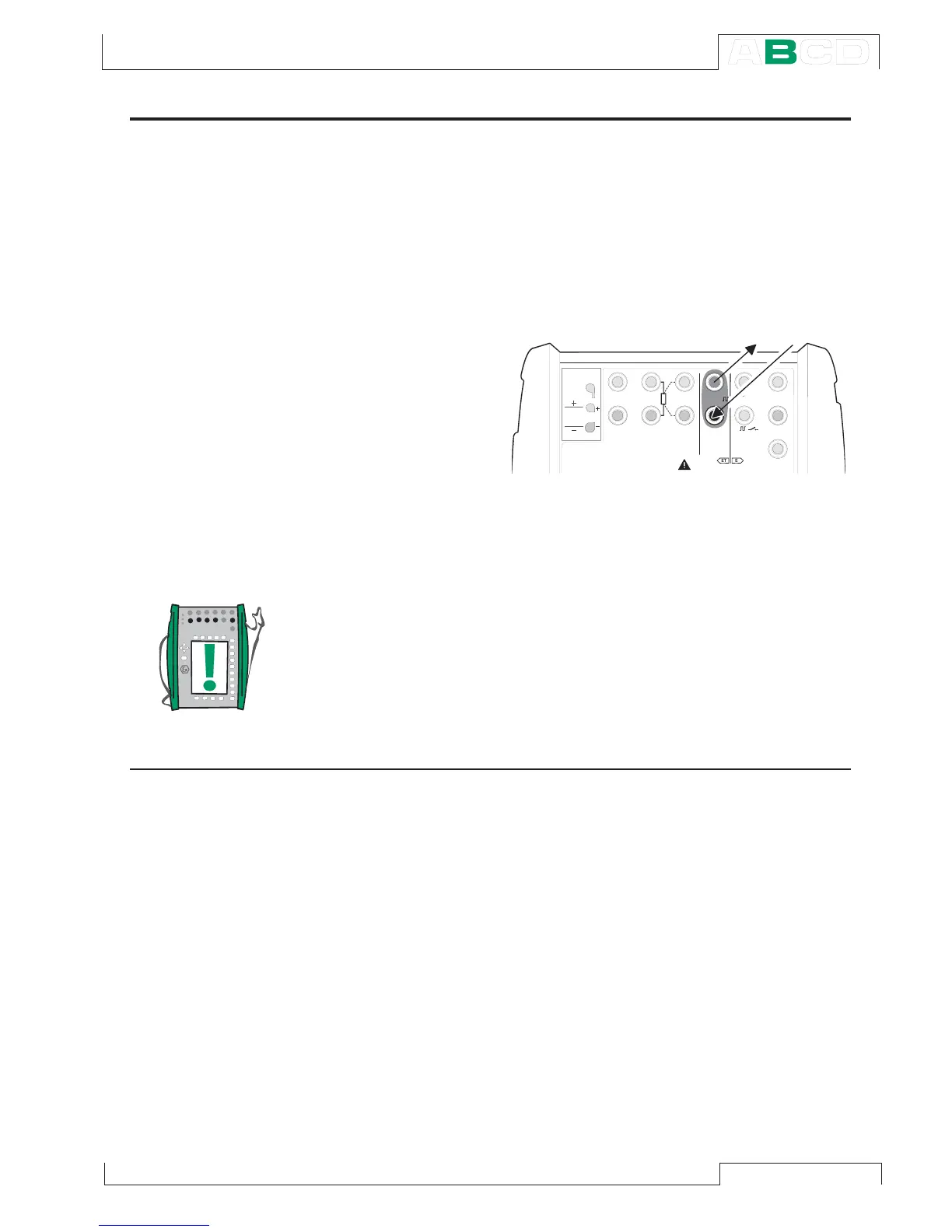
The pulse generation terminals are located in the ET module. Pulse generation is similar
to square wave frequency output, but it generates a predefined count of all positive or
symmetric pulses.
Required settings Options/description
Quantity Pulses
Funct/Port ET: Pls(gen)
Also check the Polarity setting.
Enter the amount of pulses MC5-IS should
generate in the pulse generation window.
Also enter the amplitude and frequency
to be used.
The pulse generation starts immediately
after the amount of pulses value is entered.
Note.
If you change the frequency after the pulse generation has started,
the frequency is adjusted during the current cycle, but the frequency
is not correct until the next cycle.
Next…
Frequency Generation on page 62
Pulse Counting on page 47
Special Generations on page 67.
T / C , L o w V
H A R T
®
1
m e a s / s i n k
V , ,
V ,
1
,
s i n k
C o m
R , R T D
L o w V
M E A S U R EO U T P U T
E T E
T / C I N T . R J
S E N S O R M E A S U R E & S I M U L A T E
U o : 1 6 V
I o : 2 4 m A
P o : 1 4 5 m W
T / C
W I R E S
O N L Y
4 w m e a s
3 w m e a s
m e a s / s i m
s i n k
V ,
1
,
Generating/Simulating



 To Next Page