67
Special Generations
Manual change of generated signals is sometimes a restriction.
Therefore MC5-IS includes Stepping and Ramping as standard
utilities for creating automatically alternating output signals (spe-
cial generations).
To be able to start the definition of a special generation, a suitable
generation/simulation field has to be active in the Basic Mode Win-
dow. If a generation/simulation is not started, select
D/Menu and
either A/Window 1 Setup or B/Window 2 Setup to configure a
generation/simulation. For more information on how to configure a
generation/simulation, see chapter Generating/Simulating on page
56 and its subchapters.
Notes.
Only one of the special generations may be active at a given time.
Special generations are available only in Basic Mode.
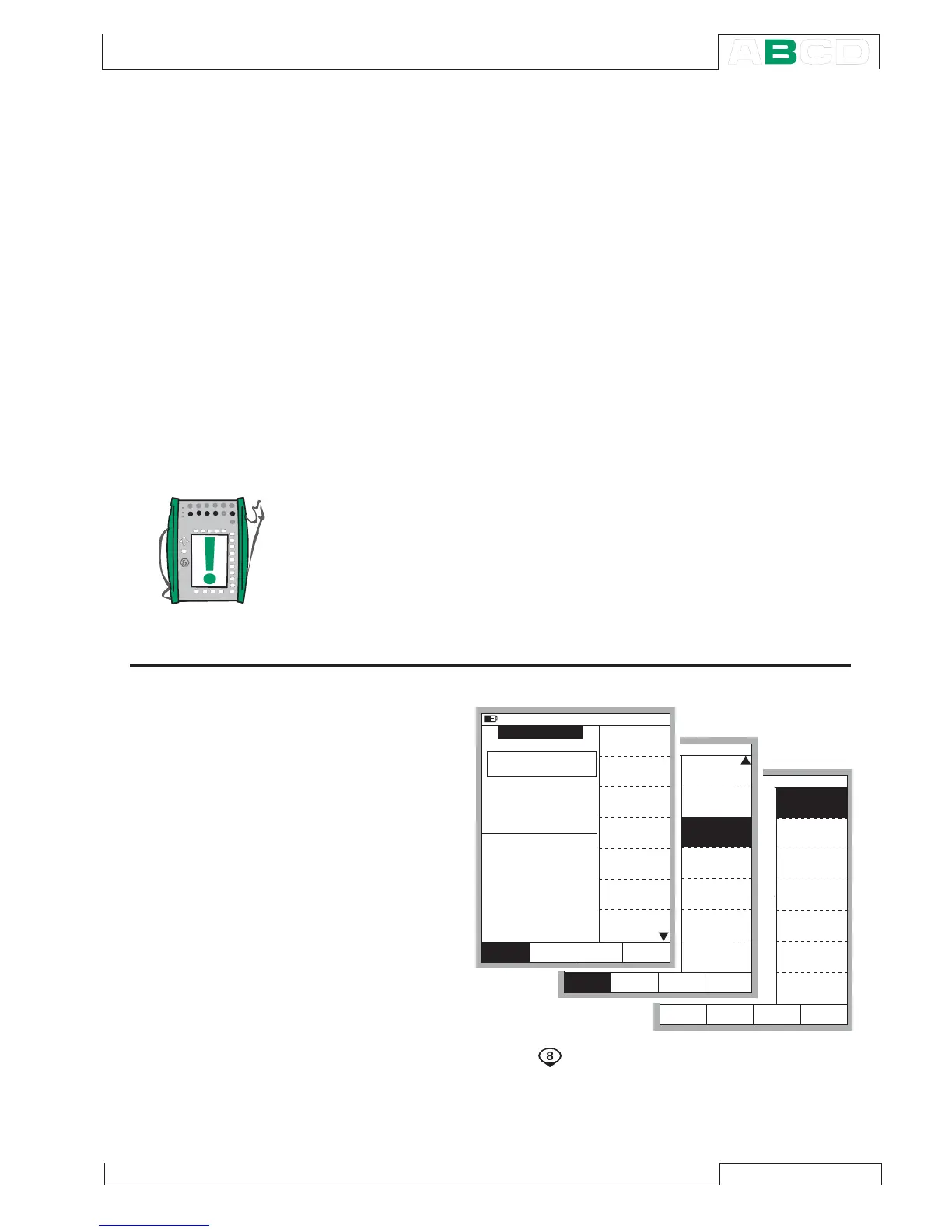
Opening the Step or Ramp Configuration Window
Open the window
setup menu for
the generation/
simulation quan-
tity that you want
to configure a
Stepping function
for.
The menu com-
mands are:
•
D/Menu
• and
B/Window 2 Setup, if needed,
• Press the numeric key
to open
the second menu page
• Choose
3/Step, Ramp and
• Either 1/Step or 2/Ramp in the next menu.
1 2 . 0 4 . 2 0 0 2 1 2 : 5 2
E T : V o l t a g e G e n e r a t i o n
E : S w i t c h S e n s e
V
? ? ? ? ? ? ?
O p e n
2
S w i t c h
M e a s u r e m e n t , V - - - - - - -
1
V o l t a g e
O p e n e d @ V
C l o s e d @ V
- - - - - - -
- - - - - - -
1 2 . 0 4 . 2 0 0 2 1 2 : 5 1
E T : V o l t a g e G e n e r a t i o n
E : S w i t c h S e n s e
V
? ? ? ? ? ? ?
O p e n
2
S w i t c h
M e a s u r e m e n t , V - - - - - - -
1
V o l t a g e
O p e n e d @ V
C l o s e d @ V
- - - - - - -
- - - - - - -
1 2 . 0 4 . 2 0 0 2 1 2 : 5 1
E T : V o l t a g e G e n e r a t i o n
E : S w i t c h S e n s e
V
? ? ? ? ? ? ?
O p e n
2
S w i t c h
M e a s u r e m e n t , V - - - - - - -
1
V o l t a g e
O p e n e d @ V
C l o s e d @ V
- - - - - - -
- - - - - - -
Q u a n t i t y
[ V o l t a g e ]
F u n c t i o n / P o r t
[ E T : V ( g e n ) ]
U n i t
[ m A ]
H A R T
S e t u p
W i n d o w 2
M E N U
C l o s e
S e t u p
W i n d o w 1
O t h e r s
D i s p l a y M o d e
[ E n g . U n i t ]
A l a r m
[ - - ( - - ) ]
F u n c t i o n a n d
P o r t I n f o
E x t r a I n f o
S e t u p
W i n d o w 2
M E N U
C l o s e
S e t u p
W i n d o w 1
O t h e r s
S p e c i a l
M e a s u r e m e n t s
[ N o n e ]
S t e p , R a m p
S e c o n d P o r t
I n f o
M E N U
C l o s e
S t e p
R a m p
B a c k



 To Next Page