14
General
MC5-IS Firmware
MC5-IS’ firmware is saved in FLASH memory. Therefore it is rela-
tively easy to update the firmware whenever a new version with
fresh capabilities is released. See Firmware Update on page 29
for more information on updating the firmware in your MC5-IS.
General Description
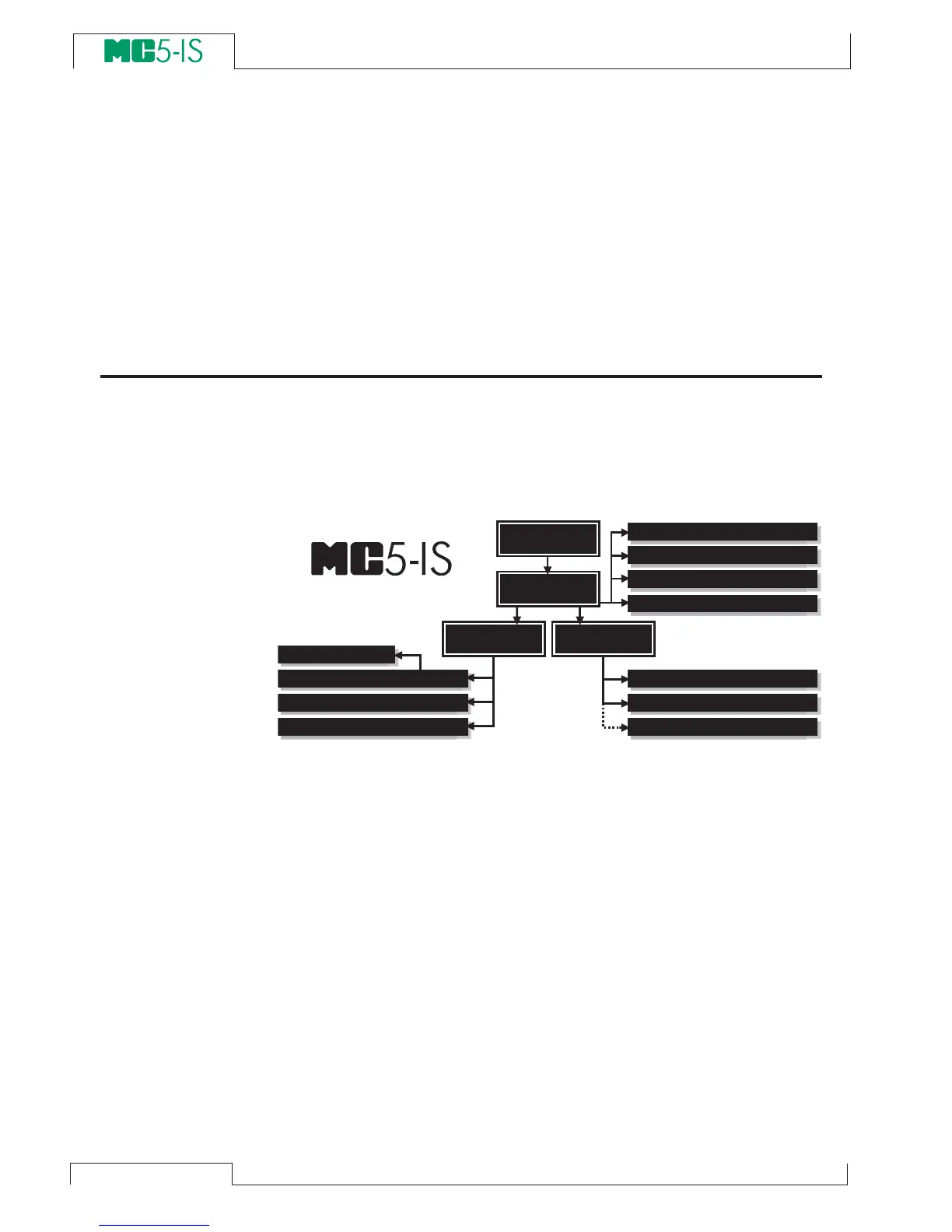
The following picture shortly describes the functions of the firm-
ware. All main functions are marked with a black border. Each main
function has several tasks which are displayed as shaded boxes
without a black border.
The following chapters briefly describe each main function.
Startup Procedure
Every time MC5-IS is started the Startup Procedure checks the func-
tionality of the device by performing a self test.
If the self-test is passed successfully, some basic calibrator data is
displayed.
After that MC5-IS automatically proceeds to Basic Mode. A more
comprehensive description of the Startup Procedure is in the be-
ginning of Part B of this manual.
S T A R T U P
P R O C E D U R E
M A I N T E -
N A N C E
A d j u s t i n g t h e C a l i b r a t o r
M E N U S T R U C T U R E
S t e p p i n g a n d R a m p i n g
M e a s u r e m e n t / G e n e r a t i o n / S i m u l a t i o n
C o n f i g u r i n g t h e C a l i b r a t o r
S e t t i n g T i m e a n d D a t
e
I n s t r u m e n t D a t a b a s e M a i n t e n a n c e
I n s t r u m e n t A d j u s t m e n t
V i e w i n g t h e R e s u l t s
I n s t r u m e n t C a l i b r a t i o n
T r a n s m i t t e r / S w i t c h S i m u l a t i o n
D a t a L o g g i n g
S T A R T U P
P R O C E D U R E
B A S I C
M O D E
M A I N T E -
N A N C E
C A L I B R A T I O N
M O D E
M E N U S T R U C T U R E



 To Next Page