71
Alarm Limit Settings
Each main measurement in a window may have alarm limits set-
tings. MC5-IS supports “higher than”, “lower than”, “high rate” and
“low rate” alarms.
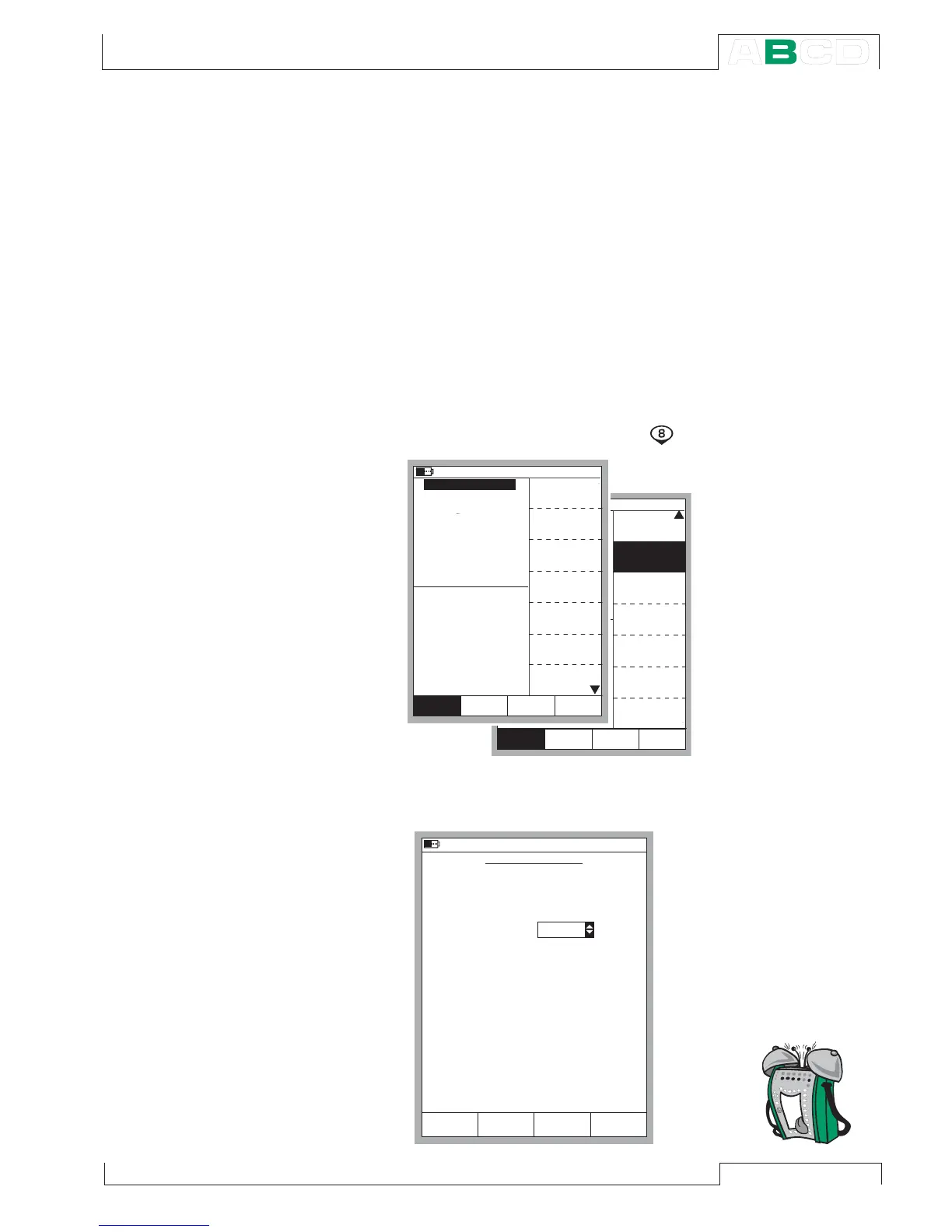
To set the alarm limits, open the window settings menu of the win-
dow where the measurement is active (starting from the Basic Mode:
D/Menu followed by A/Window 1 Setup or B/Window 2 Setup if
needed). As the alarm setting command is located in the window
setup’s submenu, select the numerical key
to open the submenu.
Open the alarm
setting window
by selecting
2/Alarm.
m b a r
( g a u g e )
A l a r m <
0 . 5
b a r
S p e c i a l
M e a s u r e m e n t
[ N o n e ]
[ - - ( - - ) ]
F u n c t i o n a n d
P o r t I n f o
A l a r m
S e c o n d
E x t r a I n f o
P o r t I n f o
C l o s e
M E N UM o d e
O t h e r s
W i n d o w 1 W i n d o w 2
S e t u p S e t u p
S e c o n d P o r t
[ P 2 : E X T 1 0 0 ]
C l o s e
M E N UM o d e
O t h e r s
0 . 7 0 8 3 4
m b a r
( g a u g e )
A l a r m <
P 1 : I N T 2 C / - 1 . 0 0 0 0 0 0 . . . 2 b a r
0 . 5
0 . 4 3 7 4
2 C u r r e n t
b a r
P r e s s u r e
E : C u r r e n t M e a s u r e m e n t
Q u a n t i t y
[ P r e s s u r e ]
[ P 1 : I N T 2 C ]
[ E n g . U n i t s ]
U n i t
[ b a r ]
F u n c t / P o r t
D i s p l a y M o d e
1 0 . 0 4 . 2 0 0 2 1 5 : 5 6
1
H A R T
P r e s s u r e
T y p e
[ g a u g e ]
Z e r o
P r e s s u r e
M o d u l e
W i n d o w 1 W i n d o w 2
S e t u p S e t u p
2 2 . 0 9 . 2 0 0 0 1 5 : 2 1
A L A R M S E T T I N G S
Q u a n t i t y
P o r t
A l a r m s a c t i v a t e d
A l a r m , w h e n t h e M e a s u r e m e n t
a n d / o r
R T D - t e m p e r a t u r e
E T : R T D ( m e a )
2 4
1 9
<
>
° C
A l a r m , w h e n t h e R a t e o f C h a n g e
a n d / o r
? ? ? ? ? ? ?
1
<
>
1 / h
Y e s
C a n c e l
L i m i t
C l e a r
O KE d i t
Alarm Limit Settings



 To Next Page