35
Measuring
All measurements in Basic Mode require that you first select the
Window to be used (Commands: Start with D/Menu and continue
either with A/Window 1 Setup or B/Window 2 Setup). Each mea-
surement has its own unique 1/Quantity and 2/Function/Port set-
tings in their window’s menu. The other window menu settings, e.g.
measuring unit, refine the measurement characteristics.
When presenting measurements in this manual, the first paragraph
tells the module (or modules) that is/are required for the measure-
ment. Because of MC5-IS’ modularity you may or may not have the
required module. If the module is not included in your MC5-IS, the
1/
QuantityQuantity
QuantityQuantity
Quantity and 2/
Function/PFunction/P
Function/PFunction/P
Function/P
oror
oror
or
tt
tt
t settings needed for the measure-
ment are not available as choices in the pop-up lists.
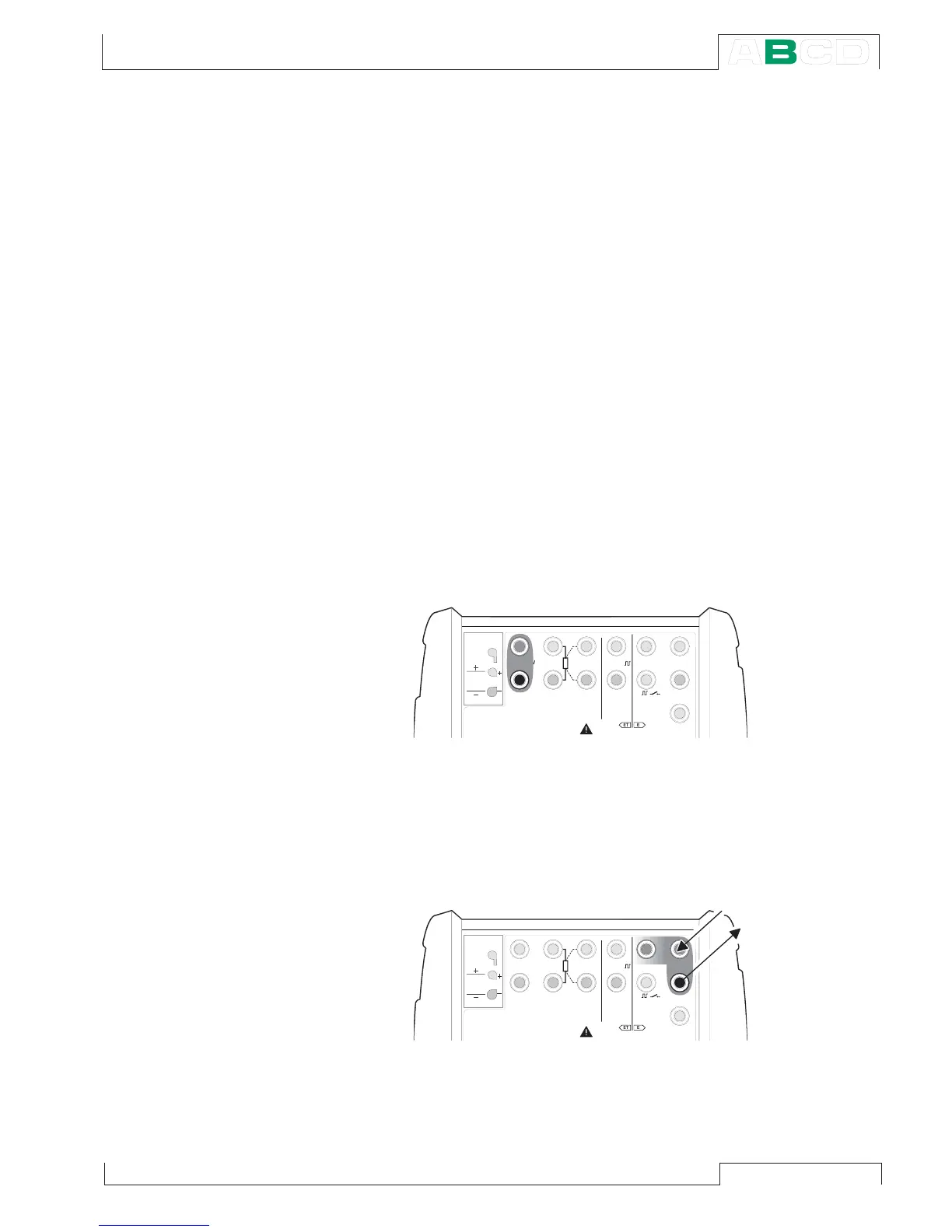
Each measurement also has at least one picture with a circle around
some of MC5-IS’ terminals, like the one below.
The circle indicates active terminals for each
1/
QuantityQuantity
QuantityQuantity
Quantity and
2/
Function/PFunction/P
Function/PFunction/P
Function/P
oror
oror
or
tt
tt
t setting in the window menu.
If the picture has more than two terminals circled, then the lighter
part is somehow optional. In the following picture, the HART termi-
nal is optional during current measurement.
T / C , L o w V
H A R T
®
1
m e a s / s i n k
V , ,
V ,
1
,
s i n k
C o m
R , R T D
L o w V
M E A S U R EO U T P U T
E T E
T / C I N T . R J
S E N S O R M E A S U R E & S I M U L A T E
U o : 1 6 V
I o : 2 4 m A
P o : 1 4 5 m W
T / C
W I R E S
O N L Y
4 w m e a s
3 w m e a s
m e a s / s i m
T / C , L o w V
T / C , L o w V
H A R T
®
1
m e a s / s i n k
V , ,
V ,
1
,
s i n k
C o m
R , R T D
L o w V
M E A S U R EO U T P U T
E T E
T / C I N T . R J
S E N S O R M E A S U R E & S I M U L A T E
U o : 1 6 V
I o : 2 4 m A
P o : 1 4 5 m W
T / C
W I R E S
O N L Y
4 w m e a s
3 w m e a s
m e a s / s i m
1
m e a s / s i n k
C o m
H A R T
®
Measuring



 To Next Page