69
Warning!
Do not configure the range settings so that they exceed the
allowed input range of the connected instrument. MC5-IS de-
termines the limits of the range settings based on the selected
quantity and port, not the connected instrument.
Ramping
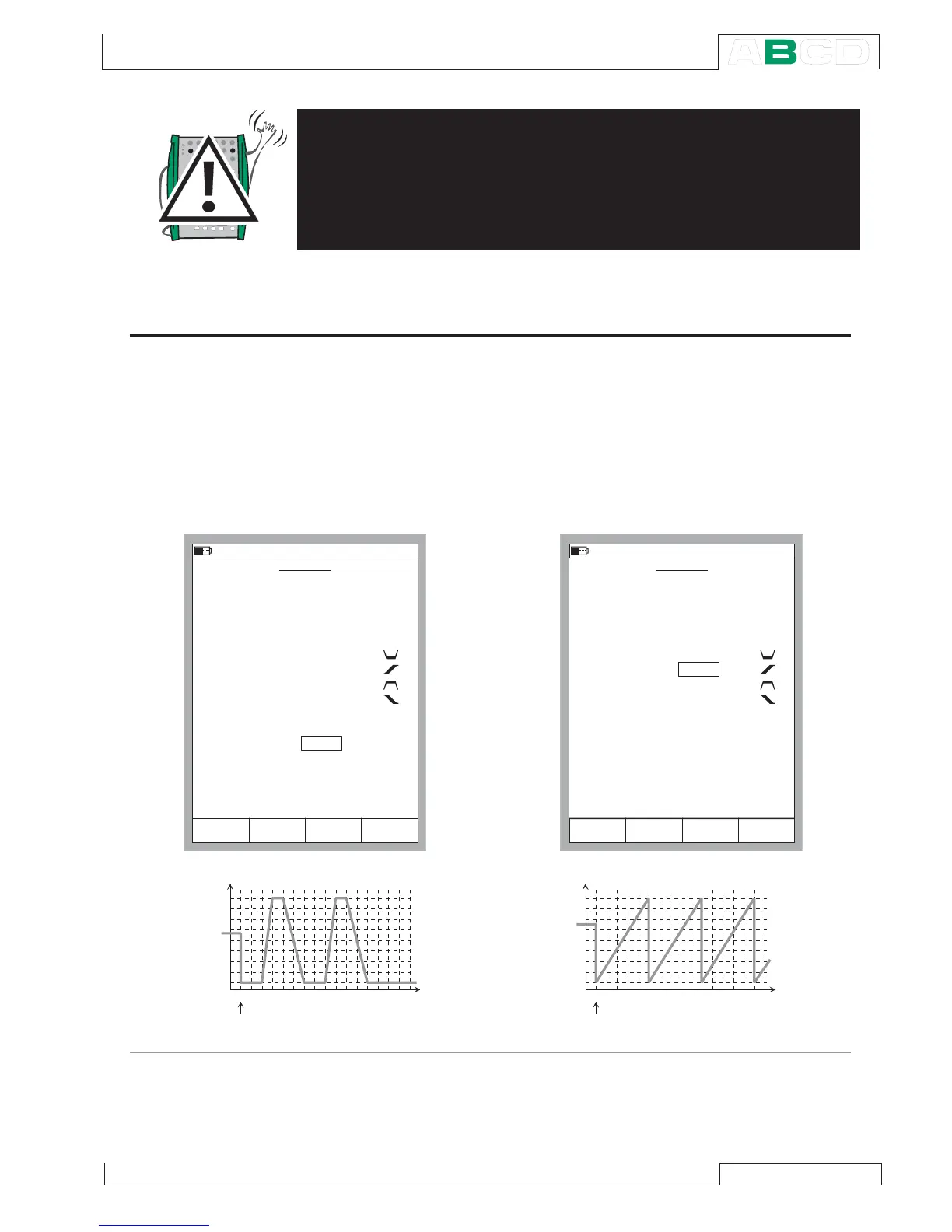
The Ramping configuration windows shown
below can are opened as described in
chapter Opening the Step or Ramp Con-
figuration Window on page 67.
Configure the ramping settings according
to your needs. The following pictures are
examples of ramping configurations. The
graphs presented after the configuration
windows display the result of the settings.
zero) and a ramping with a predetermined
amount of repeats (max. value 65535).
To stop ramping press the Function Key
C/Stop Ramping. This applies for both a
continuous ramping (Repeats field set to
R A M P I N G
2 4 . 0 9 . 2 0 0 1 1 0 : 2 2
Q u a n t i t y
P o r t
R i s e T i m e
W a i t i n 1 0 0 %
F a l l T i m e
R e p e a t s
0 = c o n t i n u o u s
R a n g e
V o l t a g e
E T : V ( g e n )
1
1
2
2
4 . 0 0 0 0
8 . 0 0 0 0
s
V
0 %
1 0 0 %
2
W a i t i n 0 %
s
s
s
S t o p
R a m p i n g
F i e l d
S t a r tC a n c e l E d i t
2 4 . 0 9 . 2 0 0 1 1 0 : 2 5
V o l t a g e
E T : V ( g e n )
5
0
0
0
4 . 0 0 0 0
8 . 0 0 0 0
s
V
0 %
1 0 0 %
0
s
s
s
R A M P I N G
Q u a n t i t y
P o r t
R i s e T i m e
W a i t i n 1 0 0 %
F a l l T i m e
R e p e a t s
0 = c o n t i n u o u s
R a n g e
W a i t i n 0 %
S t o p
R a m p i n g
F i e l d
S t a r tC a n c e l E d i t
V o l t a g e , V
T i m e ,



 To Next Page