83
Data Logging
General
The Data Logging utility is a firmware option that allows you to
collect data using MC5-IS. The collected data may then be viewed,
transferred to a personal computer (PC) and printed using a utility
shipped together with MC5-IS if the Data Logging option is pur-
chased.
The maximum amount of measuring channels can be up to seven
(valid only if your MC5-IS includes a sufficient amount of measur-
ing modules/ports).
Data Logging may be configured to collect data using different
triggers and saving methods as described further on.
Configuring
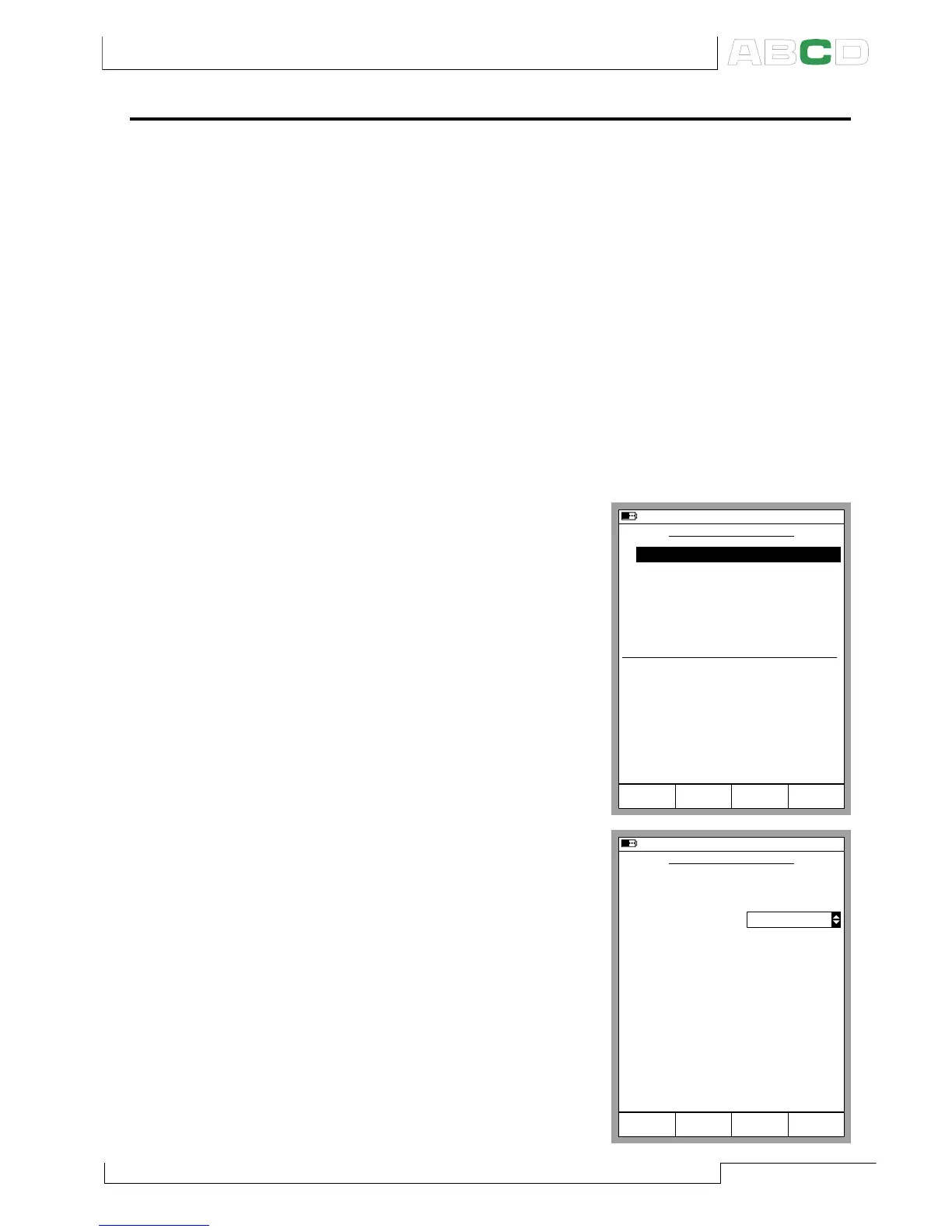
To start configuring the Data
Logging (starting from Basic
Mode), press
D/Menu,
C/Others,
5/Data Logging.
The upper part of the Data Log-
ging configuration window is re-
served for seven measurement
channels and the lower part for
general settings. The following
subchapters describe how they
are configured.
Assigning Measurement Ports to Channels
Move the cursor to one of the meas-
urement channel rows in the Data
Logging configuration window.
Press C/Edit to open the following
channel settings window: Select
the measurement port first. The
other settings depend on the port
setting. To clear a channel, select
port None in the channel settings
window. To remove all channel set-
tings, select D/MENU, 1/Clear All
Channels in the Data Logging con-
figuration window.
20.10.2000 14:57
DATA LOGGING SETUP
1
Trigger
None
2
None
3
None
4
None
5
None
6
None
7
None
Save Method
Interval [s]
Samples
Time [h min s]
Periodic
Instant Value
2
10
0
Mode
Basic
Logging
Data
Edit MENU
0 20
20.10.2000 15:01
DATA LOGGING SETUP
Channel
Port
Pressure Type
Unit
1
Abs
bar
P3:B
Cancel OKEdit
Advanced Utilities



 To Next Page