ELECTRICAL SYSTEM
10
10.5 - INDICATING DEVICES
Left handlebar controls
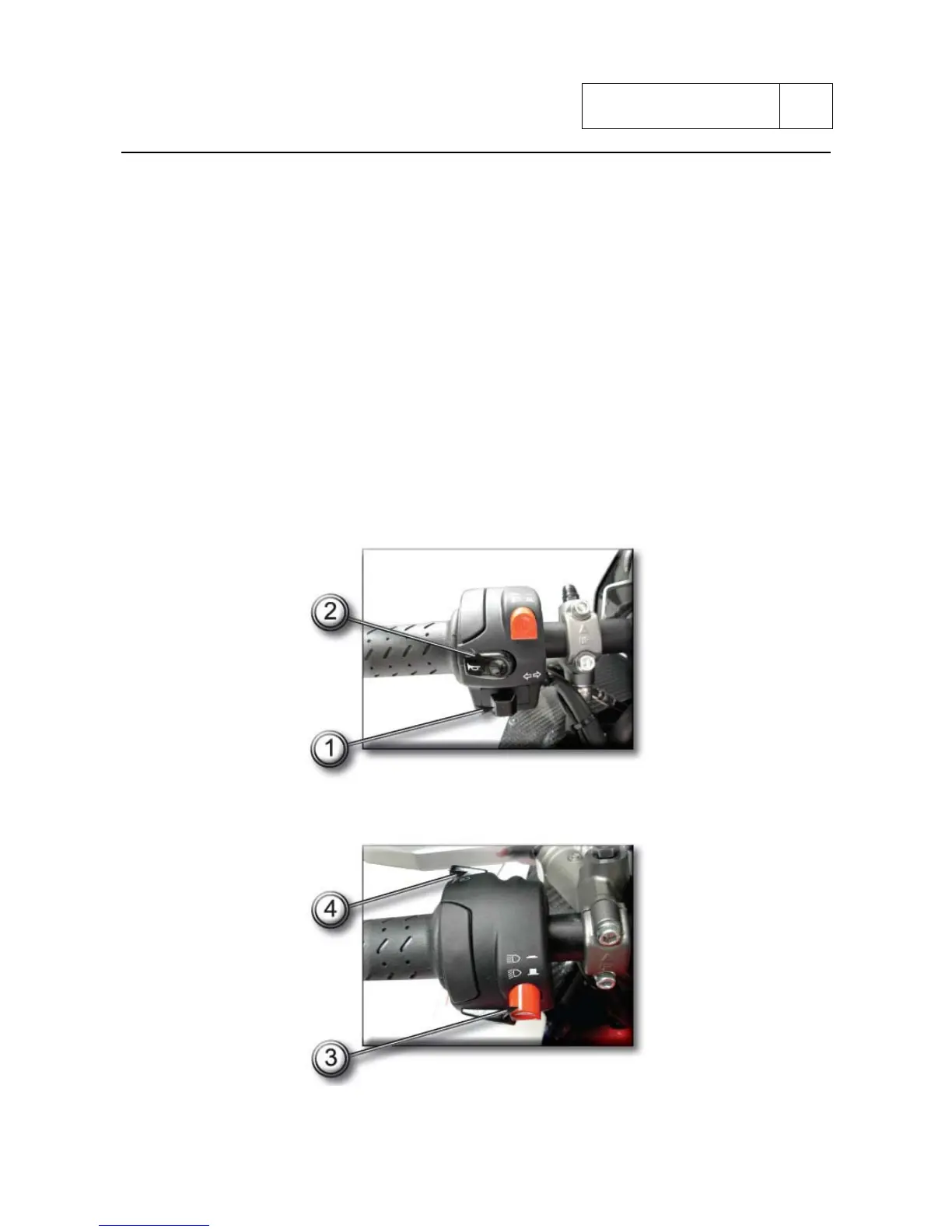
Turn signal switch
Move the turn signal switch (1) to left to signalize the turn left and right to turn right.
Press to switch off the direction signal.
Horn button
Press the button (2) to operate horn.
Headlight switch
Push the switch of the headlight (3) on (HI) position to select the high beam and on (LO) position
to select the low beam.
Head light flasher switch
When you press the flasher control switch (4), the high beam flashes to signal to vehicles arriving
or for the passing.
Sub 10-25


 To Next Page