ELECTRICAL SYSTEM
10
Multifunction digital display
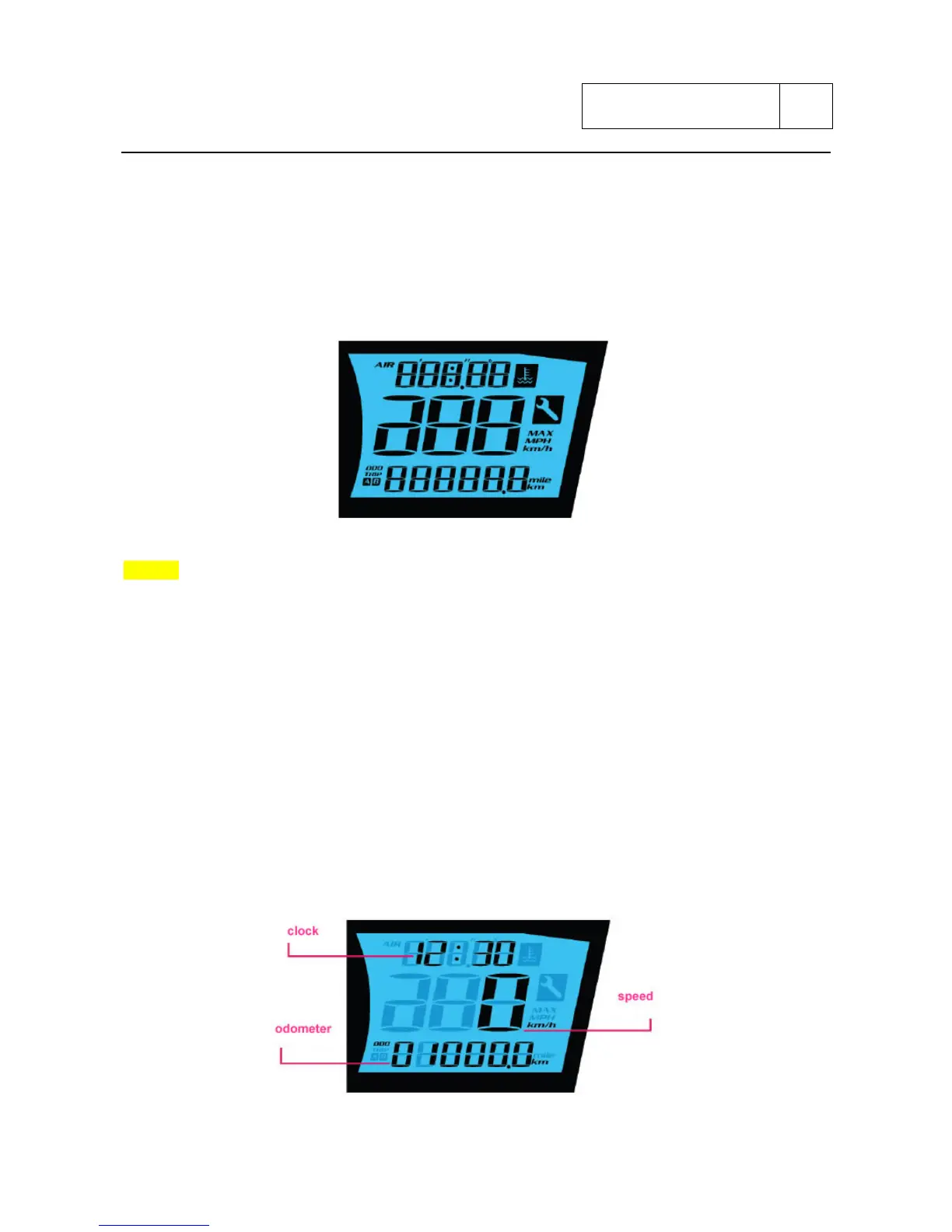
When you turn ON the ignition switch, the display temporarily displays all the details and digital
segments.
The display functions are accessible through 3 different pages; to go from one page to the next
one hold the starter button (placed on the right handlebar controls) for at least 3 seconds.
The functions available are described in the following pages.
NOTES
The display layout can change without notice.
PAGE 1
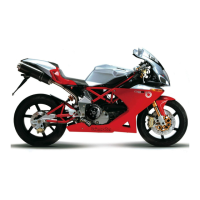
The first page shows the following functions:
- speedometer: displays the running speed
- odometer: displays the total distance covered.
- trip A/ trip B: displays the partial distance covered. Hold the ADJUST button to switch
among odometer, trip A and trip B. To reset the trips A and B hold the ADJUST button for
more than 3 seconds while the desired counter is displayed.
- Clock: displays the time (hours and minutes). To set the clock hold the SELECT button for
more than 3 seconds and therefore use the SELECT button and the ADJUST button to set
the clock.
- Air temperature: displays the ambient air temperature. Press the button SELECT to switch
between clock to air temperature.
Sub 10-37


 To Next Page