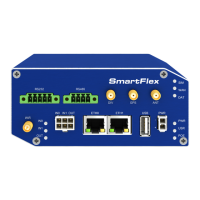
SmartFlex
The configuration file name consists of Base URL, hardware MAC address of ETH0 inter-
face and cfg extension. Hardware MAC address and cfg extension are added to the file name
automatically and it isn’t necessary to enter them. When the parameter Unit ID is enabled,
it defines the concrete configuration name which will be downloaded to the router, and the
hardware MAC address in the configuration name will not be used.
The firmware file name consists of Base URL, type of router and bin extension. For the
proper firmware filename, see the Update Firmware page in Administration section – it us
written out there. See Chapter 6.11.
It is necessary to load two files (.bin and .ver) to the HTTP/FTP server. If only the .bin
file is uploaded and the HTTP server sends the incorrect answer of 200 OK (instead of
the expected 404 Not Found) when the device tries to download the nonexistent .ver file,
then there is a r isk that the router will download the .bin file over and over again.
Firmware update can cause incompatibility with the user modules. It is recommended that
you update user modules to the most recent version. Information about the user modules
and the firmware compatibility is at the beginning of the user module’s Application Note.
4.20.1 Example of Automatic Update
In the following example the router checks for new firmware or configuration file each day
at 1:00 a.m. An example is given for the SmartFlex router.
• Firmware file: http://example.com/SPECTRE-v3-LTE.bin
• Configuration file: http://example.com/test.cfg
Figure 69: Example of Automatic Update 1
123


 To Next Page