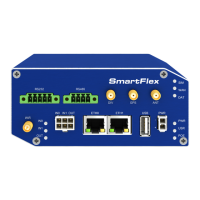
SmartFlex
8. Glossary and Acronyms
Backup Routes Allows user to back up the pri-
mary connection with alternative connections to
the Internet/mobile network. Each backup con-
nection can have assigned a priority. Switching
between connections is done based upon set pri-
orities and the state of the connections.
DHCP The Dynamic Host Configuration Proto-
col (DHCP) is a network protocol used to con-
figure devices that are connected to a network
so they can communicate on that network using
the Internet Protocol (IP). The protocol is imple-
mented in a client-server model, in which DHCP
clients request configuration data, such as an IP
address, a default route, and one or more DNS
server addresses from a DHCP server.
DHCP client Requests network configuration
from DHCP server.
DHCP server Answers configuration request by
DHCP clients and sends network configuration
details.
DNS The Domain Name System (DNS) is a hi-
erarchical distributed naming system for comput-
ers, services, or any resource connected to the
Internet or a private network. It associates var-
ious information with domain names assigned
to each of the participating entities. Most promi-
nently, it translates easily memorized domain
names to the numerical IP addresses needed
for the purpose of locating computer services
and devices worldwide. By providing a world-
wide, distributed keyword-based redirection ser-
vice, the Domain Name System is an essential
component of the functionality of the Internet.
DynDNS client DynDNS service lets you ac-
cess the router remotely using an easy to re-
member custom hostname. This client monitors
the router’s IP address and updates it whenever
it changes.
GRE Generic Routing Encapsulation (GRE) is
a tunneling protocol that can encapsulate a wide
variety of network layer protocols inside virtual
point-to-point links over an Internet Protocol net-
work. It is possible to create four different tun-
nels.
HTTP The Hypertext Transfer Protocol (HTTP)
is an application protocol for distributed, collab-
orative, hypermedia information systems. HTTP
is the foundation of data communication for the
World Wide Web.
Hypertext is structured text that uses logi-
cal links (hyperlinks) between nodes containing
text. HTTP is the protocol to exchange or transfer
hypertext.
HTTPS The Hypertext Transfer Protocol Secure
(HTTPS) is a communications protocol for se-
cure communication over a computer network,
with especially wide deployment on the Inter-
net. Technically, it is not a protocol in and of it-
self; rather, it is the result of simply layering the
Hypertext Transfer Protocol (HTTP) on top of the
SSL/TLS protocol, thus adding the security ca-
pabilities of SSL/TLS to standard HTTP commu-
nications.
IP address An Internet Protocol address (IP
address) is a numerical label assigned to each
device (e.g., computer, printer) participating in
a computer network that uses the Internet Pro-
tocol for communication. An IP address serves
two principal functions: host or network inter-
face identification and location addressing. Its
role has been characterized as follows: A name
indicates what we seek. An address indicates
where it is. A route indicates how to get there
The designers of the Internet Protocol defined an
IP address as a 32-bit number and this system,
known as Internet Protocol Version 4 (IPv4), is
still in use today. However, due to the enormous
145


 To Next Page