49
5. Bluetooth Connection Mode Instruction
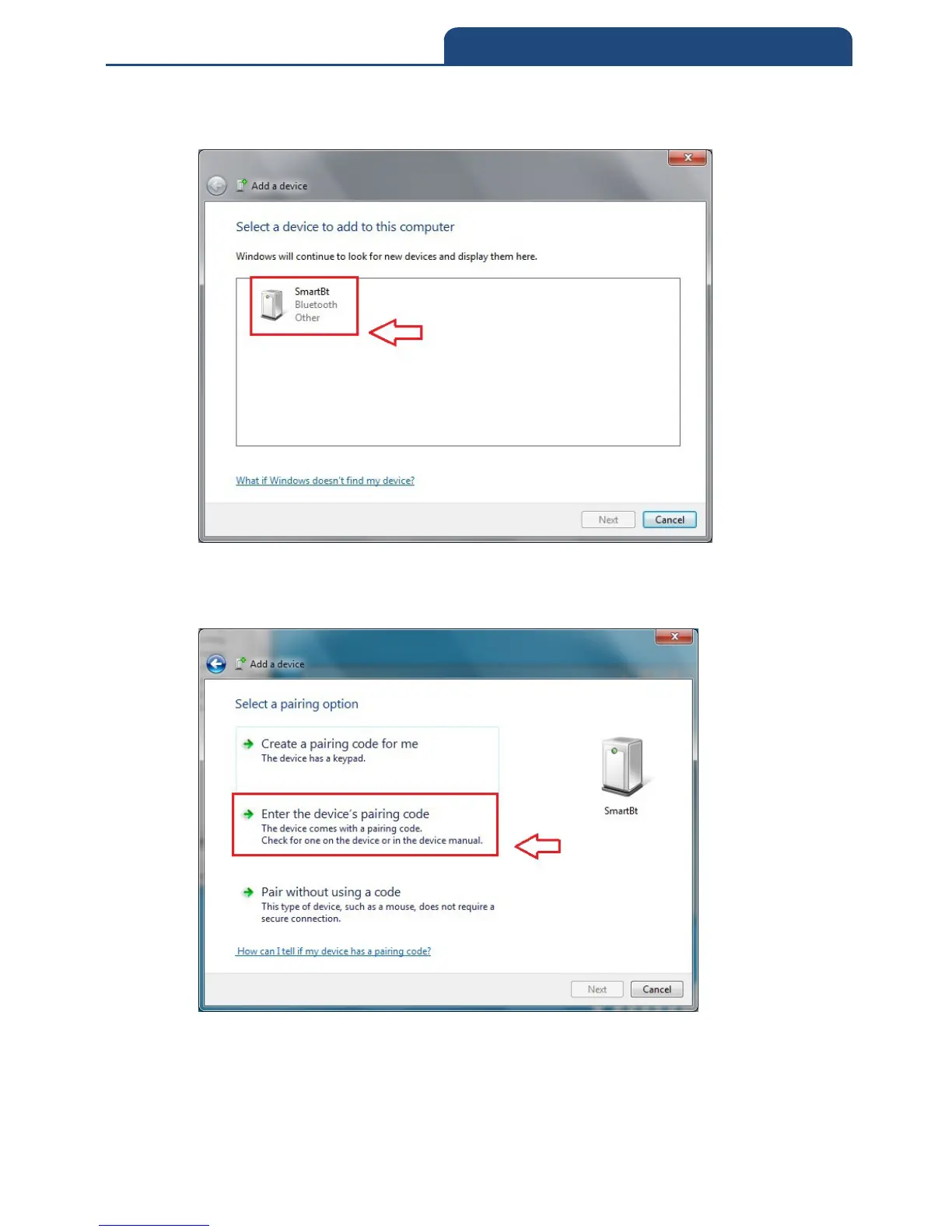
2. Make the scanner into pairing mode, if it can search available connecting
Bluetooth device, it will show the screen below:
From all the finding devices, search the pairing Bluetooth device and click the left
button of the mouse on finding devices. The popping out screen let users set Pin code
by which way. See the screen below:
In this screen, choose ”Enter the device’s pairing code” will show up the screen
below:



 To Next Page