58
5. Bluetooth Connection Mode Instruction
5-3 HID mode Connection (For Third party Bluetooth devices)
Make sure the scanner is in Bluetooth mode; please refer to chapter
4-2-1 for how to configure in Bluetooth mode.
Make sure the Mode selection code is configured as “3”. Please refer
to chapter 4-2-4-3
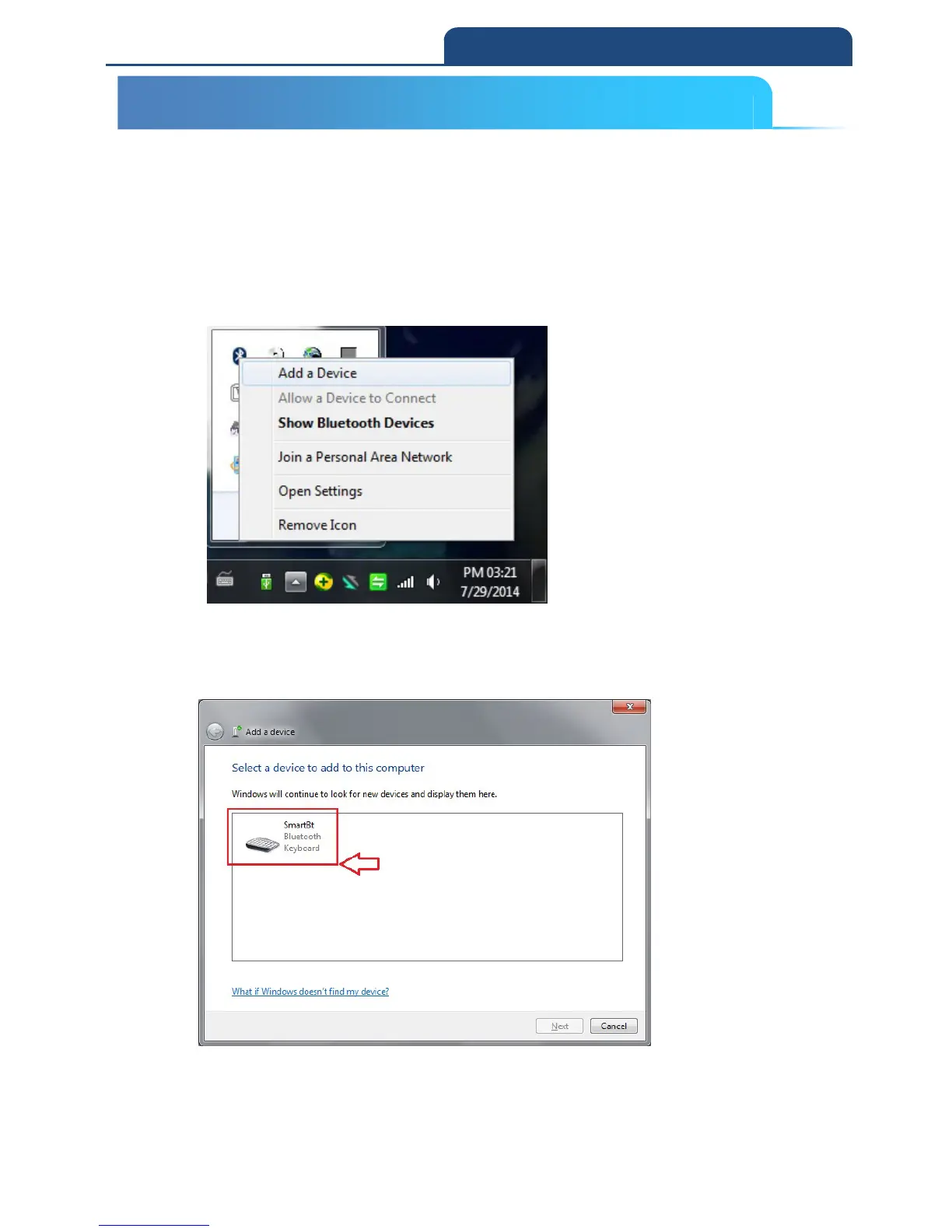
1. After connect Dongle and PC, it will show Bluetooth sign in system display.
Click right button of the mouse. It will show screen below:
Select ”Add a Device”, it starts to search nearby available Bluetooth device. Make
the scanner into pairing mode. In the meantime, if it can find available connecting
Bluetooth device, then it will show screen below:
From all the finding Bluetooth device, search pairing device and click left button
of the mouse. From show up window, let the user to use which way to generate
Pin Code. It will show screen below:
5-3 HID mode Connection (For Third party Bluetooth devices)



 To Next Page