61
5. Bluetooth Connection Mode Instruction
5-4 iOS mode Connection
Make sure the scanner is in Bluetooth mode; please refer to chapter
4-2-1 for how to configure in Bluetooth mode.
Make sure the Mode selection code is configured as “4”. Please refer
to chapter 4-2-4-4
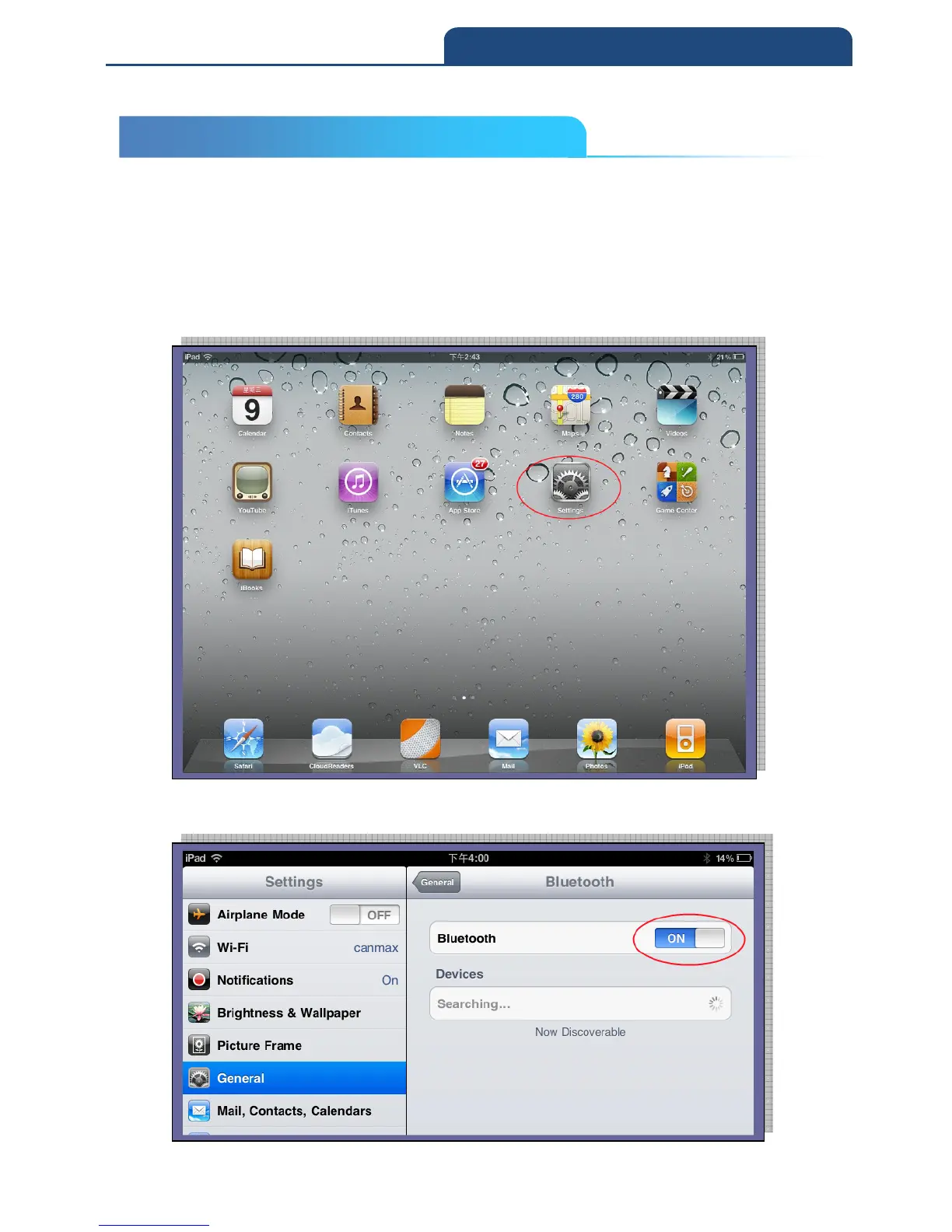
Please turn on iPad and select “settings” as below
Please access to General Bluetooth Bluetooth ON. At this stage, iPad will
start searching for Bluetooth devices



 To Next Page