48
5. Bluetooth Connection Mode Instruction
5-1 Slave mode Connection (For Third party Bluetooth devices)
Make sure the scanner is in Bluetooth mode; please refer to chapter
4-2-1 for how to configure in Bluetooth mode.
Make sure the Mode selection code is configured as “1”. Please refer
to chapter 4-2-4-1.
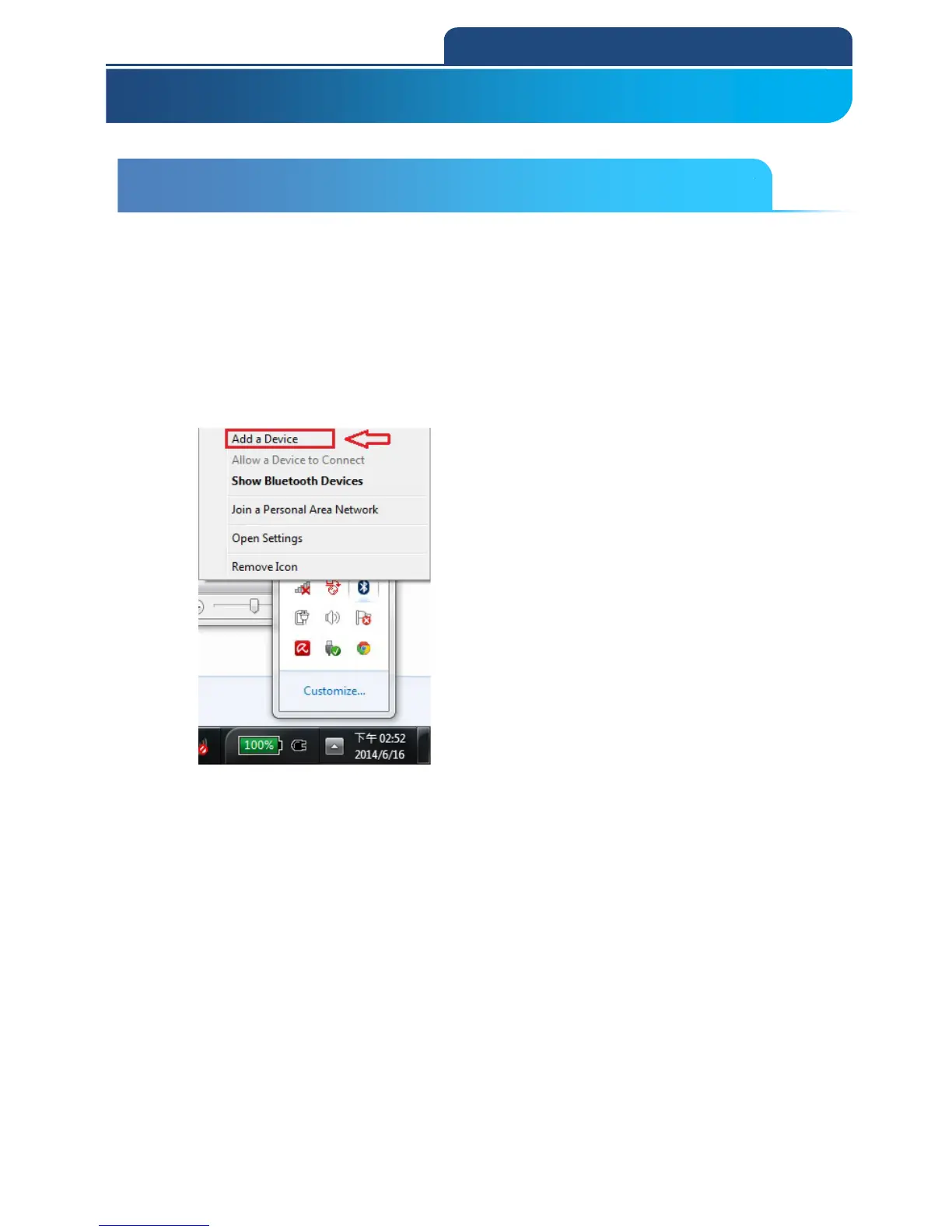
1. After connect with Dongle and PC, you will see Bluetooth sign in system display.
Click right button of the mouse on this sign, and choose ”Add a Device”. See the
screen below:
After choose this function, it will start to search a nearby Bluetooth device.



 To Next Page