53
5. Bluetooth Connection Mode Instruction
5-2 Master mode Connection (For Third party Bluetooth Devices)
Make sure the scanner is in Bluetooth mode; please refer to chapter
4-2-1 for how to configure in Bluetooth mode.
Make sure the Mode selection code is configured as “2”. Please refer
to chapter 4-2-4-2.
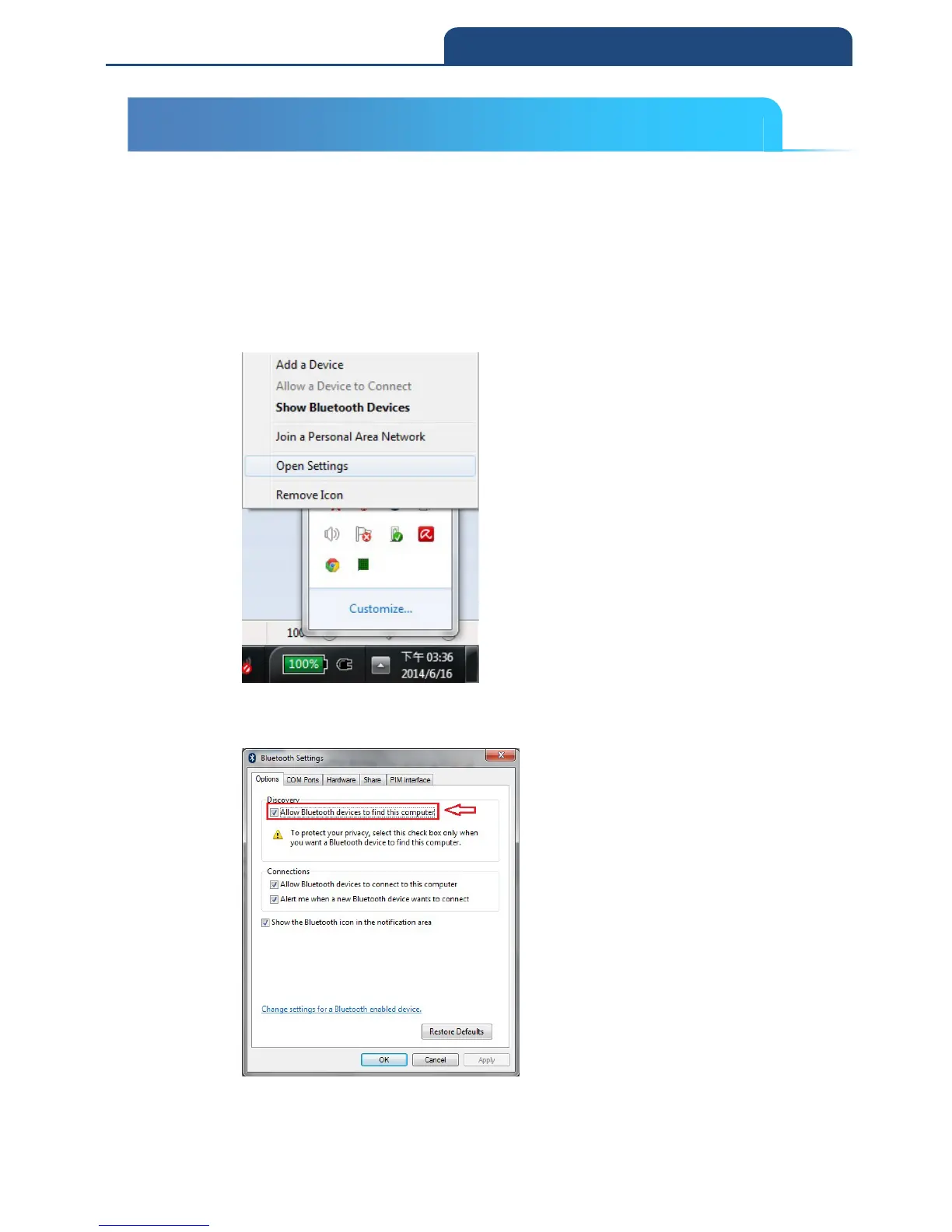
1. After connect Dongle and PC, it will see Bluetooth sign in system display,
and click right button of mouse on it. It will show screen below:
Choose ”Open Settings” function, to ”Bluetooth Settings” function and
switch to ”Options” page.
In this page, click ”Allow Bluetooth devices to find this computer” to let
this Bluetooth device can be searched.
5-2 Master mode Connection (For Third party Bluetooth devices)



 To Next Page