54
5. Bluetooth Connection Mode Instruction
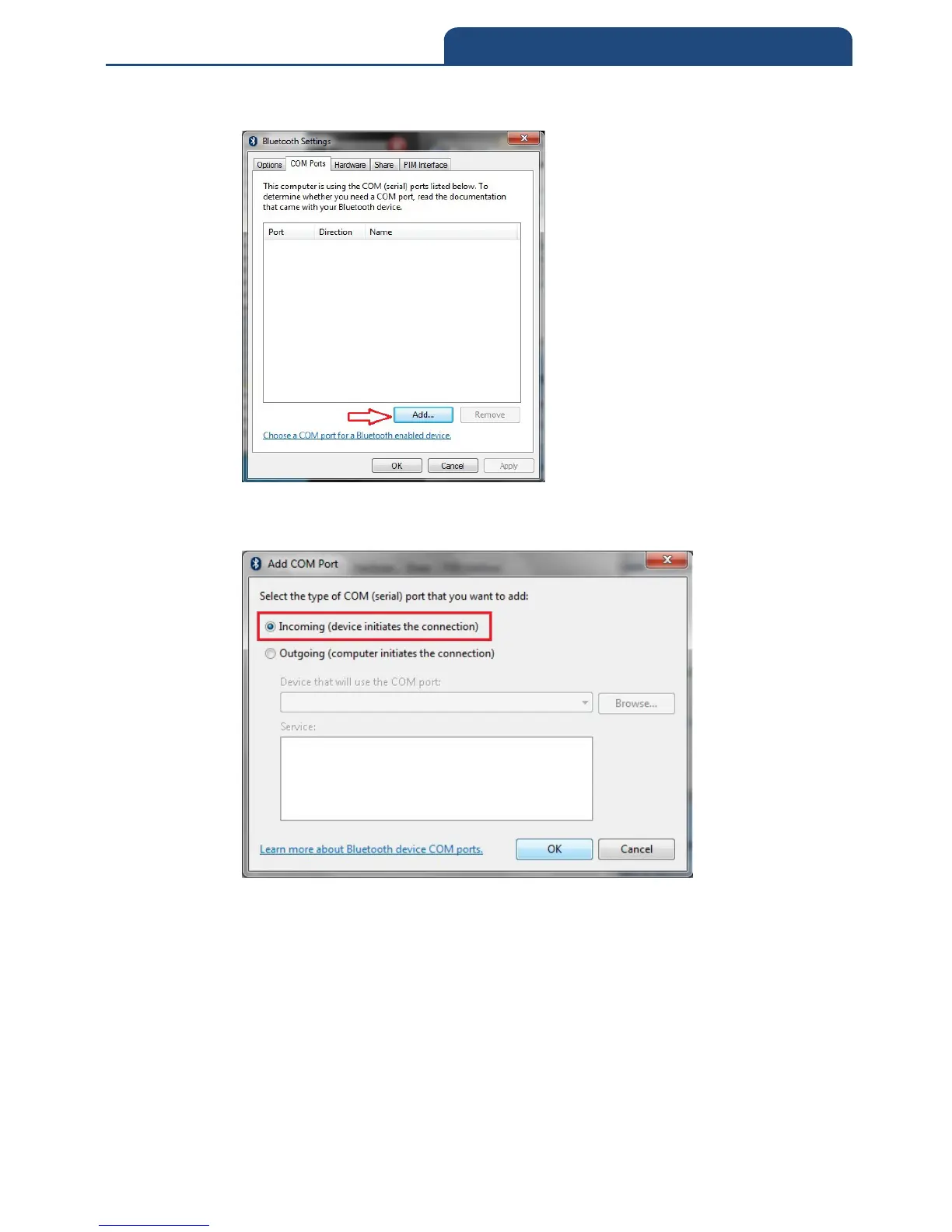
2. Switch to ”COM ports” page. It will show screen below:
In this page, click ”Add” button to create new COM port. It will show
screen below:
In this screen, click ”Incoming(device initiates the connection)”, and
click ”OK”. In the meantime, it will create Incoming port. It will show
screen below:



 To Next Page