56
5. Bluetooth Connection Mode Instruction
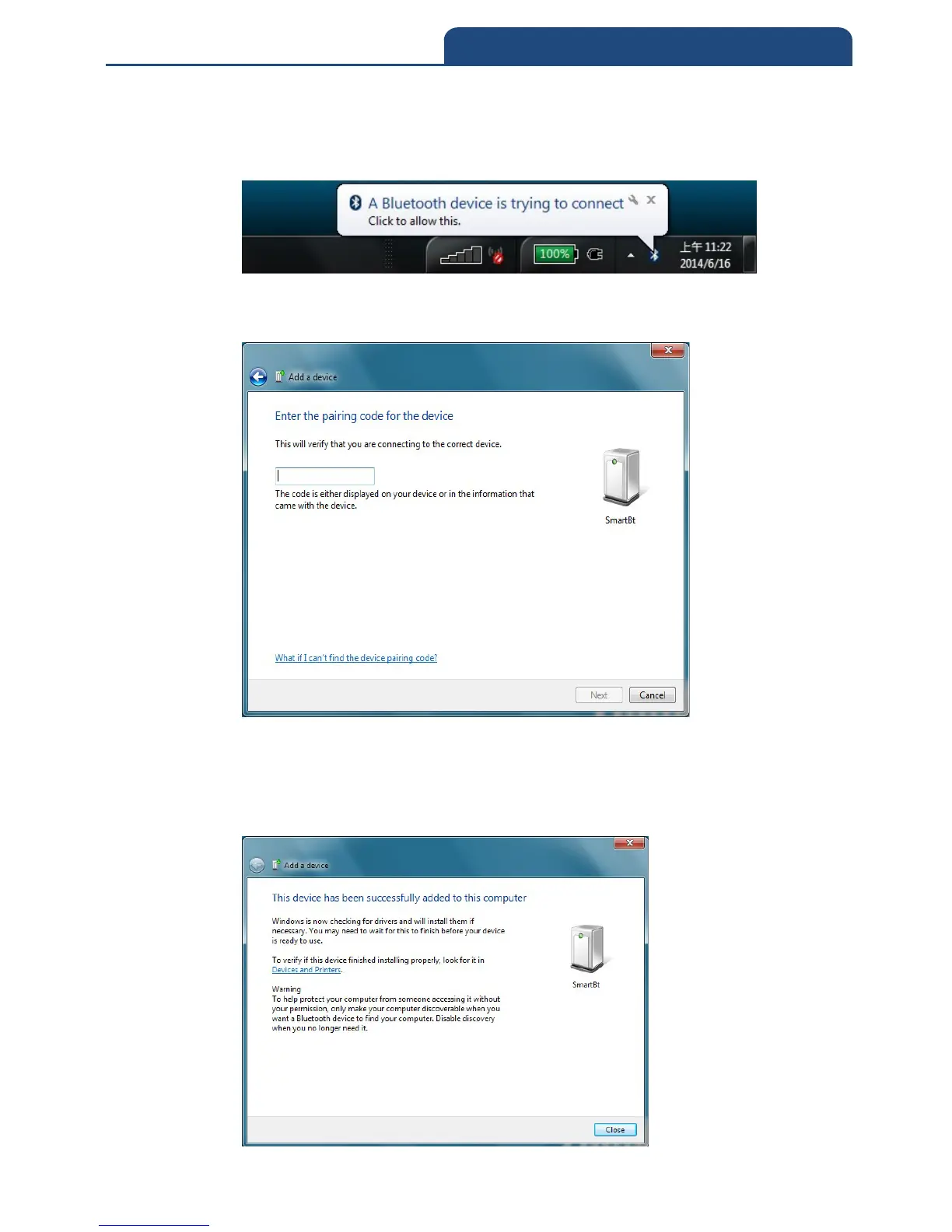
4. Make the scanner into pairing mode. When the scanner find the PC, it will
show the information in system display to let user key Pin Code. It will
show screen below:
Click this information and it will show screen below to let user to key Pin
Code.
Please key in Pin Code with 1234 in this screen. After key in Pin code,
press ”Next” then it will start to do verification of Pin code. After pass the
verification, it will go to pairing mode. After it pairs successfully, the screen
will show like down below:



 To Next Page