Sending Documents
4-26
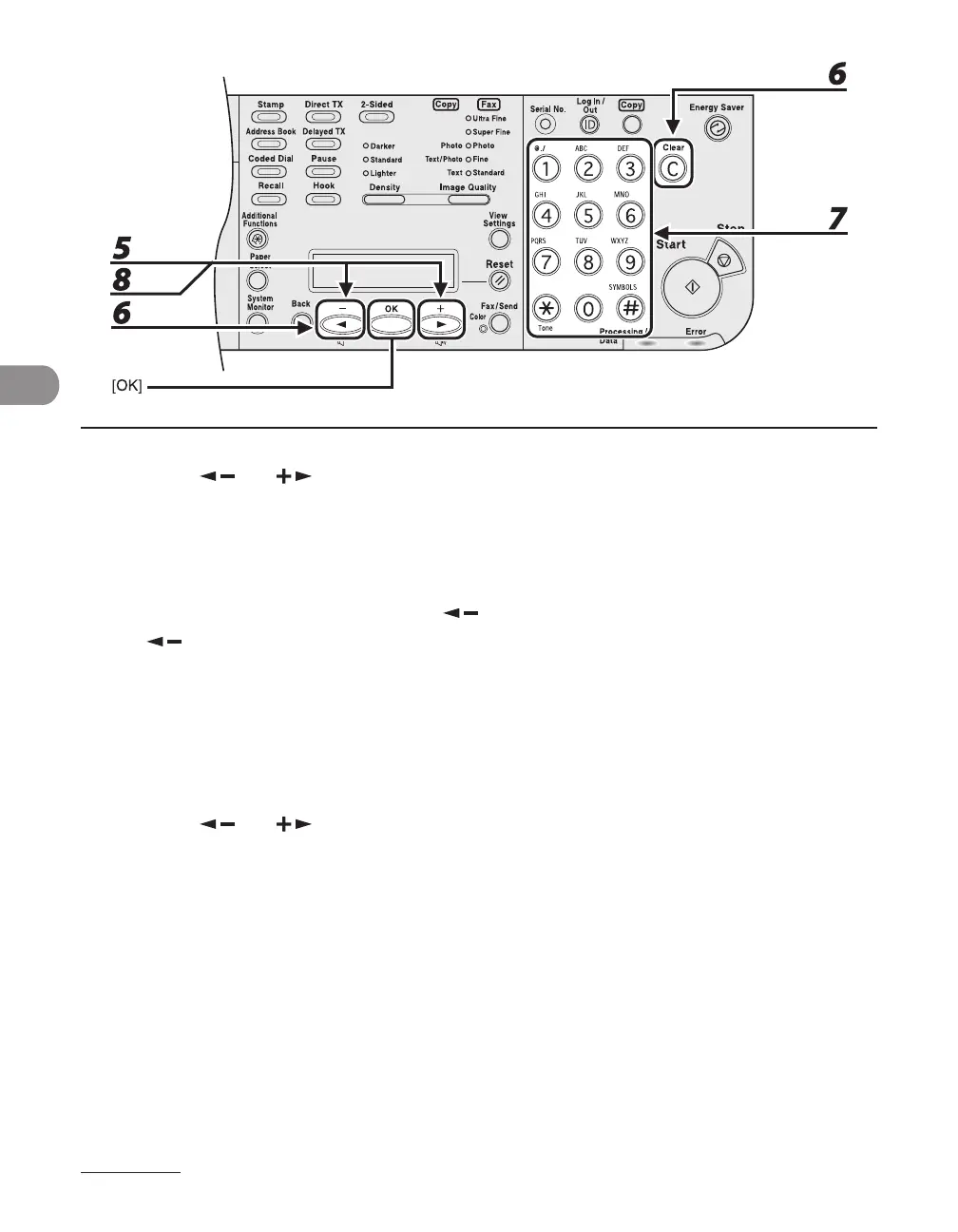
5 Press [ ] or [ ] to select <TEL NUMBER ENTRY> or <E-MAIL ADDRESS>,
then press [OK].
You can edit <HOST NAME>, <NAME>, <FILE PATH>, <LOGIN NAME>, and <PASSWORD> when you edit
file server addresses.
6 Go back to the wrong digit with [ ] when you edit a fax number. Or press
[ ] repeatedly to go back to a wrong number or character, then press [Clear]
when you edit an e-mail or I-fax address.
To delete the entire entry, press and hold [Clear].
7 Enter a new number or character with the numeric keys, then press [OK].
8 Press [ ] or [ ] to select <NAME>, then press [OK].














 To Next Page