Sending Documents
4-52
\
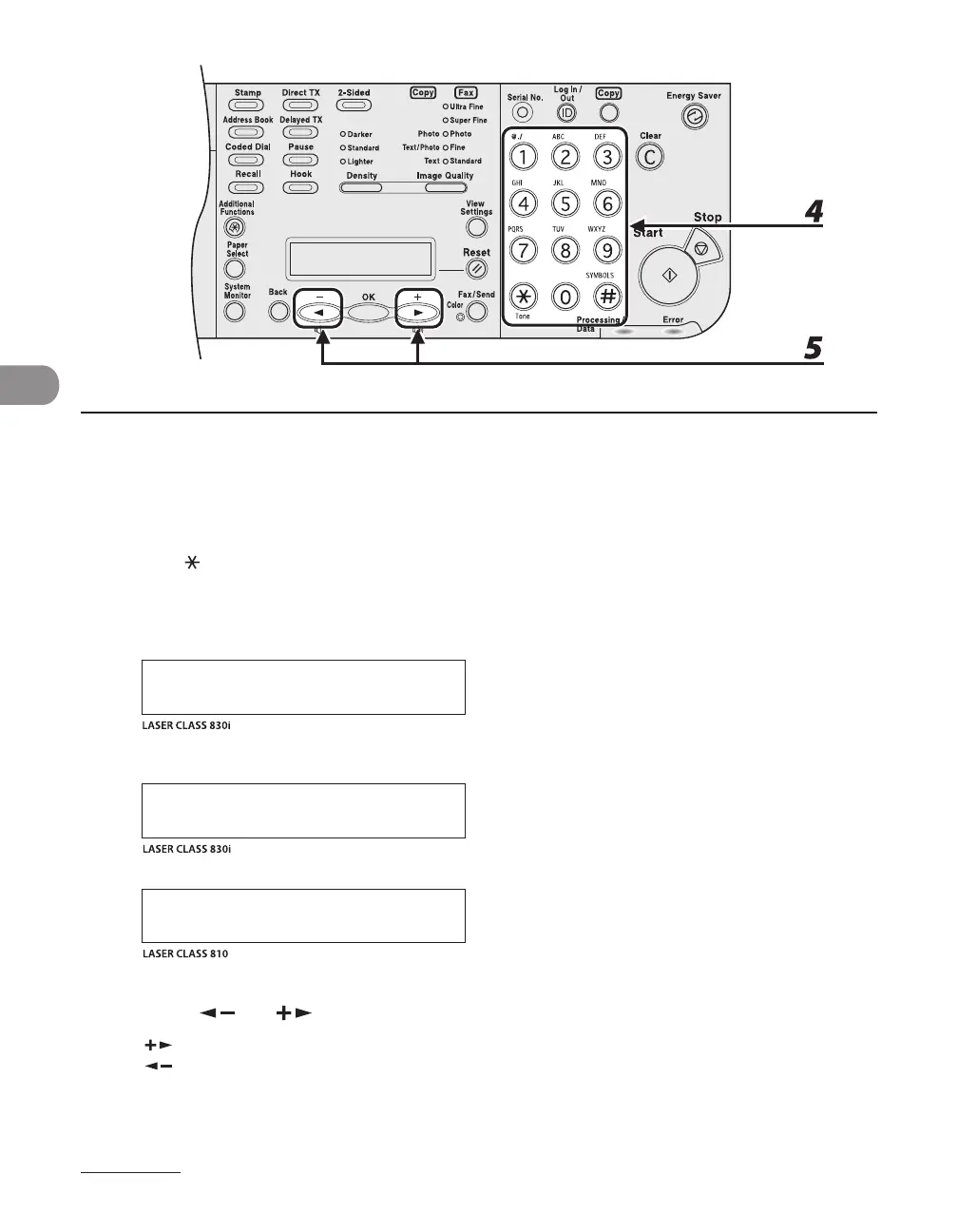
4 Enter the first letter of the recipient’s name or the first part of the fax number/
address with the numeric keys.
For example, if you want to search for a name that starts with the letter “C,” press [2] (ABC).
Entries starting with the letter you entered are displayed if any entries are registered.
Press [ ] to switch between input modes:
[:A]: Letter mode
[:1]: Number mode
N A M E S E A R C H : A
C A N O N
Ex.
A D D / T E L S E A R C H : A
c a n o n @ X X X . X X X
Ex.
A D D R E S S B O O K : A
H I J K
Ex.
5 Press [ ] or [ ] to search for the recipient.
[ ]: displays recipients in alphabetical order.
[ ]: displays recipients in reverse order.














 To Next Page