Receiving Documents
5-20
Forwarding Documents with Forwarding Errors
To use this function <STORE TO MEMORY> in <FORWARD ERR.SET> in <SYSTEM SETTINGS> must be set to
<ON>.
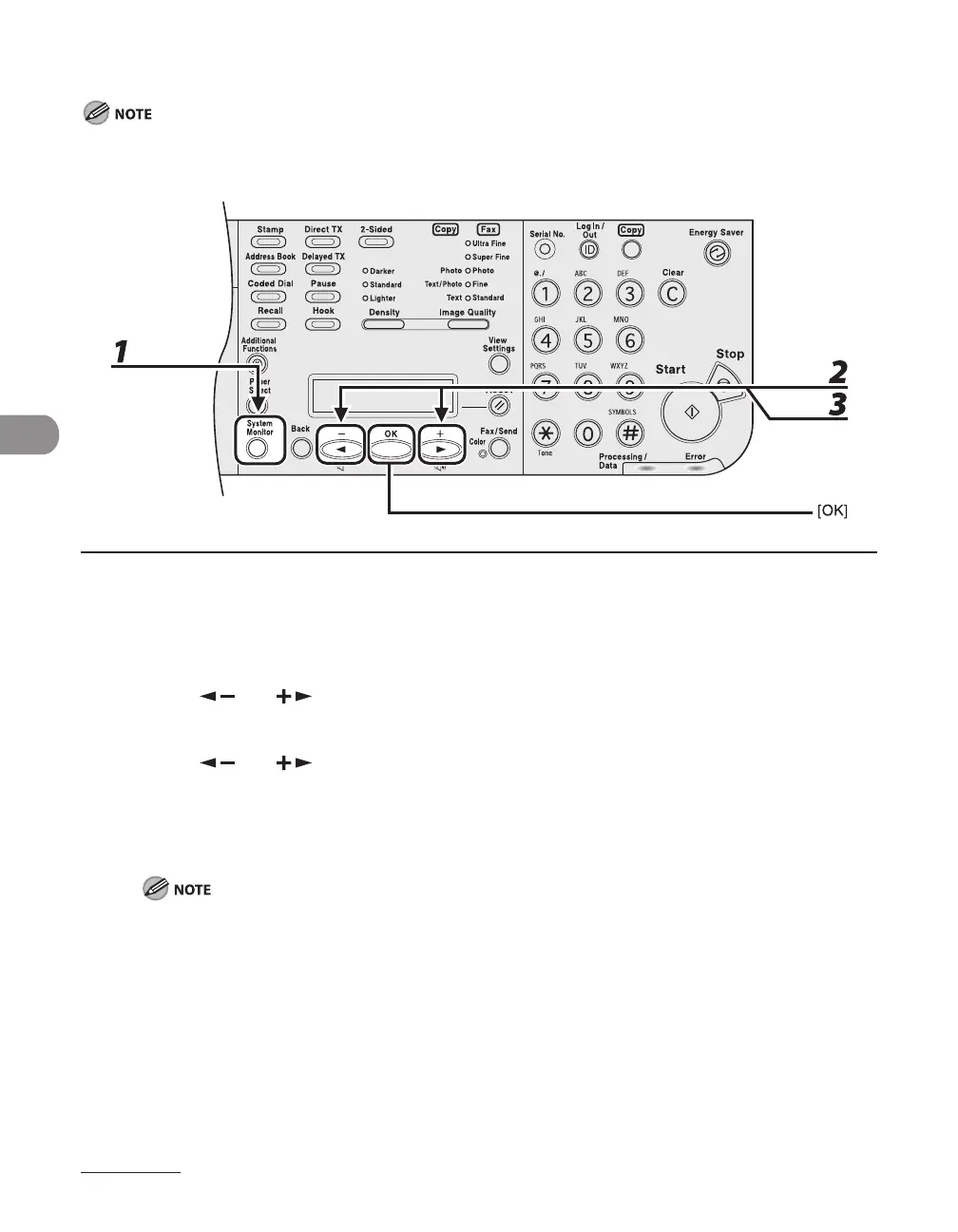
1 Press [System Monitor] repeatedly to select <FORWARD ERR. STATUS>, then
press [OK].
2 Press [ ] or [ ] to select the desired document, then press [OK].
3 Press [ ] or [ ] to select <FORWARD>, then press [OK].
4 Specify the destination, then press [OK].
The machine starts to send the selected document.
You can specify only one destination registered in a one-touch key or coded dial code.
The document is erased from memory if transferring is successful.
–
–














 To Next Page