Chapter 3ޓ
3-68
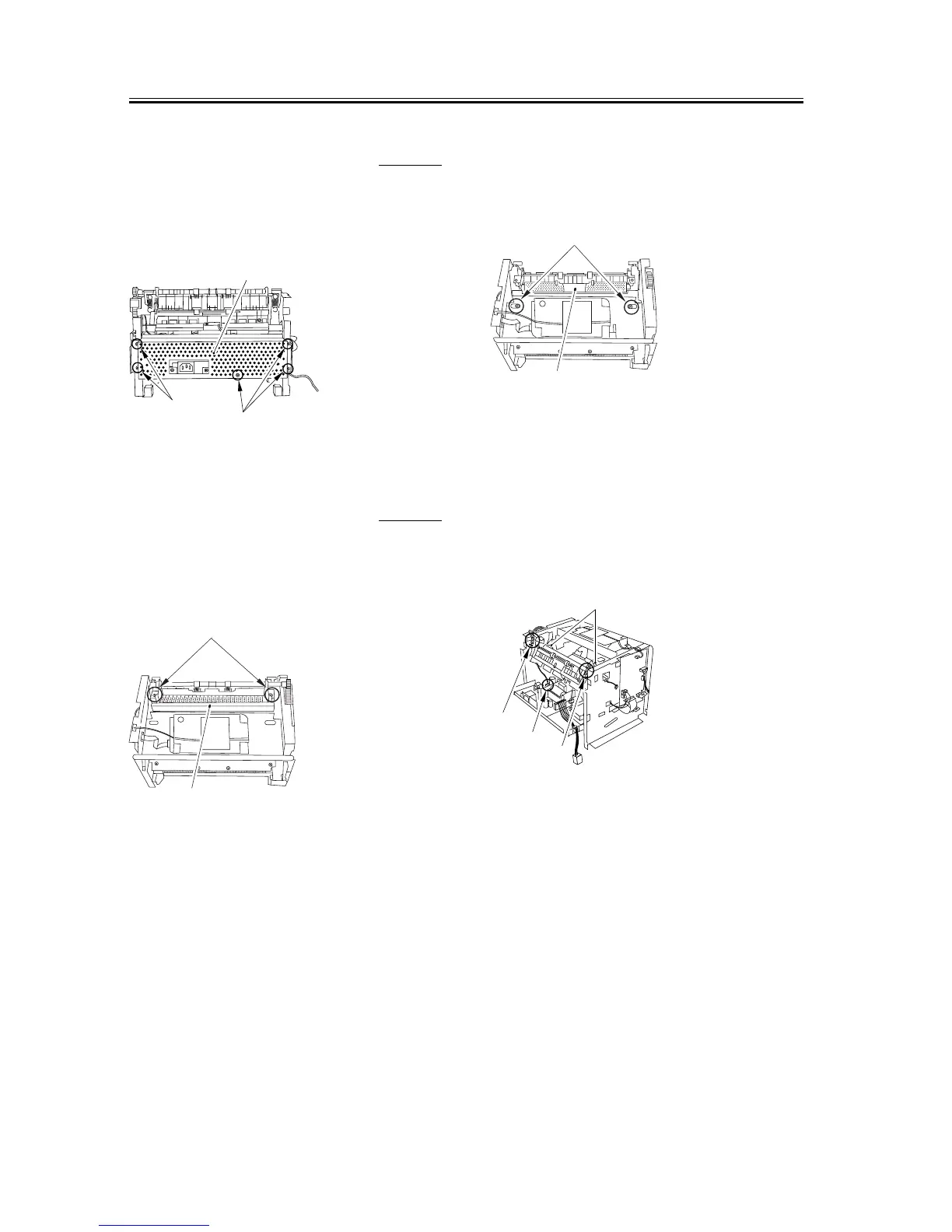
3.6.2.11 Removing the Power
Supply Shield Plate
0007-7765
1) Remove the 5 screws [1] to remove the power
supply shield plate [2].
F-3-272
3.6.2.12 Removing the Fixing
Film Unit
0007-7766
1) Remove the 2 screws [1] and take off the Fixing
cover [2].
F-3-273
2) Remove the 2 screws [1]. Remove the Fixing
entrance guide [2] by sliding it sideways back and
forth.
F-3-274
3) Disengage the connector [1] of the power supply
board.
4) Remove the grounding springs and the pressure
springs [2] on both sides.
5) Remove the pressure plates [3] on both sides.
F-3-275
[1]
[1]
[2]
[1]
[2]
[1]
[2]
[1]
[2]
[2]
[3]











 To Next Page