Liberty
™
Automated Microwave Peptide Synthesizer
600178 • Revision 5 • October 2009
25
Editors
Microwave Editor
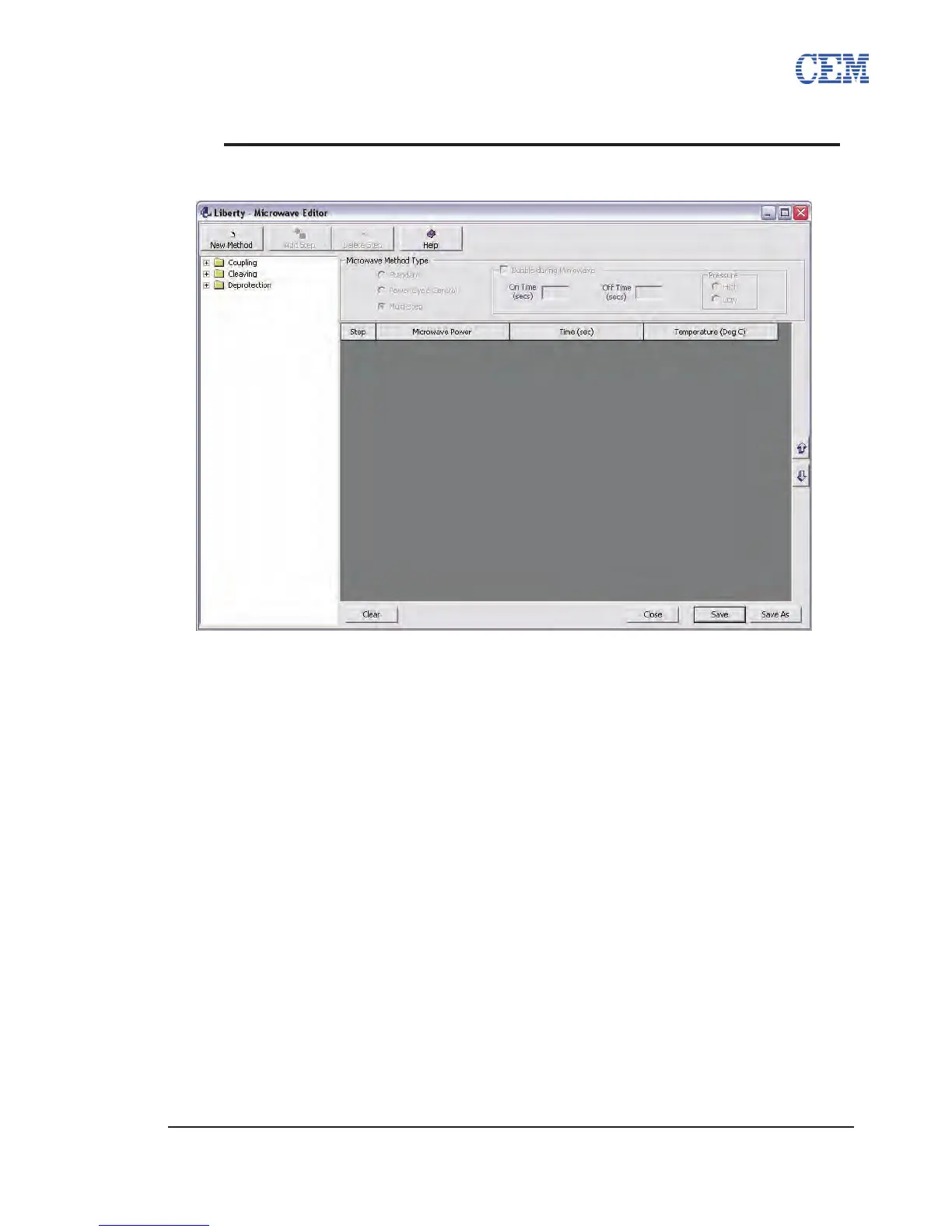
The Microwave Editor allows for the control and customization of the microwave steps of any
cycle. By editing the power and duration of a microwave step difcult peptides can be synthesized
with higher purity and yield.
The Microwave Editor can be accessed by clicking the Setup Button on the PepDriver main
screen and selecting Microwave Editor from the menu.
Microwave Method Folders
The Microwave Editor contains separate folders for each type of microwave method. Within each
method folder, there are subfolders for each scale, allowing for the development of optimized
microwave methods for each scale. A microwave method will only appear in the Cycle Editor
when creating a cycle of the same scale.
PepDriver comes with optimized default microwave methods for deprotection, coupling, capping,
and cleavage.
Microwave Method Types
• Standard: A Standard method applies a set microwave power until the set
temperature is reached, and then turns off the microwave until the temperature
drops to 5 °C below the set temperature. The total agitation time can also be
selected.
• Multi-Step: Multi-Step methods allow for a single microwave method to use
multiple power, temperature, or time settings.


 To Next Page