Liberty
™
Automated Microwave Peptide Synthesizer
600178 • Revision 5 • October 2009
54
Generating Reports
Method Reports
Method reports record all settings selected in the Method Editor when creating the method.
Method reports are created as PDF les, which can be saved and printed to allow for easy
recording of experimental parameters.
A method report consists of two sections. The rst section contains information about the
synthesis parameters: the sequence with calculated molecular weight, the selected C-terminus
(acid or amide), the resin parameters (loading, scale), and a list of the cycles selected for each
residue in the sequence. The second section shows every cycle used in the method, including
the nal deprotection and cleavage cycles. This section includes a full outline of each cycle,
providing a record of exactly what was performed at each step.
Creating a Method Report
From the Method Editor:
Open the Method Editor.1.
Open the folder containing the method in the Methods window.2.
Click on the method to be reported.3.
Click the Print Method button. The Report Viewer window will open, and the 4.
method report will be rendered as a PDF.
Click Save As PDF to save the report.5.
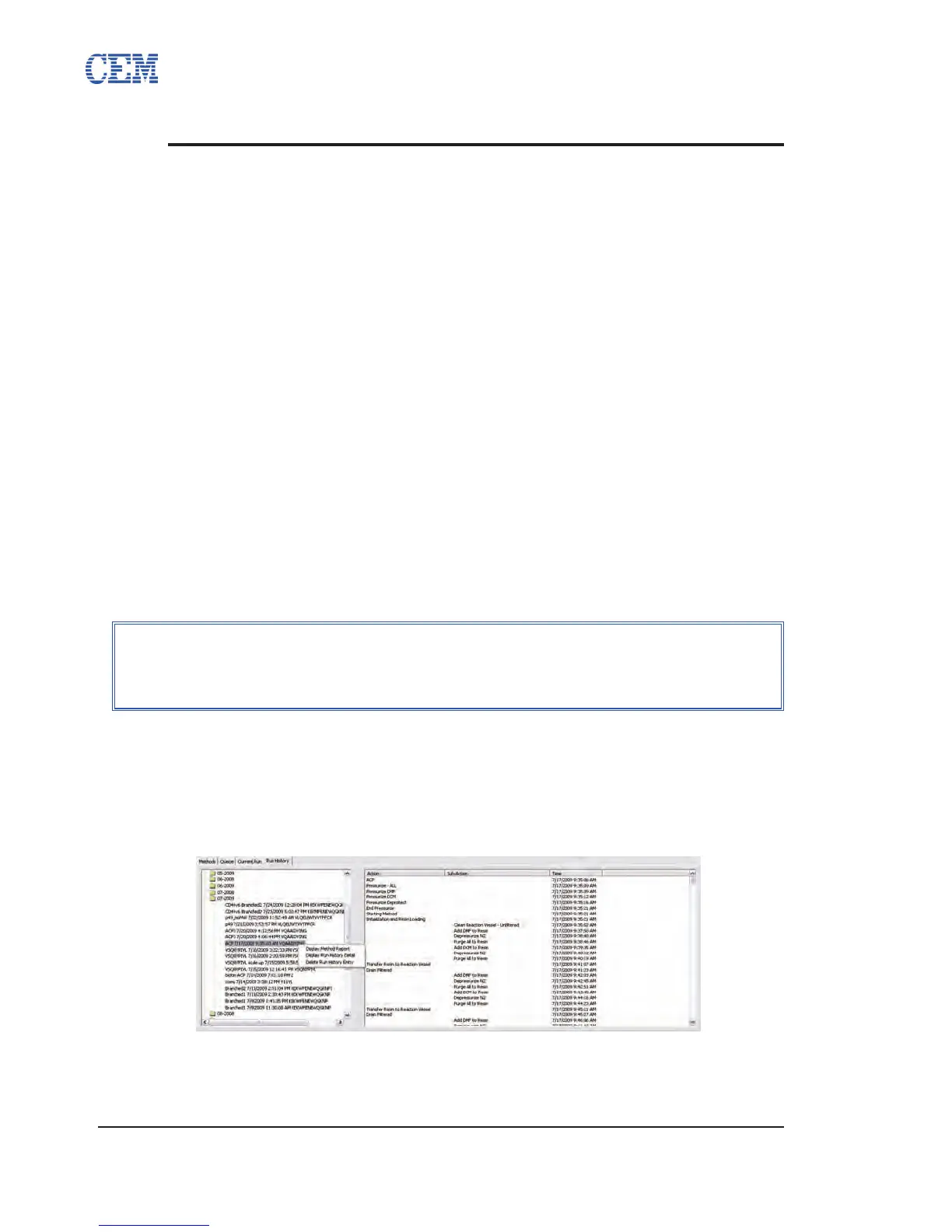
From the Run History Tab:
Open the folder for the month in which the method was run.1.
Right-click on the specic run to be reported and select Display Method Report.2.
The Report Viewer window will open, and the method report will be rendered as 3.
a PDF.
Click Save As PDF to save the report.4.
NOTE
The Report Viewer window does not allow scrolling between pages. To
view the next page in the report before saving, click the Next Page button,
located next to the page number box.



 To Next Page