Liberty
™
Automated Microwave Peptide Synthesizer
600178 • Revision 5 • October 2009
58
Resin 2.5.1.2. Substitution: The resin substitution can be found on the
bottle of resin and it will be labeled either meq/g or mmol/g.
Skip Resin Load: Check this box only if the resin is already loaded 2.5.2.
into the reaction vessel.
2.5.3. C-terminus: If using preloaded resin (the resin already has the rst
amino acid attached), select Acid. Otherwise, select Amide.
Final Deprotection: Select Yes to remove the nal Fmoc from the 2.5.4.
N-terminus of the peptide.
Default cycles: 2.5.5.
Resin: After the scale is selected, the default Resin Transfer 2.5.5.1.
cycle will be loaded for the appropriate reaction vessel.
Ensure the correct vessel is connected to the Liberty.
Final Deprotection: Select the desired nal deprotection step 2.5.5.2.
(Final Deprotection or Acetylation).
Cleavage: To cleave the peptide on the system automatically, 2.5.5.3.
select the Cleavage cycle for the appropriate scale. Otherwise
select Non-cleavage.
Click Save to save the method. Close the Method Editor2.6.
From the main screen of PepDriver,3. load the method by clicking on the
appropriate method in the Method Tab and dragging it to one of the resin
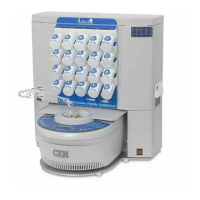
positions at the top of the screen. Each position corresponds to one of the twelve
resin positions on the front of the Liberty. The resin position should turn green.
Prepare Reagents
To determine the amount of each reagent needed and how to prepare them, use 4.
the Usage and Reagent Calculators
Click on the Calculator button and select 4.6.1. Usage from the menu. The
amount of each reagent necessary for the synthesis is listed. Click
Print at the bottom of the calculator to generate a PDF that can be
printed or saved.
Click on the Calculator button and select 4.6.2. Reagent from the menu.
Resin: Enter the scale of the synthesis and the resin 4.6.2.1.
substitution to determine the mass of resin needed.
Other Reagents: For the other reagents, click on the 4.6.2.2.
appropriate tab (Activator, Base, Deprotection, Cleavage)
and then select the appropriate reagent from the list. Enter
the concentration and volume needed on the right and click
NOTE
The substitution value entered will not affect the operation of the Liberty.
It is only needed for the Usage Calculator to calculate how much resin is
required for the synthesis.


 To Next Page