Liberty
™
Automated Microwave Peptide Synthesizer
600178 • Revision 5 • October 2009
44
Setting up a Synthesis
Conguring Methods to Run
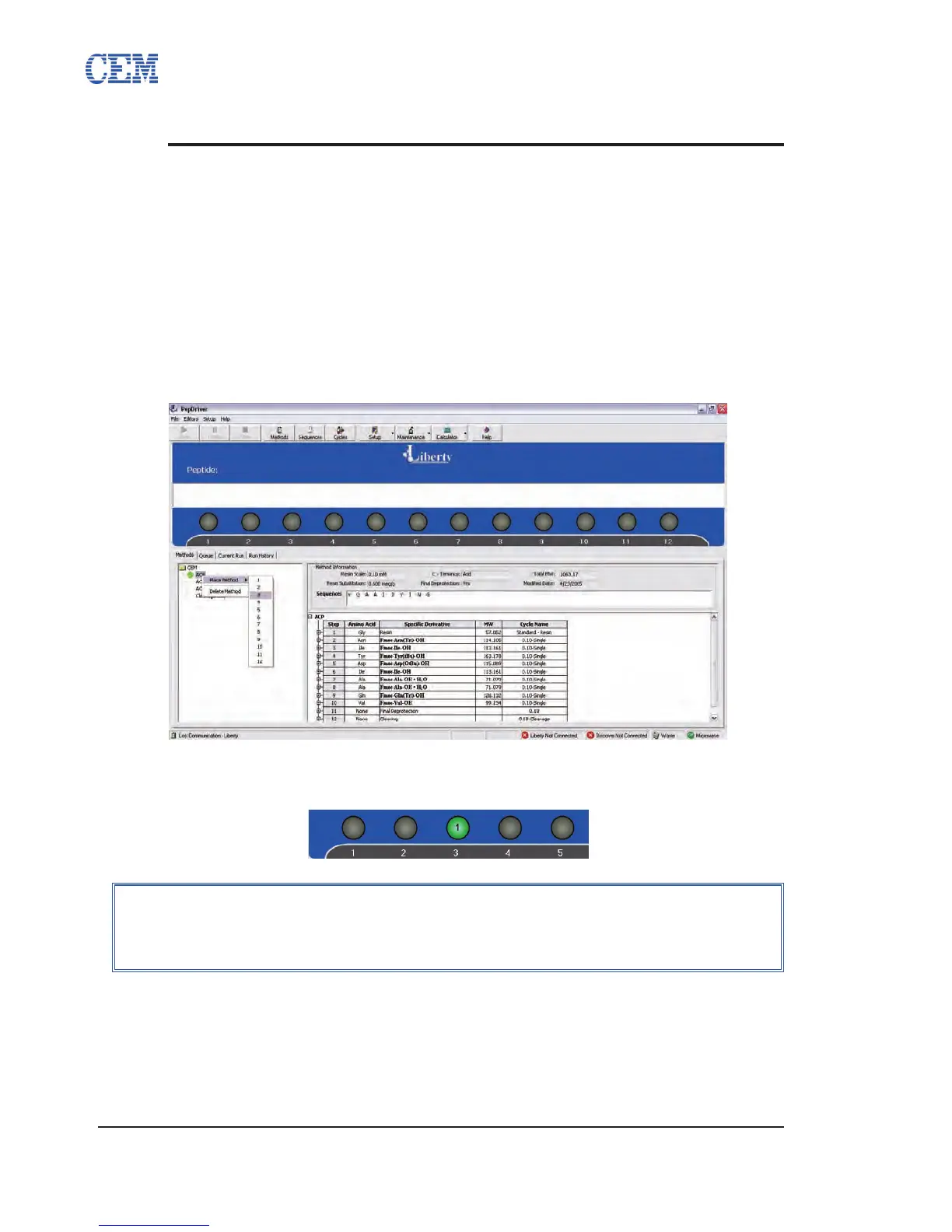
Loading a Method
Once a method has been created and saved in the Method Editor, it is available from the
Methods tab on the main PepDriver screen. Methods can be loaded to run in two ways.
To load by clicking:
Open the appropriate folder in the Methods tab.1.
Right-click on the desired method, select Place Method, and then select the 2.
number of the appropriate resin position.
The resin position in PepDriver will turn green, indicating the method is loaded 3.
and ready to run.
To load by dragging:
Open the appropriate folder in the Methods tab.1.
Click on the desired method, and drag the method to the appropriate resin 2.
position.
NOTE
Methods can be loaded to any of the twelve resin positions. The order of
the resin positions does not affect the order in which the peptides will be
synthesized.



 To Next Page