Liberty
™
Automated Microwave Peptide Synthesizer
600178 • Revision 5 • October 2009
72
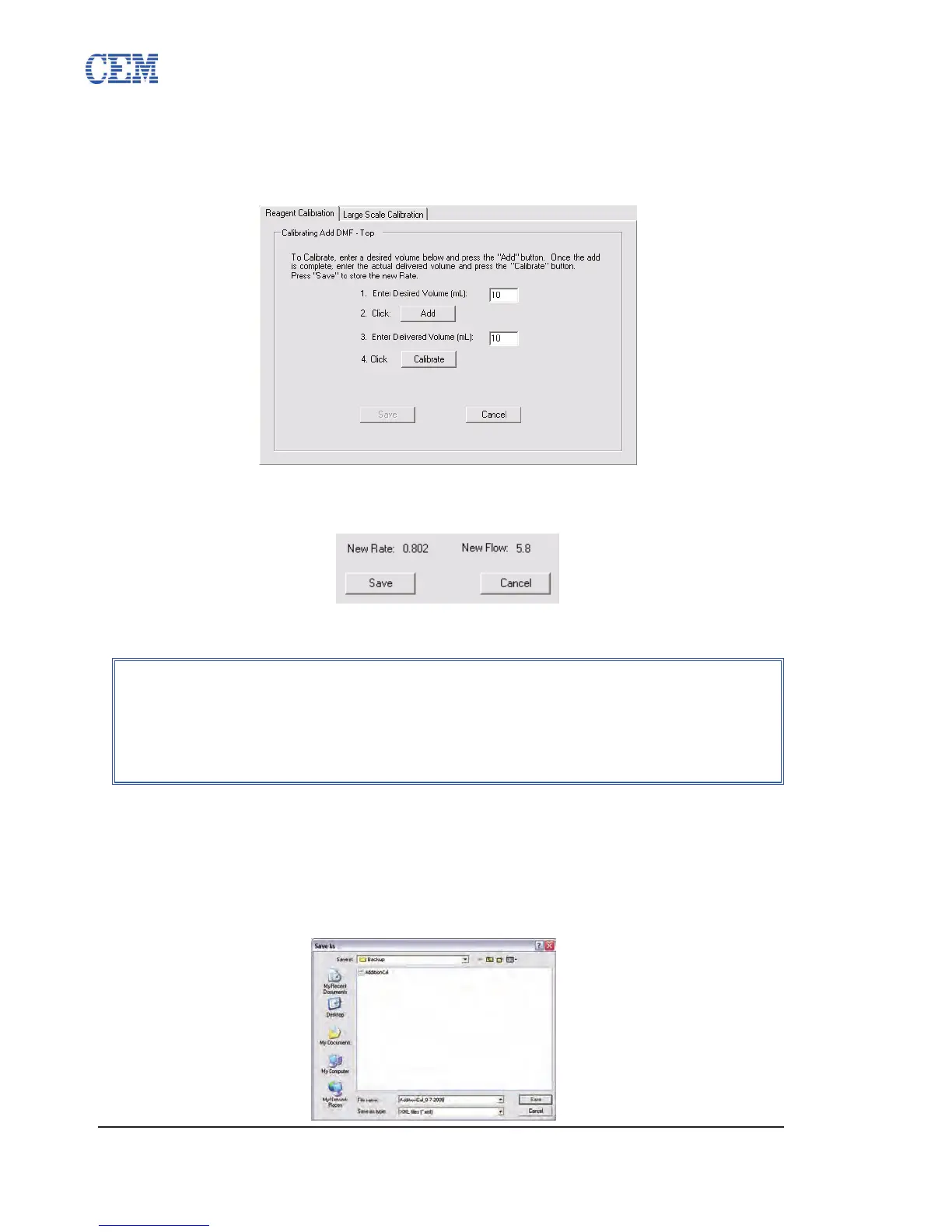
The selected reagent will be added to the reaction vessel through the sprayhead. 5.
Once the addition is nished, measure the volume delivered to the reaction
vessel using the graduations on the calibration stand.
Enter the amount of reagent delivered to the reaction vessel. 6.
Click Calibrate. Two values will be displayed below the Calibrate button, New 7.
Rate and New Flow. Click Save to save the new calibration values.
Click the Filtered Drain button to empty the reaction vessel.8.
Importing and Exporting Volume Calibration Values
To create a backup copy of the current volume calibration values:
From the Volume Calibration tab, click Export.1.
Enter a name for the backup le, and then click Save.2.
NOTE
When calibrating Add DMF to Resin or Add DCM to Resin, the Liberty
will add reagent to a centrifuge tube connected to position 1 on the Resin
Manifold. One the reagent has been added, remove the centrifuge tube
and transfer the liquid to a graduated cylendar to accurately measure the
delivered volume.



 To Next Page