Liberty
™
Automated Microwave Peptide Synthesizer
600178 • Revision 5 • October 2009
30
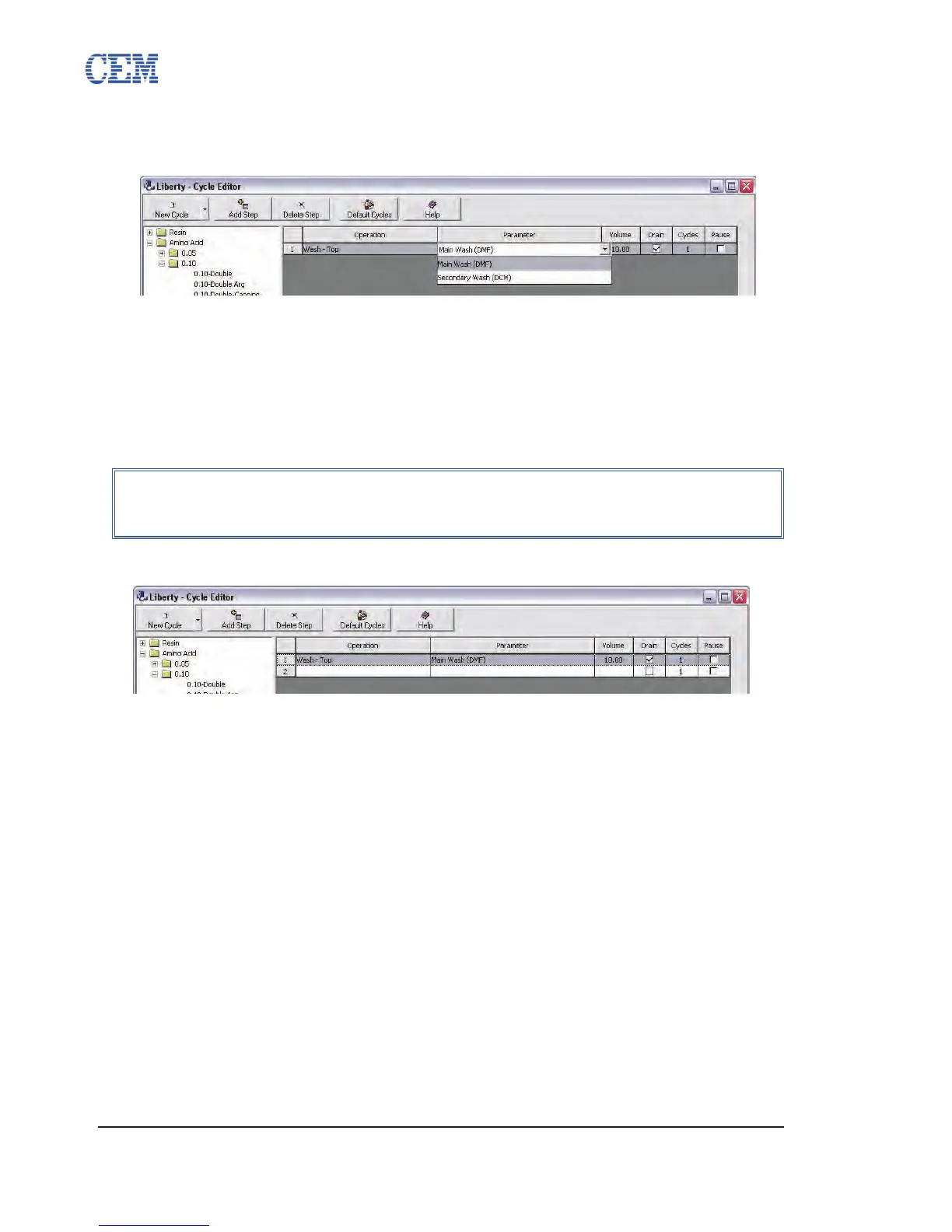
The default parameter and volume for the chosen operation will appear in the 5.
appropriate boxes. Click on the Parameter box to select a different parameter.
Click on the volume to enter the desired volume.
If the Drain box is checked, the reaction vessel will be drained using a ltered 6.
drain after the operation is carried out. Uncheck the box to leave any liquid
reagents in the vessel.
Enter the number of times the operation is to be carried out in the Cycles box.7.
If the 8. Pause box is checked, the method will be paused after the operation is
carried out. To insert a pause, check the box.
Click the Add Step button to add a new step to the cycle.9.
Repeat steps 3 through 9 until the cycle is fully programmed. 10.
Click Save to save the cycle.11.
Editing an Existing Cycle
The Cycle Editor allows for settings on existing cycles to be modied and saved as needed. To
modify an existing cycle:
Open the folder for the appropriate cycle type, then open the subfolder for the 1.
appropriate scale if necessary.
Click on the cycle to be modied.2.
Make any changes as needed.3.
Click Save to save the changes to the cycle.4.
NOTE
The method will not resume until the user presses the Start button on the
main screen of PepDriver.



 To Next Page