Liberty
™
Automated Microwave Peptide Synthesizer
600178 • Revision 5 • October 2009
92
should be performed after every sensor calibration. To perform a Sensor Test:
Select the Test Sensors category, and then click Test.1.
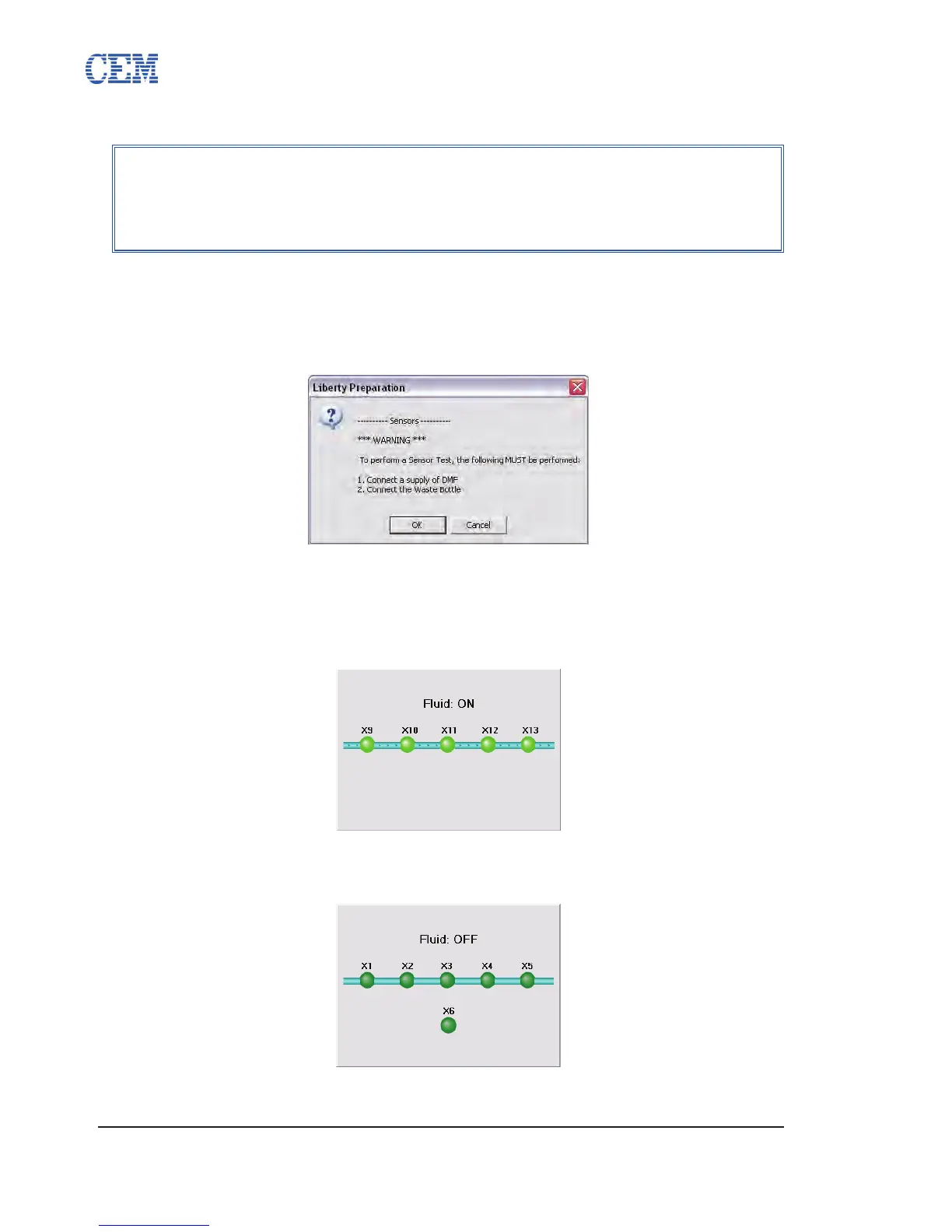
A warning will pop up to conrm that there is sufcient DMF for the test and that 2.
the waste container is connected. Verify the DMF supply and that the waste
container is not full, then click OK.
The Liberty will purge the lines. The sensors for the rst test will be displayed in 3.
the status window.
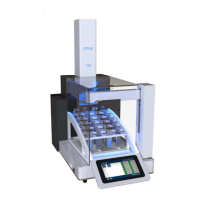
The Liberty will ll the line with DMF. As each sensor detects liquid, the 4.
corresponding indicator in the status window will turn bright green.
The Liberty will turn off the DMF ow and empty the line. As each sensor stops 5.
detecting liquid, the corresponding indicator in the status window will dim.
If a sensor fails the test, a red X will appear next to the test in the Test window, 6.
NOTE
A Sensor Test can also be started from either the Cleaning tab or the Sensor
Calibration tab by clicking the Test Sensors button. Clicking Test Sensors
from either tab will open the Test System screen and automatically select
and begin a Sensor Test.


 To Next Page