Battery Cell Insulation Tester 11210 User’s Manual
3-2
4. Connecting test cable to high voltage output terminal
When the test cable is connected to HV (+) (BNC terminal), follow the steps below to
connect the test cable to HV (-) (red concave terminal).
• Press STOP.
• Ensure the DANGER indicator is off.
• Make sure the screen shows voltage 0V in real time (no voltage output).
• First connect the test cable to HV (+) (BNC terminal) and then connect the test cable
to HV (-) (red concave terminal).
5. Connecting test cable to HV (-) (red concave terminal)
When using the Tester, always check if the test cable is properly connected to the HV (-)
(red concave terminal) and is not loosened or fallen. When using a test cable to connect
the test object, be sure to use the high voltage test cable to connect the DUT (Device
Under Test) first. It is very dangerous if the HV (-) (red concave terminal) or HV (+) (BNC
terminal) test cable is not firmly connected or fallen as the entire DUT may fill with high
voltage.
6. End of test
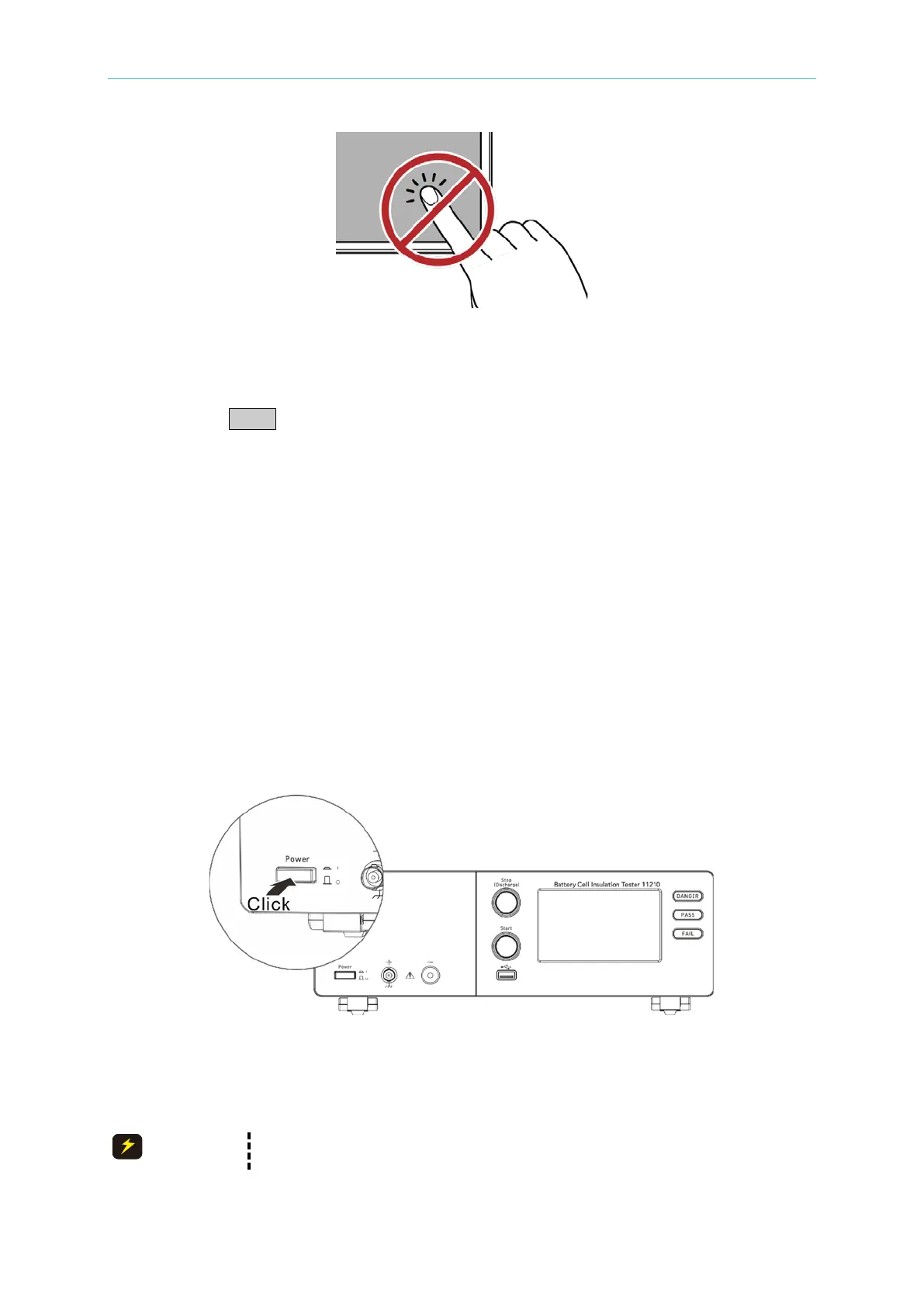
When the test is end or the Tester is not in use or is in use but needs to leave it
unattended for a while, it is necessary to toggle the power switch to OFF (i.e. to shut off
the power) as Figure 3-2 shows.
Figure 3-2 Power Off
7. Do not touch the hazard areas when the Tester is in test mode
When the Tester is in use or the DANGER indicator is blinking, touching the object with
high voltage such as UUT, test cable, probe and output terminal is very dangerous.
Do not touch the tip of dolphin clip on the test cable as it may have high
voltage output during test as shown in Figure 3-3.



 To Next Page