Setting for Operation
5-9
(19) Password Management:
It enables password management system with two modes of ON and OFF. The
factory default is OFF and refers to section 5.2.2 for password setup.
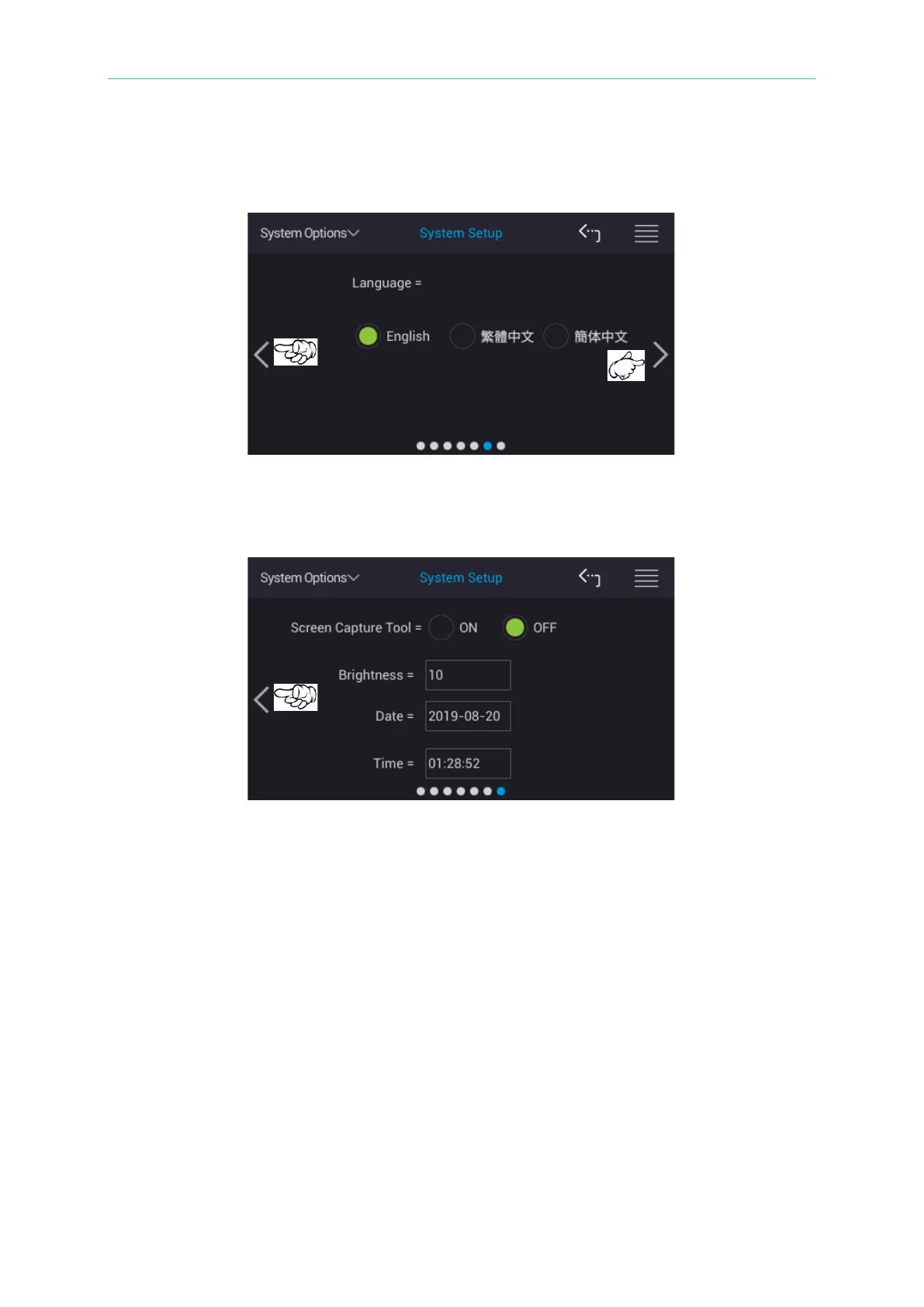
(20) Language:
Language selections contain English, Traditional Chinese and Simplified Chinese.
The factory default is English.
(21) Screen Capture Tool:
It is the screen capture function. It has ON and OFF two modes with default set to
OFF. The captured file format is PNG.
(22) Brightness:
It sets monitor brightness. The range can be adjusted from 1 to 15. The numeral 1
indicates darkest and numeral 15 indicates brightest. The factory default is 10.
(23) Date:
The date of the system is running now. The factory default is actual year/month/date
in the format of yyyy-mm-dd.
(24) Time:
The time of the system is running now. The factory default is actual time in the
format of hh:mm:ss.



 To Next Page