Program Sequence
4-3
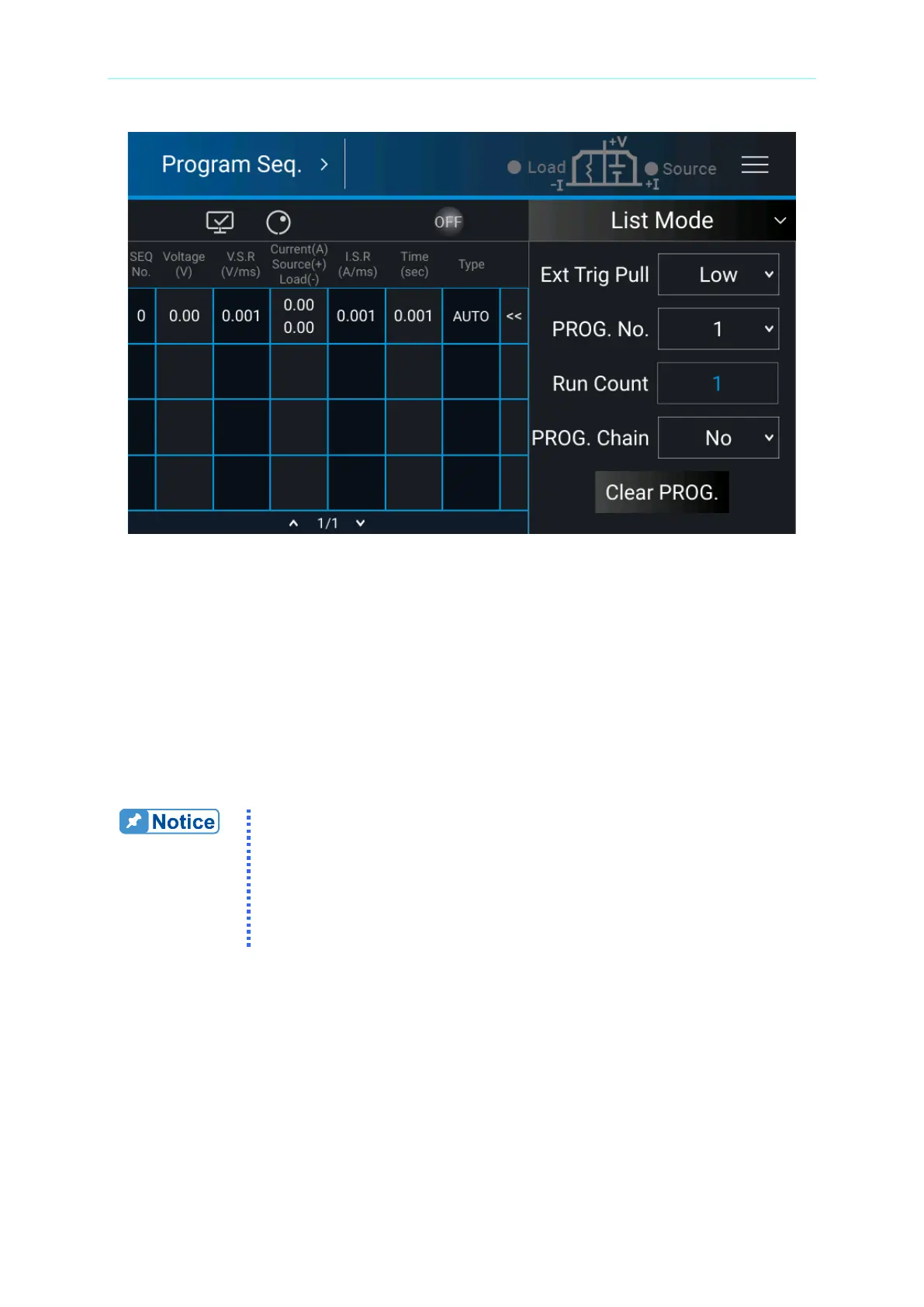
Figure 4-4
4.1.1 PROGRAM Settings
A program has 5 settings: (1) Ext Trig PULL, (2) Prog No, (3) Run Count, (4) Prog Chain,
and (5) Clear Prog.
4.1.1.1 Setting Ext Trig Pull
Tap Ext Trig Pull on the right and select HIGH or LOW.
1. When the Ext Trig is set to HIGH, a negative edge trigger signal
(TTL level) is needed from the Analog Interface PIN 15 on the rear
panel to move to the next sequence step.
2. When the Ext Trig is set to LOW, a high level signal from the
Analog Interface PIN15 on the rear panel and changes it to low
level signal (negative edge trigger) to move to the next sequence
step.
4.1.1.2 Setting Prog No.
Tap Prog No. on the right, the valid range is 1~10.
4.1.1.3 Setting Run Count
Tap Run Count on the right and input the value.



 To Next Page
 Loading...


