Programmable Bidirectional DC Power Supply 62000D Series
Operating and Programming Manual
3-34
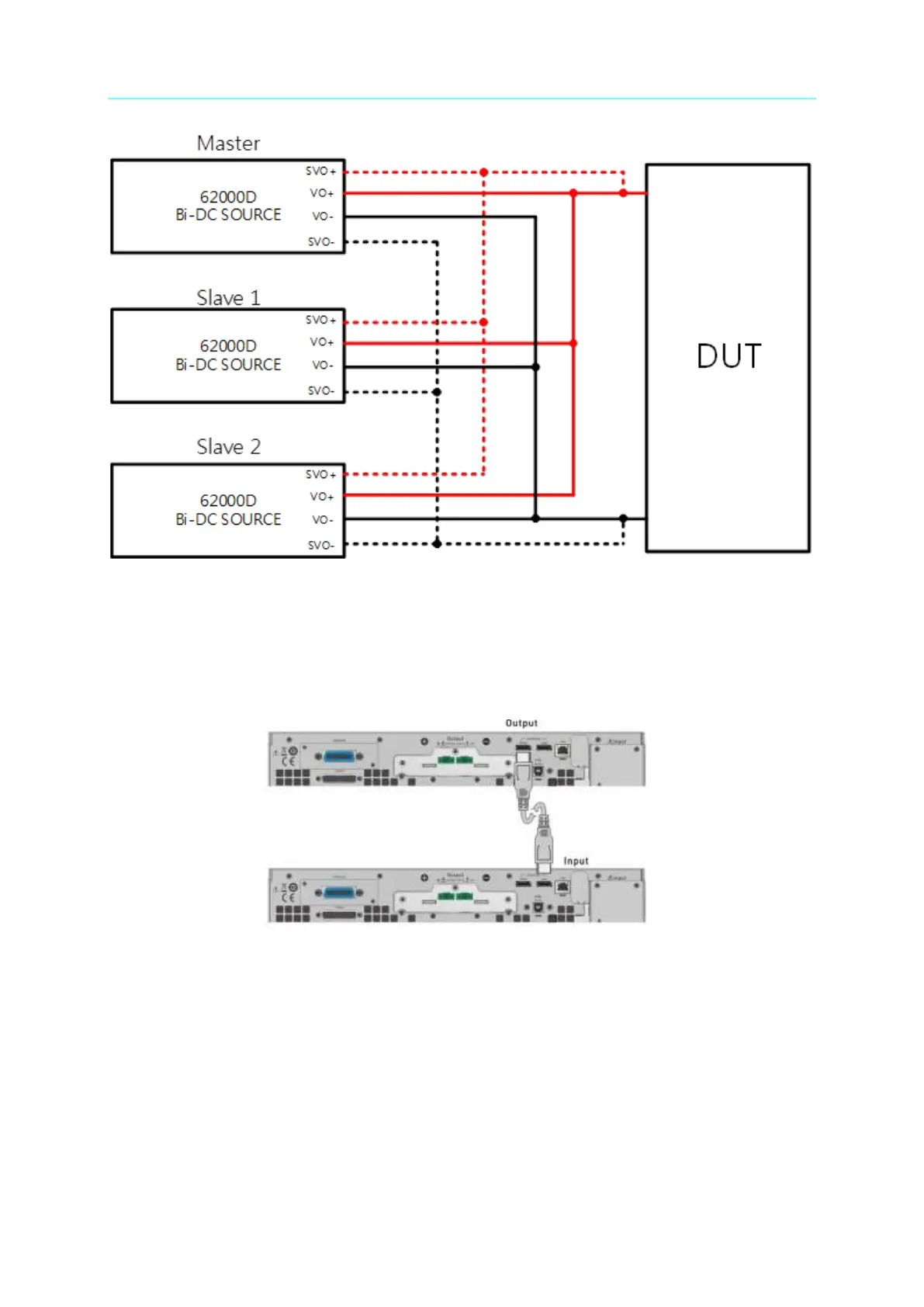
Figure 3-52
3.2.4.2.3 Installing Series/Parallel Communication Interface
1. When two DC power supplies are connected in series or parallel, the DisplayPort
connector on the rear panel must be connected as shown in Figure 3-53.
Figure 3-53
2. When three DC power supplies are connected in series or parallel for operation, the
DisplayPort connector on the rear panel must be connected as shown in Figure 3-54.



 To Next Page
 Loading...


