Introduction Getting Ready
Taking Pictures
Playback Set Up
EN-161
Contents Glossary Index Nomenclature Menus and Settings Troubleshooting
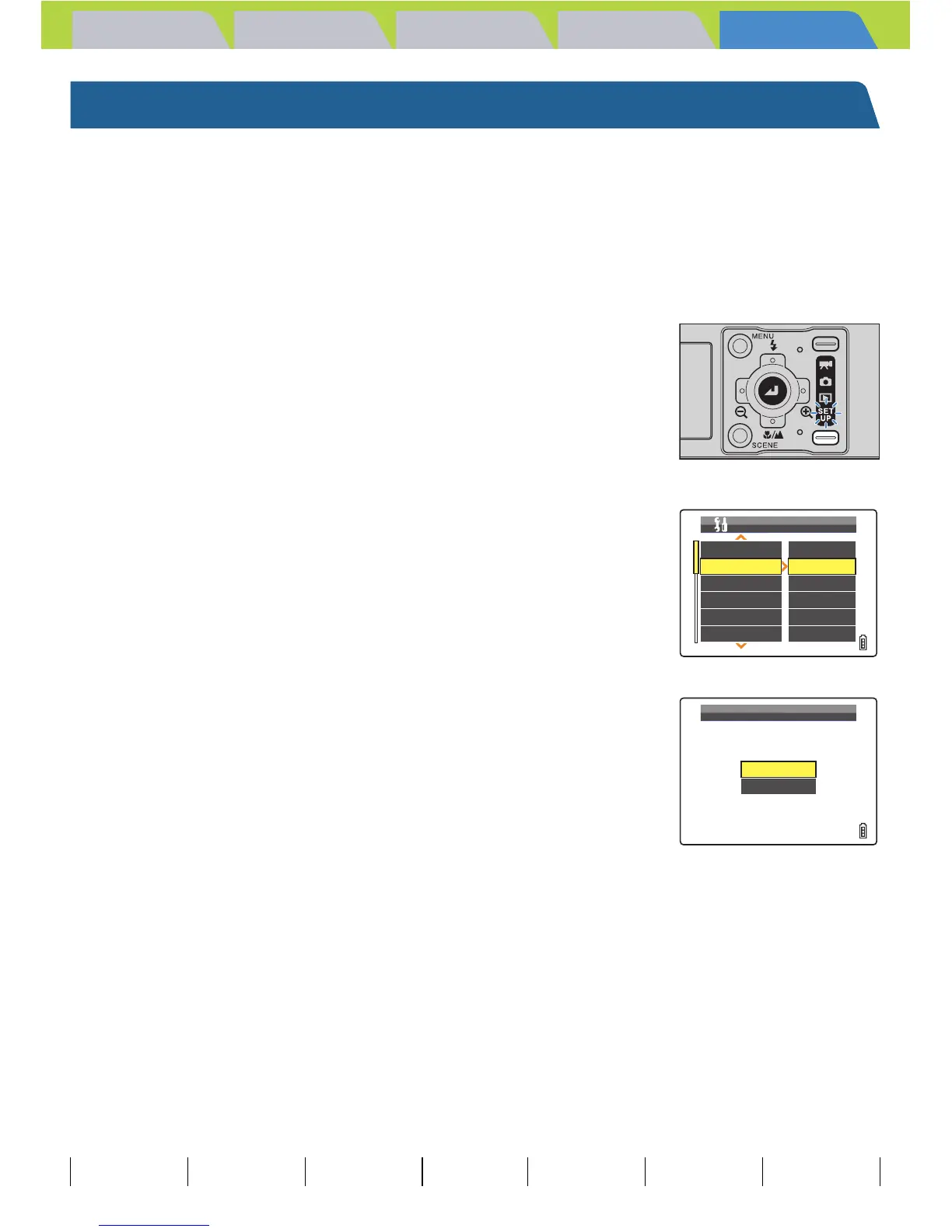
[FORMAT] Initializing a Memory Card
You should use this function to format new memory cards before you use
them or when you want to erase all the files (including images) on a card.
1 Turn the camera on and press the mode
button until "G" lights up on the mode
select LED.
The SET UP menu screen is displayed.
2 Press the 4-way button up or down to
select [FORMAT], then press right.
3 Press the 4-way button up to select
[EXECUTE], then press the OK button E.
Card formatting begins.
When formatting is completed, the SET UP menu screen reappears.
A Important
• To ensure that you get the best possible performance from this camera, cards should be
formatted in the camera.
• Note that formatting a card also erases protected images.
AF MODE
FORMAT
BRIGHT CNTRL
DATE
INSERT DATE
SAF
EXECUTE
STANDARD
2004.01.01
NO DATE
POWER SAVE 1MIN.
SET UP(1/3)
EXECUTE
CANCEL
FORMAT?



 To Next Page