Introduction Getting Ready
Taking Pictures
Playback Set Up
EN-43
NEXT
Contents Glossary Index Nomenclature Menus and Settings Troubleshooting
Using Continuous Shooting Mode
«Applicable mode: C»
This camera is capable of taking a series of consecutive shots at up to
approximately 3.0 frames per second.* This feature is useful for
photographing moving subjects and for situations where you do not want
to miss a snapshot opportunity. Select AF continuous to refocus the
camera for each frame while shooting continuously.
* When using a high speed memory card (an SD Memory Card with a writing speed of 10MB/S or more).
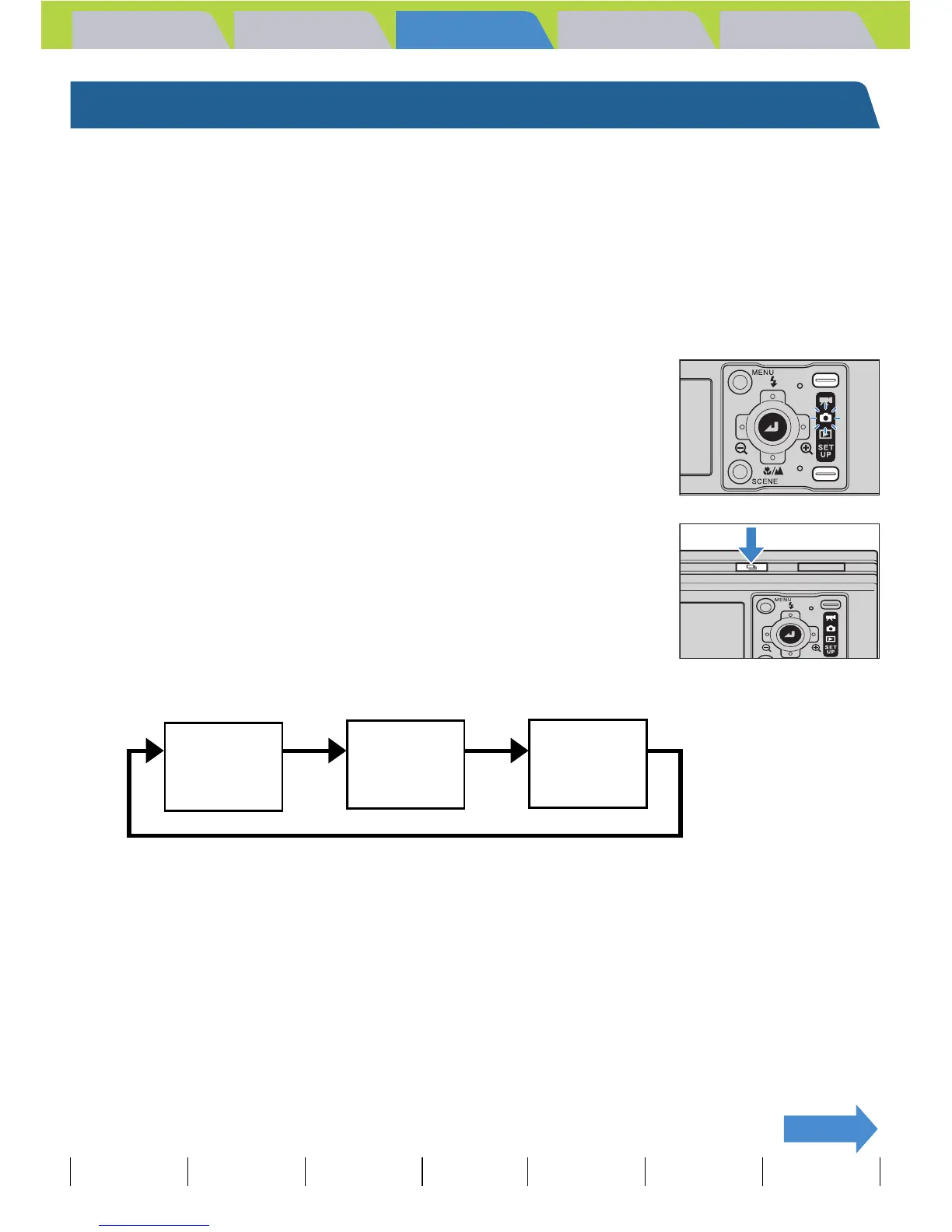
1 Turn the camera on and press the mode
button until "C" lights up on the mode
select LED.
2 Press the continuous shooting button N
to select continuous shooting mode.
The shooting mode changes as shown below each time the continuous
shooting button N is pressed.
(No icon) (Single-Shot) : Standard shooting mode. (Default)
[F] (Continuous Shooting) : A series of photos can be shot continuously. (Approximately 3.0
frames per second)
[A] (AF Continuous Shooting) : Continuous shooting with focus set for each frame. This reduces
the continuous shooting speed. (Approximately 1.4 frames per
second)
F
Continuous
Shooting
(No icon)
Single-shot
A
AF Continuous
Shooting
N N
N



 To Next Page