Introduction Getting Ready
Taking Pictures
Playback Set Up
EN-168
Contents Glossary Index Nomenclature Menus and Settings Troubleshooting
[BEEP] Adjusting the Volume of the Camera Button Beep
Use this procedure to adjust the volume of the beep emitted when a camera
button is pressed or the camera is turned on.
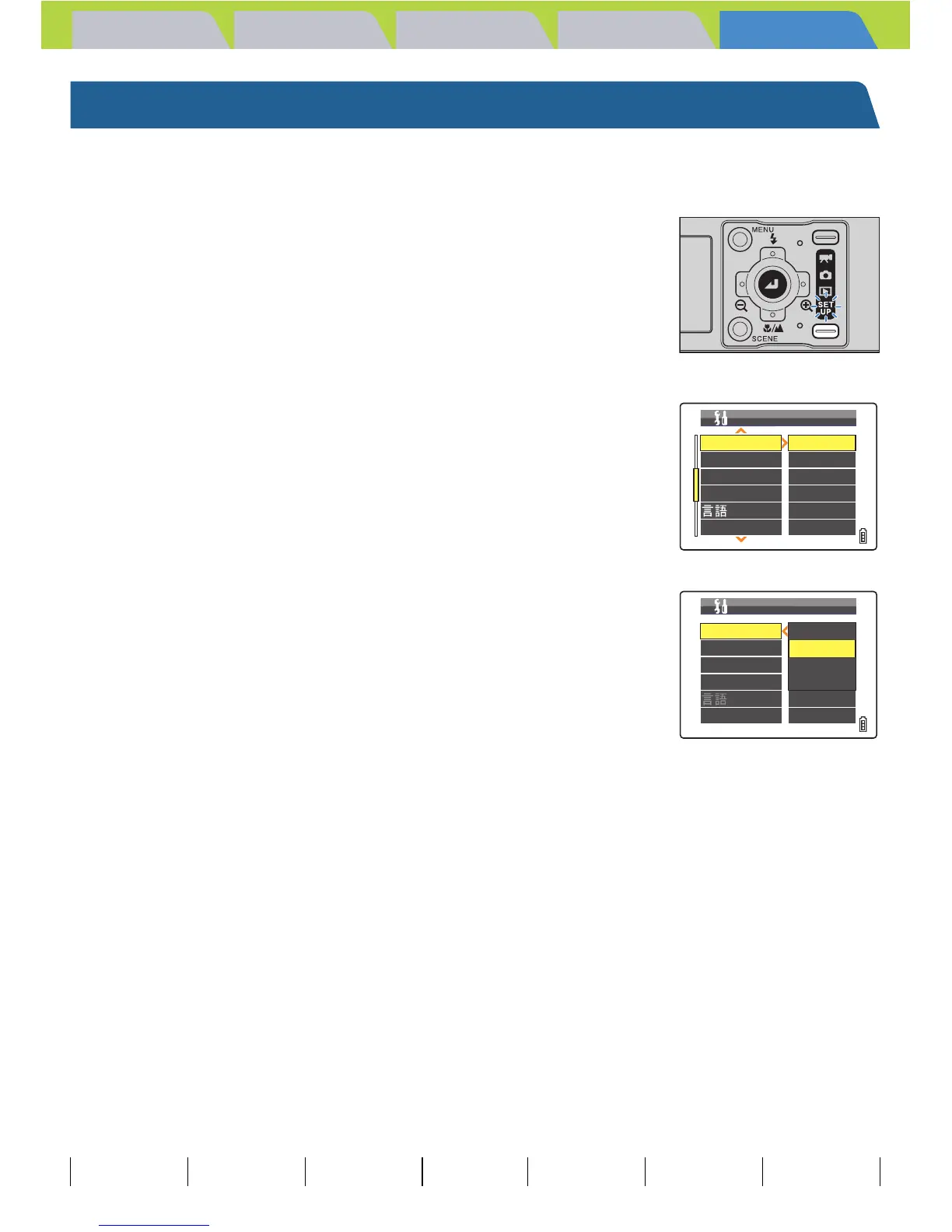
1 Turn the camera on and press the mode
button until "G" lights up on the mode
select LED.
2 Press the 4-way button up or down to
select [BEEP], then press right.
3 Press the 4-way button up or down to
select the desired volume, then press the
OK button E.
The selected volume is applied.
[+3] : Maximum volume
[+2] : Medium volume (Default)
[+1] : Low volume
[OFF] : No button beep
BNote
This setting is retained when you turn the camera off.
BEEP
SHUTTER VOL
START SCREEN
REC REVIEW
+
2
+
2
SET
2SEC
ENGLISH
SET UP(2/3)
VIDEO OUT NTSC
LANGUAGE
BEEP
SHUTTER VOL
START SCREEN
REC REVIEW
+
3
+
2
+
1
OFF
ENGLISH
SET UP(2/3)
VIDEO OUT NTSC
LANGUAGE



 To Next Page