Introduction Getting Ready
Taking Pictures
Playback Set Up
EN-96
NEXTBACK
Contents Glossary Index Nomenclature Menus and Settings Troubleshooting
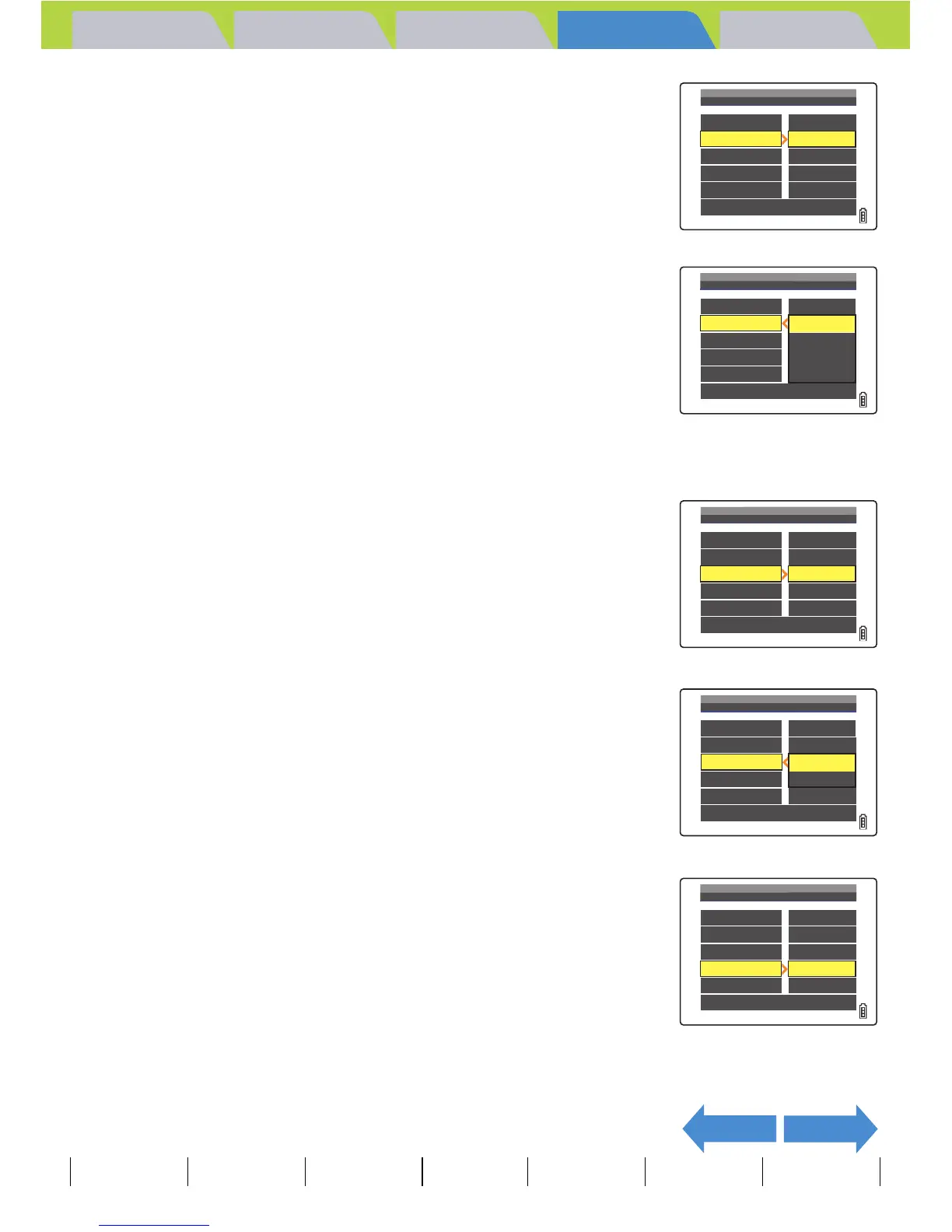
4 Press the 4-way button up or down to
select [INTERVAL], then press right.
5 Press the 4-way button up or down to
select the desired value, then press the
OK button E.
The available intervals are 2, 10, 15 and 30 seconds.
6 Press the 4-way button up or down to
select [START FRAME], then press right.
7 Press the 4-way button up or down to
select the starting image, then press the
OK button E.
[THIS FRAME] : Starts playback from the currently displayed image.
[1ST FRAME] : Starts playback from the image with the lowest
number in the file name.
8 Press the 4-way button up or down to
select [RECORD/MOVIE], then press right.
BNote
The recorded duration of movies and
postrecordings takes precedence over the
playback interval setting.
START
FRAME
RECORD/MOVIE
EFFECT
THIS
FRAME
2SEC
START
INTERVAL
EXECUTE
PLAYBACK
OFF
SETTING
AUTO
PLAY
RETURN
START
FRAME
RECORD/MOVIE
EFFECT
10SEC
2SEC
STARTSTART
INTERVAL
EXECUTE
15SEC
30SEC
SETTING
AUTO
PLAY
RETURN
THIS
FRAME
2SEC
PLAYBACK
OFF
SETTING
AUTO
PLAY
RETURN
START
FRAME
RECORD/MOVIE
EFFECT
STARTSTART
INTERVAL
EXECUTE
1ST
FRAME
THIS
FRAME
2SEC
OFF
SETTING
AUTO
PLAY
RETURN
START
FRAME
RECORD/MOVIE
EFFECT
STARTSTART
INTERVAL
EXECUTE
THIS
FRAME
2SEC
PLAYBACK
OFF
SETTING
AUTO
PLAY
RETURN
START
FRAME
RECORD/MOVIE
EFFECT
STARTSTART
INTERVAL
EXECUTE



 To Next Page