For information on full text search, see Up Full Text Search (see "Setting Up File Search"
on page 271).
10 In the Windows File Sharing drop-down list, specify tSetting (see "Setting Up File
Search" on page 271)he permitted level of access to the network share via Windows File
Sharing, by selecting one of the options described in Share Access Options (page 107).
11 Click Next.
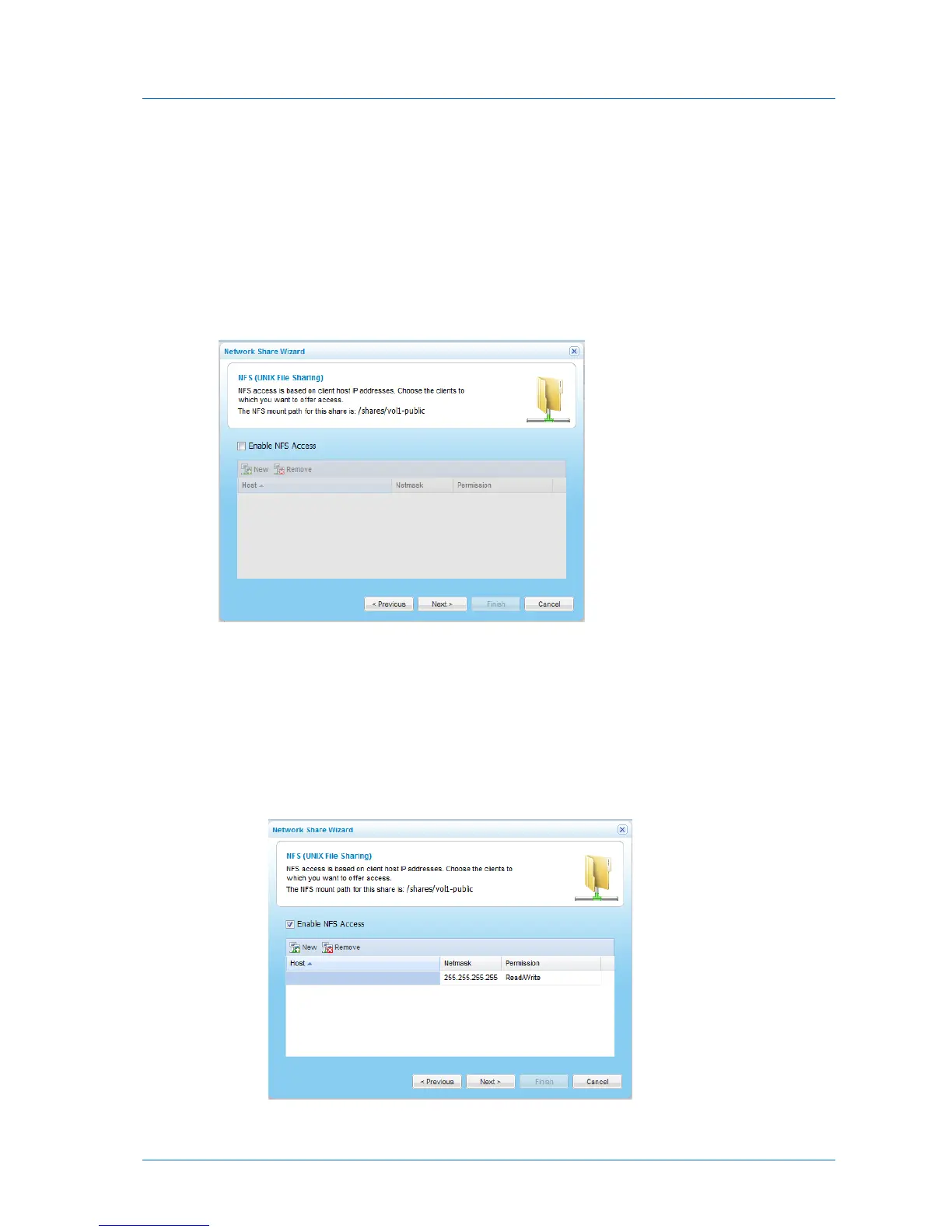
The NFS (UNIX File Sharing) dialog box appears.
12 To enable NFS access to the network share, do the following:
a Select the Enable NFS Access check box.
b Add the IP addresses of clients that should be allowed NFS access to network share,
by doing the following:
1 Click New.
The IP address 0.0.0.0 appears in the table.



 To Next Page