CTERA C-Series User Guide 201
If you selected Rsync or Windows File Sharing, continue at Synchronizing with a
Remote RSync or CIFS Server (page 201).
If you selected WebDAV, continue at Synchronizing with a Remote WebDAV Server
(page 205).
If you selected Local Folder, continue at Synchronizing Two Local Folders (page 206).
Table 38: Synchronization Methods
The appliance should synchronize the folder with a remote RSync
server.
This option is ideal if you have an RSync server and a slow Internet
connection.
The appliance should synchronize the folder with a remote
WebDAV server.
The appliance should synchronize the folder with a remote server
using Windows file sharing (CIFS).
The appliance should synchronize the folder with another local
folder.
For example, you can set up your appliance to back up a certain
folder on a daily basis to an external USB drive.
To synchronize with a Remote RSync or CIFS Server
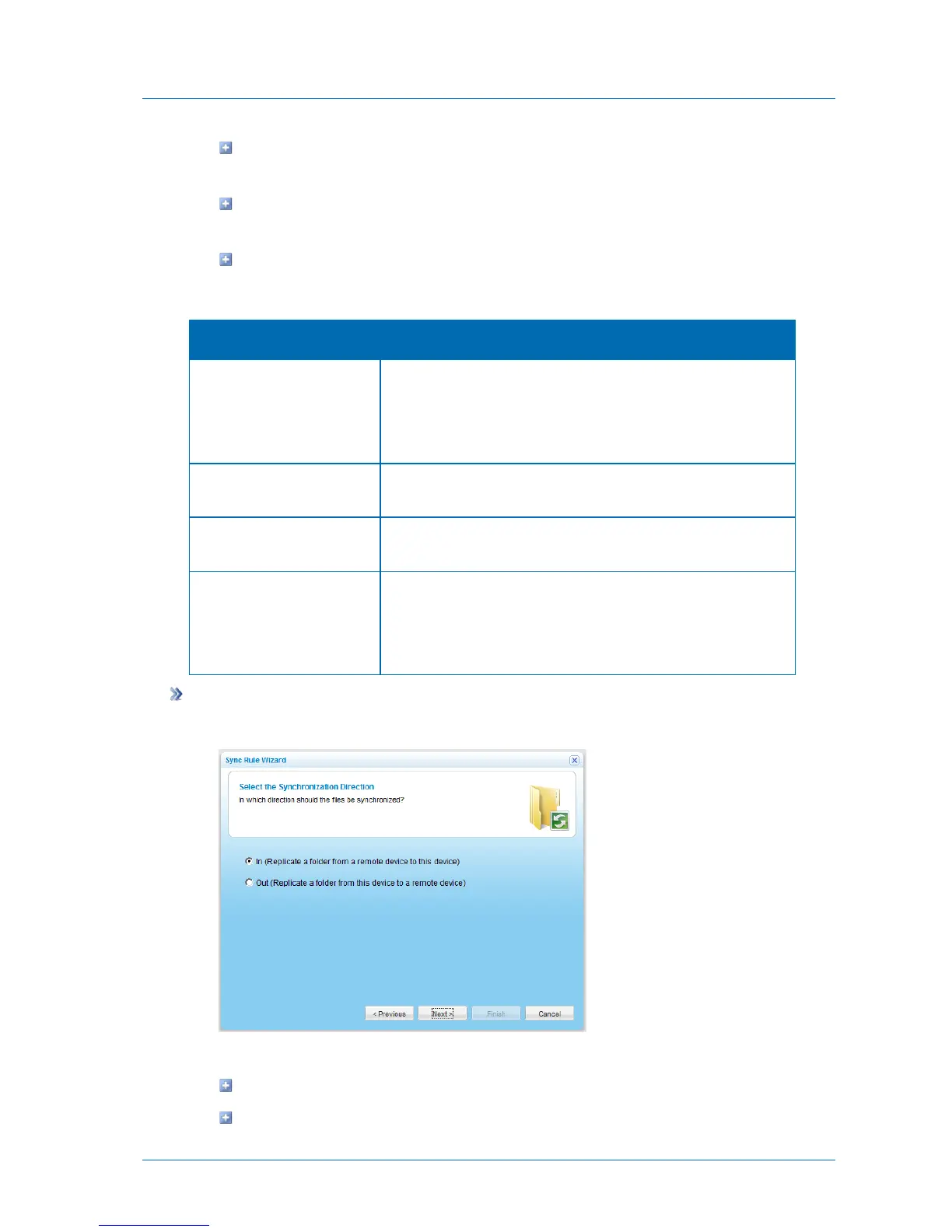
The Select the Synchronization Direction dialog box appears.
1 Specify the synchronization direction, by doing one of the following:
To synchronize a folder from a remote server to the appliance, choose In.
To synchronize a folder from the appliance to a remote server, choose Out.



 To Next Page